Back to featured insights
How to Create the Best Contact Form for WordPress in Hong Kong
Discover how to create the best contact form for WordPress in Hong Kong using top plugins. Boost your website’s user experience, capture leads efficiently, and embed professional forms quickly with our step-by-step guide.

Table of Content
Share
The Best Contact Form for WordPress is essential for any website that wants to capture leads, manage inquiries, and communicate effectively with visitors. A well-designed contact form helps improve user experience, increase conversions, and protect your website from spam submissions.
This guide is ideal for WordPress beginners, business owners, marketers, and agencies managing websites in Hong Kong. In this article, we’ll cover the top 1o Contact Form Plugins for WordPress in Hong Kong and walk you through how to create a WordPress contact form for Hong Kong websites step by step.
What Is a Contact Form for WordPress?
A contact form for WordPress is a tool or plugin that allows visitors to send messages, inquiries, or requests directly through a WordPress website.
Instead of displaying a public email address, a contact form collects user information through input fields and delivers the message to the website owner via email or the WordPress dashboard.

Why Contact Forms for WordPress Matter?
Contact forms play an important role in how visitors communicate with a WordPress website. Instead of relying on public email addresses or manual contact methods, a contact form provides a clear and structured way for users to send inquiries directly through the site.
For website owners, contact forms help organize incoming messages, reduce spam, and ensure inquiries are delivered correctly. By collecting consistent information such as names, email addresses, and request details, businesses can respond more efficiently and create a more professional user experience.
For WordPress websites in Hong Kong, contact forms are especially important due to the city’s fast-moving business environment and mobile-first users. With many businesses serving both local and international customers, a well-optimized contact form helps manage inquiries across time zones and ensures no potential opportunity is missed.
What Makes the Best Form for WordPress?
The best form for WordPress should provide a balance between usability, performance, and functionality. Below are the key factors that define a high-quality WordPress form solution:
- Easy to use interface: Allows beginners to create and manage forms without coding or technical knowledge.
- Drag-and-drop form builder: Enables quick customization of fields, layouts, and form structure.
- Fast loading pprotection: Lightweight scripts that do not negatively impact website speed or Core Web Vitals.
- Reliable spam protection: Supports reCAPTCHA, hCaptcha, Cloudflare Turnstile, and honeypot features.
- Flexible form fields: Includes text fields, dropdowns, checkboxes, file uploads, and conditional logic.
- Mobile-friendly design: Ensures forms display and function properly on smartphones and tablets.
- Email notification and confirmation: Sends instant alerts to admins and auto-replies to users after submission.
- Integration capabilities: Works smoothly with email marketing tools, CRMs, payment gateways, and automation platforms.
- Security and regular updates: Maintained by active developers with frequent updates and compatibility support.
10 Best Contact Form Plugins for WordPress in Hong Kong
Below are the 10 best contact form plugins for WordPress in Hong Kong, selected for their performance, ease of use, and suitability for local business websites.
- WPForms
- Contact Form 7
- Gravity Forms
- Formidable Forms
- Ninja Forms
- HubSpot Forms
- Everest Forms
- Forminator
- Fluent Forms
- HappyForms
Let’s explore each plugin and its key features.
WPForms
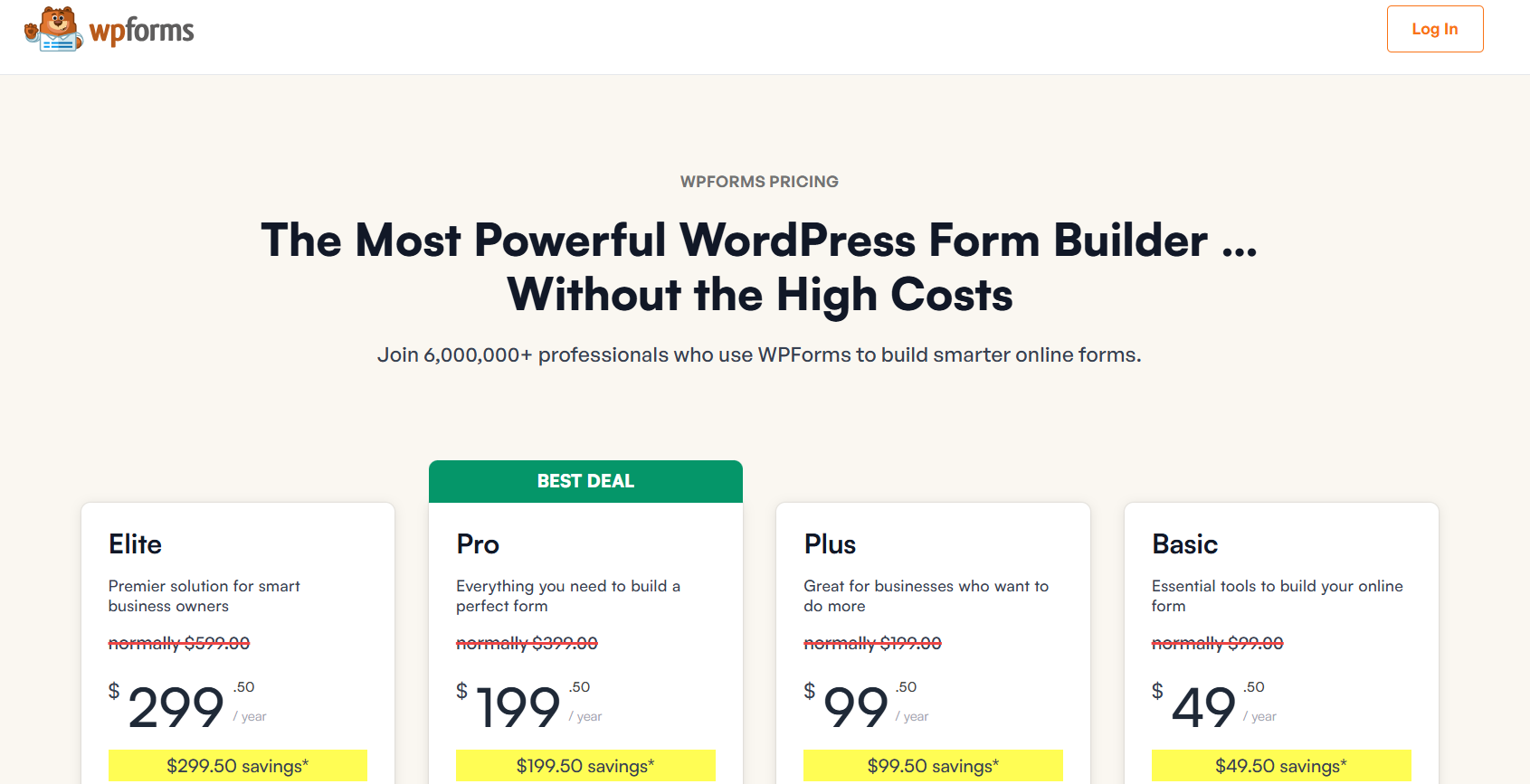
- Rate: 4.9 (13,840+ reviews)
- Active: 6+ million active installations
- Pricing: Free version available, Premium plans start from around $49.50/year
- Best for: Beginners, small businesses, and marketing-focused WordPress websites
WPForms is a highly reliable contact form plugin for WordPress, widely used by business websites that require fast performance and stable email delivery. For Hong Kong websites serving both local and international customers, WPForms offers a balanced solution that combines ease of use, strong security, and excellent compatibility with modern hosting environments.
With its lightweight architecture and optimized scripts, WPForms helps maintain fast loading speeds, making it suitable for Hong Kong sites hosted on regional data centers or global cloud platforms.
Key features
- Drag-and-drop form builder suitable for beginners
- Lightweight structure optimized for fast-loading Hong Kong websites
- Built-in spam protection (reCAPTCHA, hCaptcha, honeypot)
- Reliable email notifications with SMTP compatibility
- Mobile-responsive forms for high mobile traffic in Hong Kong
Contact Form 7

- Rate: 4.1/5 (2,000+ reviews)
- Active: 5+ million active installations
- Pricing: Free
- Best for: Simple Hong Kong WordPress websites, blogs, and developers who prefer lightweight forms
Contact Form 7 is one of the longest-running contact form plugins in the WordPress ecosystem. Its lightweight structure and minimal feature set make it a practical choice for Hong Kong websites that only require basic contact functionality without compromising site speed or hosting performance.
Key Features
- Completely free and open-source
- Lightweight plugin with fast loading performance
- Supports multiple contact forms
- Built-in CAPTCHA and basic spam filtering
- Compatible with most Hong Kong hosting providers
- Extendable through third-party add-ons
Gravity Forms
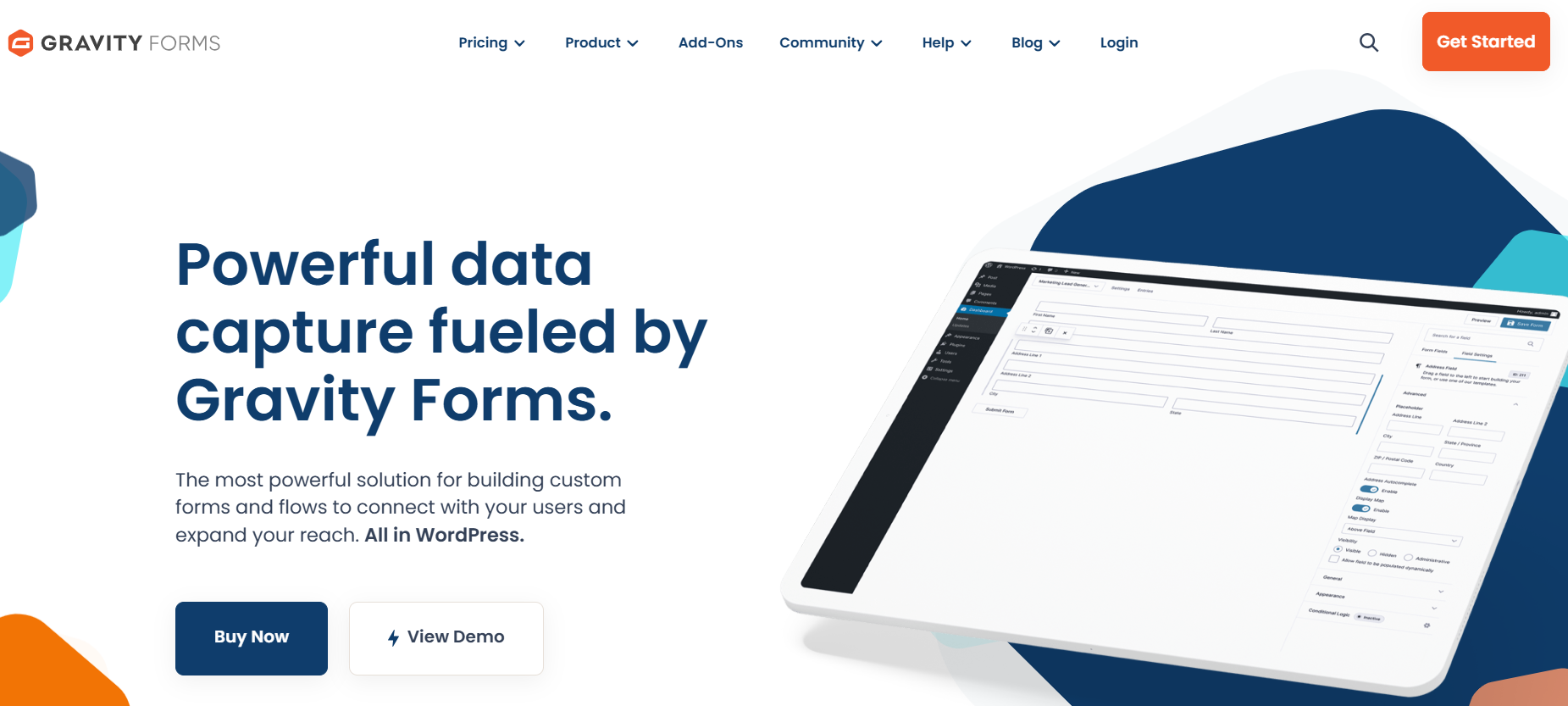
- Rate: 4.8/5 (4,800+ reviews)
- Active: 1+ million active installations
- Pricing: Premium only, plans start from around $59/year
- Best for: Advanced Hong Kong business websites, enterprises, and complex form workflows
Gravity Forms is a powerful WordPress form plugin built for websites that require advanced functionality and full control over data collection. It is widely used by large companies and service-based businesses in Hong Kong that manage complex inquiries, multi-step forms, and internal workflows.
With strong performance optimization and deep integration capabilities, Gravity Forms is ideal for WordPress sites that prioritize reliability, scalability, and long-term stability.
Key Features
- Advanced conditional logic for complex form flows
- Multi-page forms suitable for long inquiries and applications
- File upload support for documents and quotations
- Strong spam protection and security options
- Seamless integration with CRM, payment, and automation tools
- High compatibility with Hong Kong hosting and cloud servers
Formidable Forms
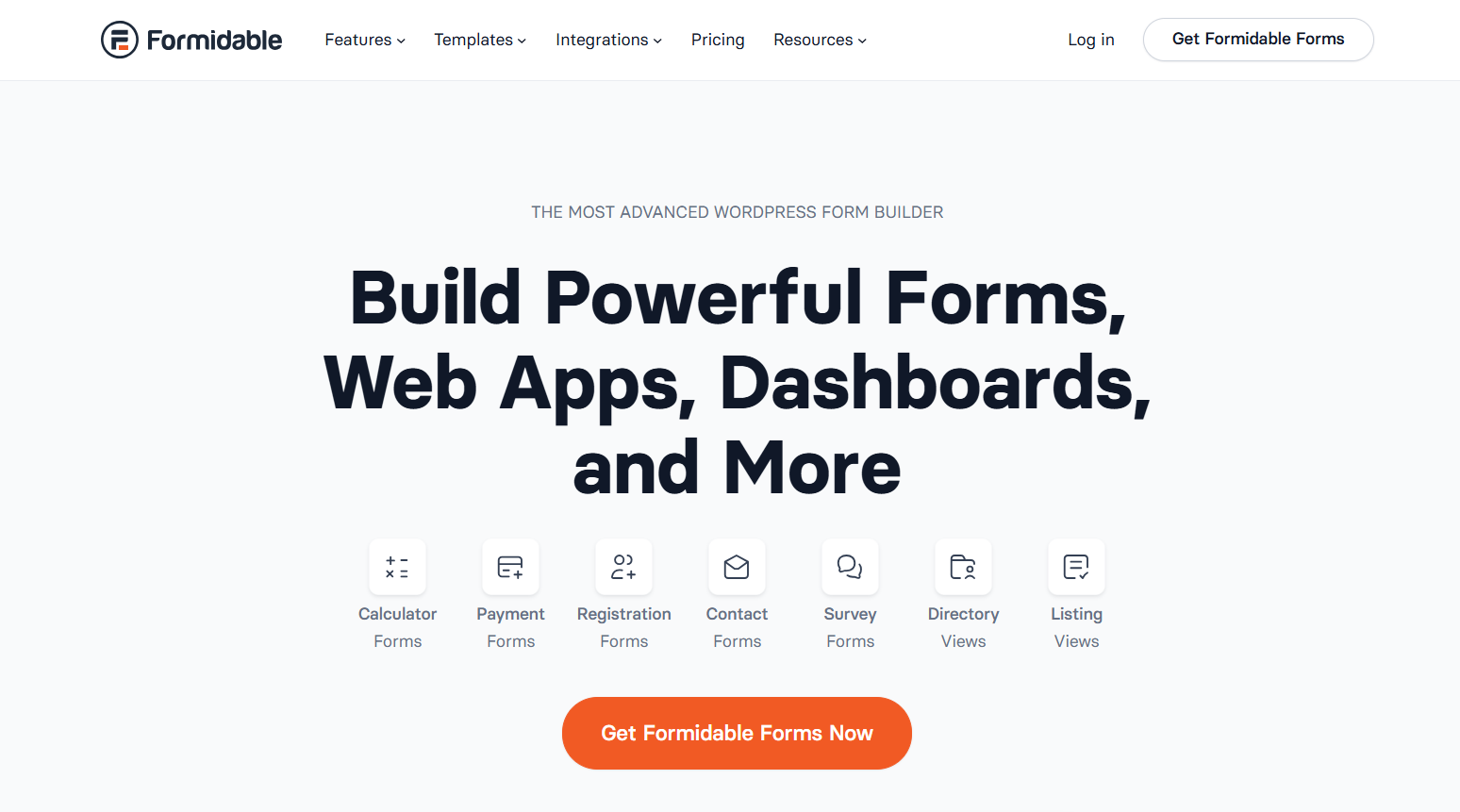
- Rate: 4.7/5 (1,200+ reviews)
- Active: 300,000+ active installations
- Pricing: Free version available, Premium plans start from around $39.50/year
- Best for: Data-driven Hong Kong websites, advanced forms, calculators, and directories
Formidable Forms is an advanced WordPress form plugin designed for websites that need more than simple contact forms. It is widely used by Hong Kong businesses that collect structured data, create calculators, or display user-submitted content on the front end.
With strong performance optimization and database-focused features, Formidable Forms is well suited for WordPress websites that handle complex data workflows while maintaining fast loading speeds.
Key Features
- Advanced form builder with powerful conditional logic
- Supports complex data collection and management
- Built-in calculation fields for pricing or quotation forms
- Front-end data display for directories and listings
- File upload and multi-step form support
- Optimized performance for Hong Kong hosting environments
Ninja Forms
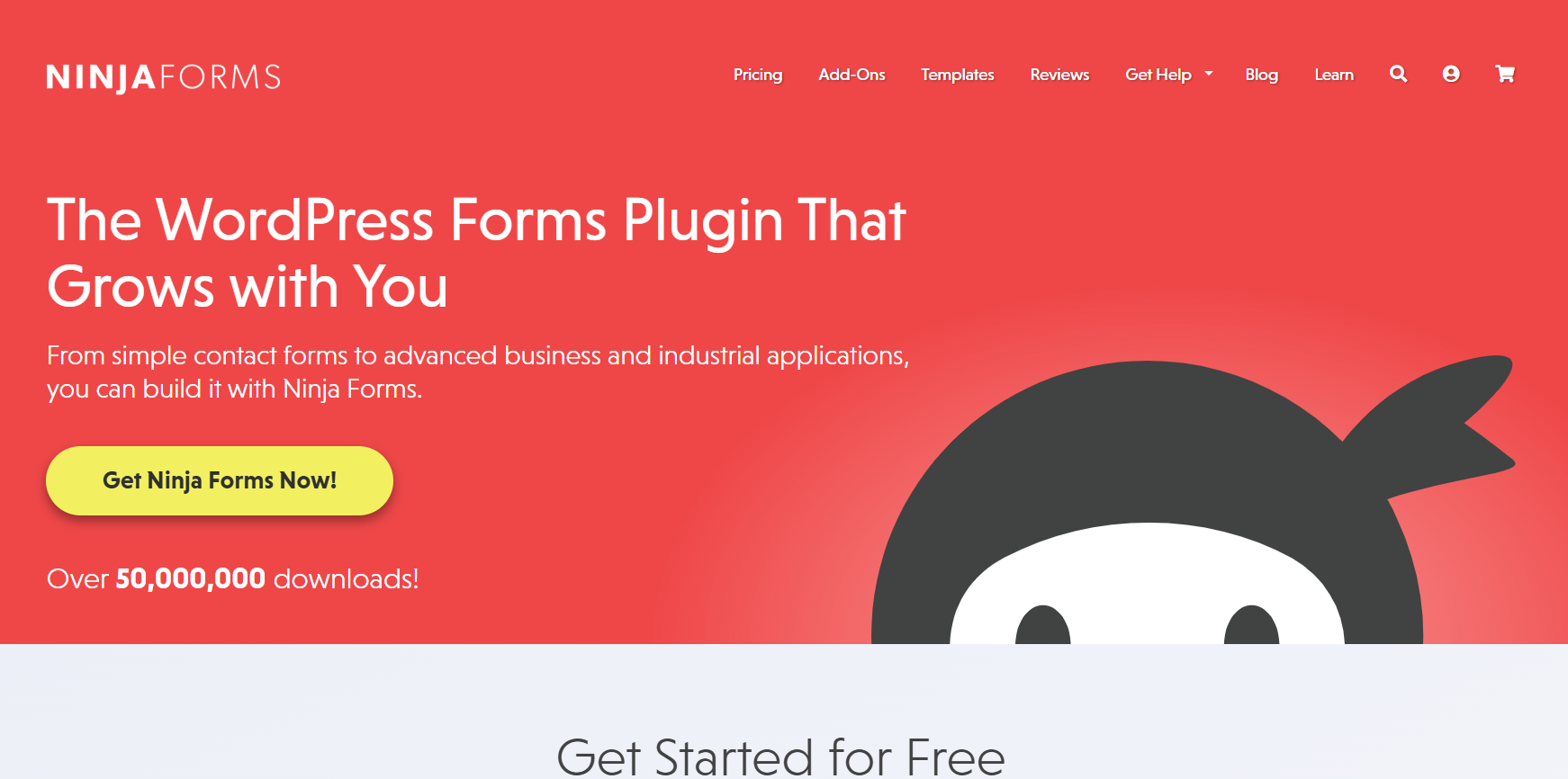
- Rate: 4.3/5 (1,100+ reviews)
- Active: 50,000+ active installations
- Pricing: Free version available, Premium extensions sold separately
- Best for: Flexible Hong Kong business websites needing modular form features
Ninja Forms is a flexible WordPress contact form plugin that allows website owners to start with basic forms and expand functionality as needed. This modular approach makes it a practical choice for Hong Kong websites that want to control costs while still supporting advanced features such as payments, file uploads, or CRM integrations.
Its lightweight core ensures stable performance, especially for WordPress sites hosted on Hong Kong or Asia-based servers.
Key Features
- Drag-and-drop form builder with clean interface
- Modular add-ons for payments, uploads, and automation
- Lightweight core optimized for performance
- Built-in spam protection options
- Mobile-responsive form layouts
- Compatible with most Hong Kong hosting providers
HubSpot Forms
- Rate: 4.5/5 (2,500+ reviews)
- Active: 200,000+ active installations
- Pricing: Free (basic), starts at $20/month for paid plans
- Best for: Hong Kong businesses focused on CRM, lead tracking, and marketing automation
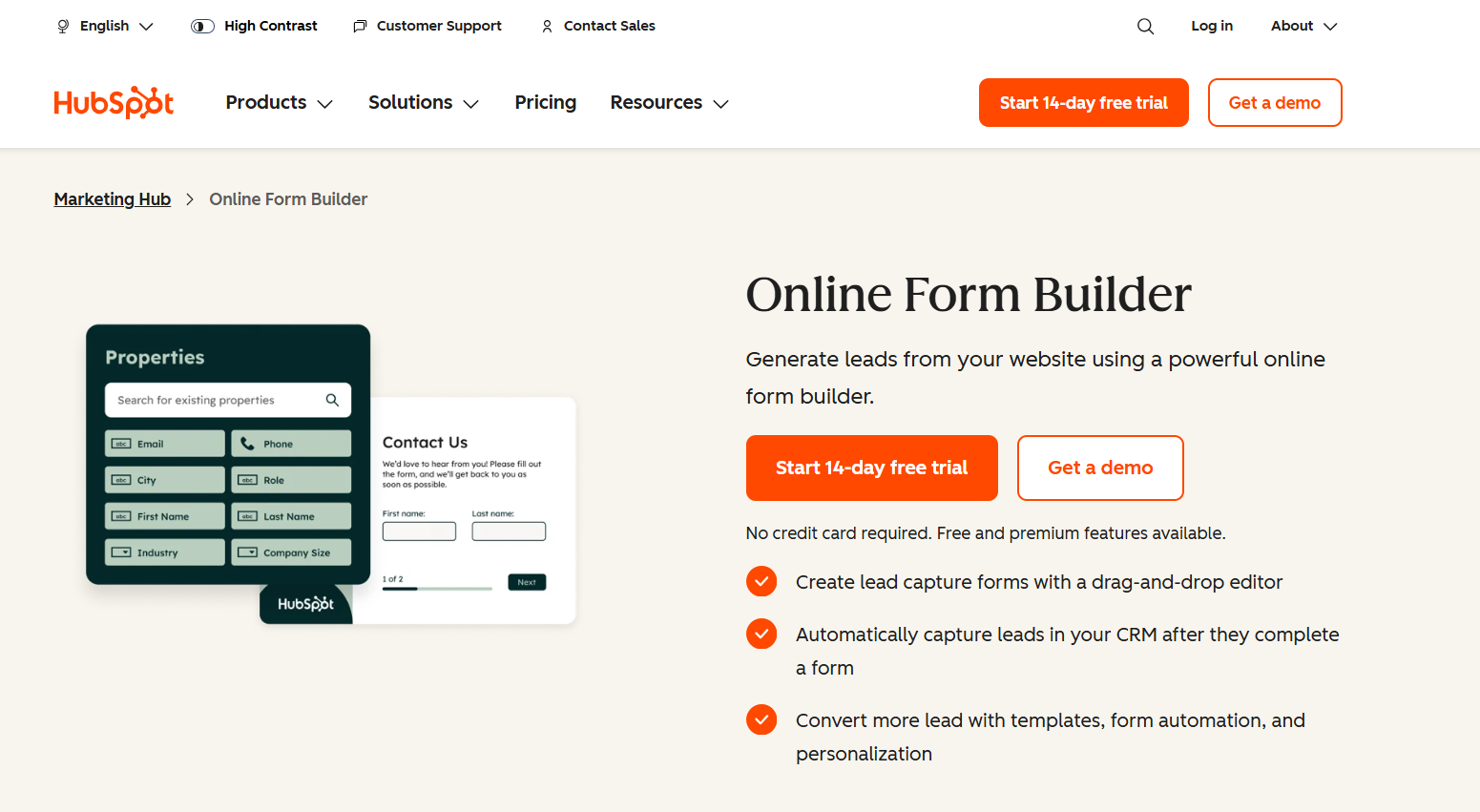
HubSpot Forms is a WordPress form solution deeply integrated with the HubSpot CRM platform. It is especially suitable for Hong Kong businesses that need centralized lead management and seamless coordination between marketing and sales teams.
Form submissions are automatically synced into the CRM, allowing companies to track customer interactions, manage follow-ups, and analyze conversion performance from a single dashboard.
Key Features
- Native integration with HubSpot CRM
- Automatic lead syncing and contact management
- Built-in analytics and conversion tracking
- Smart forms with progressive profiling
- Email automation and follow-up workflows
- Optimized for Hong Kong business websites
Everest Forms
- Rate: 4.9/5 (800+ reviews)
- Active: 100,000+ active installations
- Pricing: Free (basic), Premium plans start at $49.99/year
- Best for: Hong Kong small business websites, simple forms, contact and lead capture
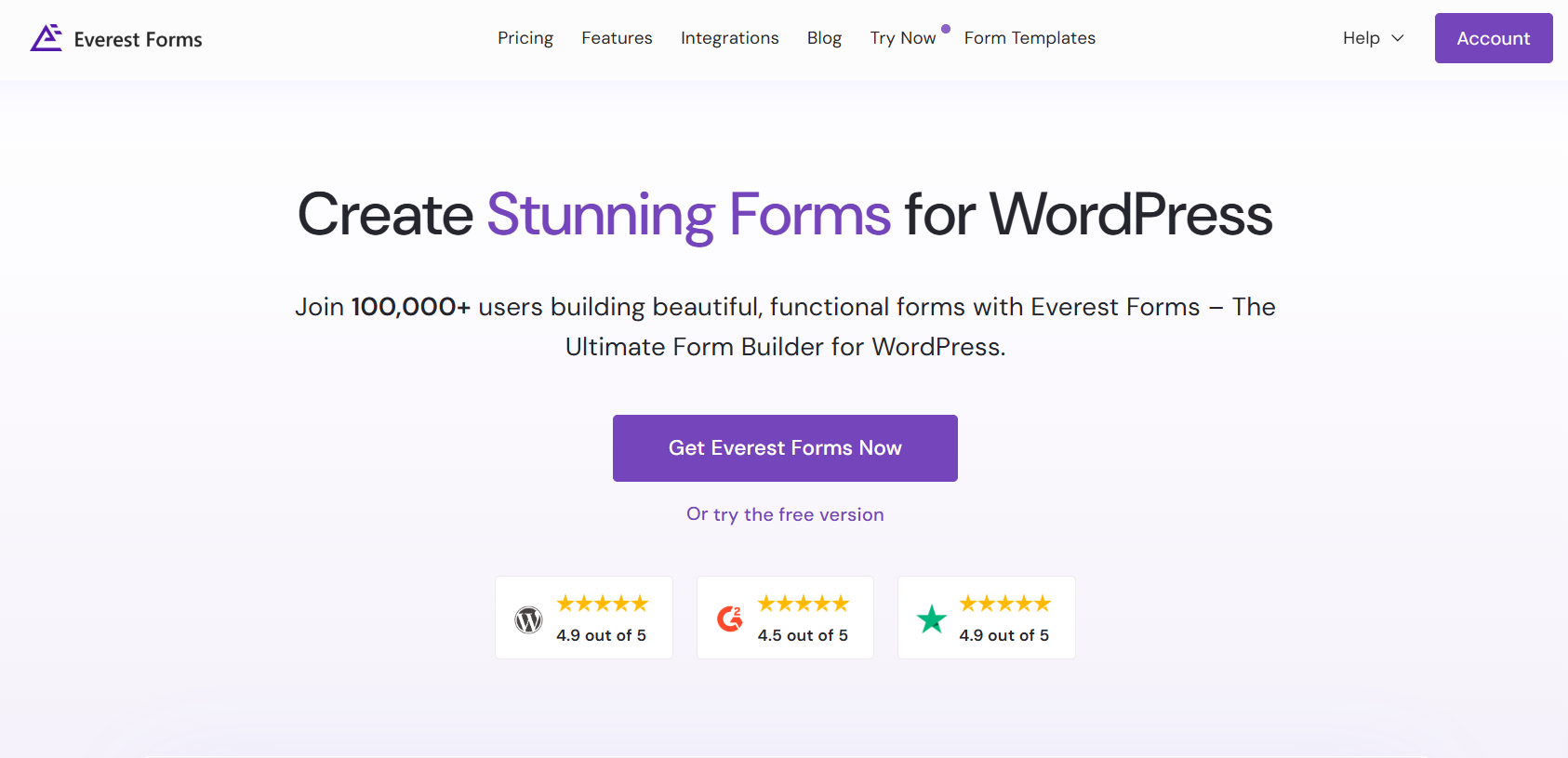
Everest Forms is a beginner-friendly contact form plugin for WordPress that focuses on simplicity and performance. Because of its lightweight design and easy setup, it’s a good choice for Hong Kong websites that need reliable contact forms without unnecessary complexity.
The plugin offers drag-and-drop functionality and basic customization options, making it suitable for small business sites, portfolios, and blogs that value speed and straightforward communication.
Key Features
- Drag-and-drop form builder
- Mobile-responsive form designs
- Pre-built contact form templates
- Basic spam protection (CAPTCHA/honeypot)
- Lightweight and optimized for faster loading
- Simple styling options to match Hong Kong site themes
Forminator
- Rate: 4.8/5 (2,000+ reviews)
- Active: 600,000+ active installations
- Pricing: Free (core), Premium add-ons available via WPMU DEV membership
- Best for: Hong Kong websites needing interactive forms, polls, and quizzes
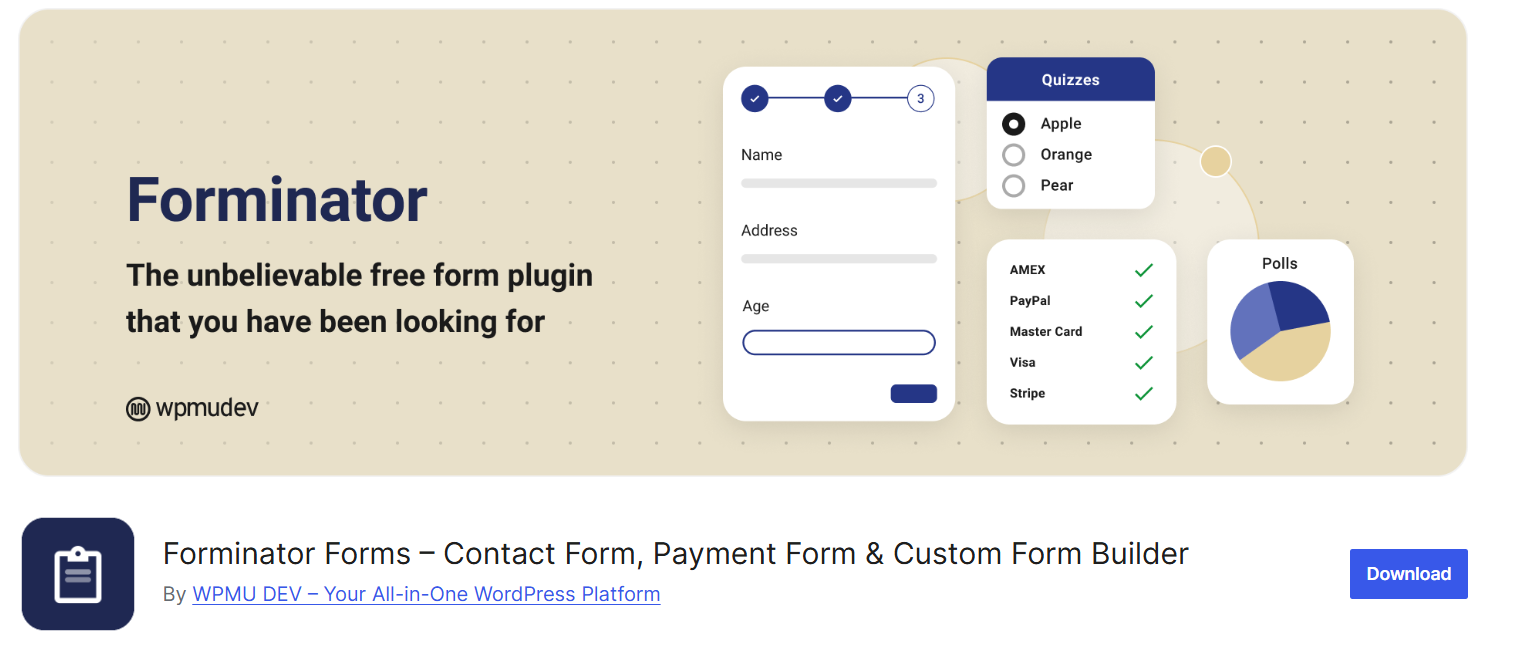
Forminator is a versatile WordPress form plugin that lets you build not only standard contact forms but also interactive elements such as polls, quizzes, and user feedback forms. Its intuitive visual builder makes it easy for Hong Kong business websites to create engaging forms without coding.
Because Forminator focuses on interactive experiences and user engagement, it works well for businesses that want to collect detailed feedback, perform surveys, or add dynamic elements to their WordPress sites.
Key Features
- Drag-and-drop form builder with interactive elements
- Supports polls, quizzes, and surveys as well as contact forms
- Built-in CAPTCHA and spam protection
- Seamless integration with email marketing services
- Mobile-friendly and responsive form layouts
- Optimized for performance on Hong Kong WordPress sites
Fluent Forms
- Rate: 4.7/5 (1,800+ reviews)
- Active: 600,000+ active installations
- Pricing: Free (core), Premium plans start at $59/year
- Best for: Hong Kong websites needing fast, lightweight forms with advanced features
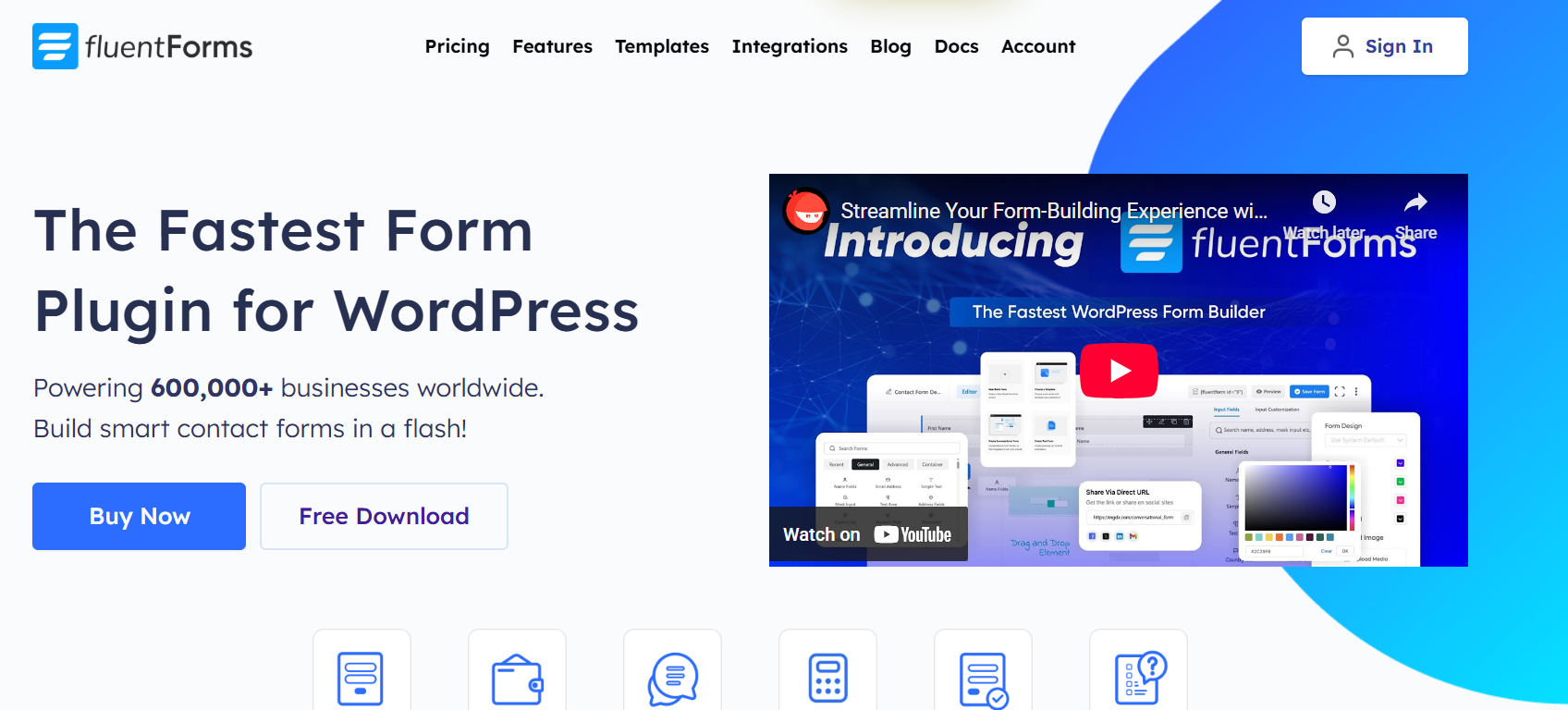
Fluent Forms is a modern and performance-focused WordPress contact form plugin that combines a lightweight footprint with powerful functionality. It is particularly suited for Hong Kong WordPress sites where speed and responsiveness are critical, such as business landing pages and customer support portals.
With an intuitive drag-and-drop interface and rich integration options, Fluent Forms helps businesses quickly build forms that are not only visually appealing but also highly functional for lead capture, feedback, and user engagement.
Key Features
- Fast drag-and-drop form builder with real-time preview
- Advanced conditional logic for dynamic forms
- Built-in spam protection (reCAPTCHA, honeypot, Akismet integration)
- Multi-step forms for optimized user experience
- Seamless integrations with email marketing and CRM tools
- Performance-optimized to minimize impact on page speed
HappyForms
- Rate: 4.4/5 (420+ reviews)
- Active: 40,000+ active installations
- Pricing: Free (core), Premium plans start at $39/year
- Best for: Simple contact and feedback forms for Hong Kong small business sites
HappyForms is a straightforward and easy-to-use contact form plugin for WordPress designed for users who want clean, functional forms without unnecessary complexity. It works well for Hong Kong websites that need basic contact and feedback forms, especially for small businesses, portfolios, and blogs.
The plugin’s lightweight design helps keep page load times fast — an important factor for Hong Kong users on both mobile and desktop connections. HappyForms integrates smoothly with the WordPress editor, making form creation a seamless experience for site owners.
Key Features
- Easy drag-and-drop form builder
- Lightweight and optimized for fast loading
- Basic spam protection
- Mobile-responsive form layouts
- Simple customization options
- Integrates with email notifications
How to create a WordPress contact form for Hong Kong websites
Creating a contact form in WordPress is simple when you follow a clear step-by-step process, especially for Hong Kong business websites.
- Step 1: Install a WordPress Contact Form Plugin
- Step 2: Create a New Contact Form
- Step 3: Customize the Contact Form
- Step 4: Set Up Form Confirmation
- Step 5: Configure Form Notifications
- Step 6: Embed the Contact Form
Follow the steps below to quickly create a WordPress contact form optimized for Hong Kong websites.
Step 1: Install a WordPress Contact Form Plugin
A WordPress contact form plugin allows website owners to build and handle multiple forms easily, without the need for advanced technical skills.
In this guide, we’ll demonstrate the process using WPForms, a popular WordPress form plugin known for its simplicity and flexibility. To get started with the WPForms drag-and-drop builder, follow the steps below:
- Sign in to your WordPress admin panel.
- Go to Plugins → Add New.
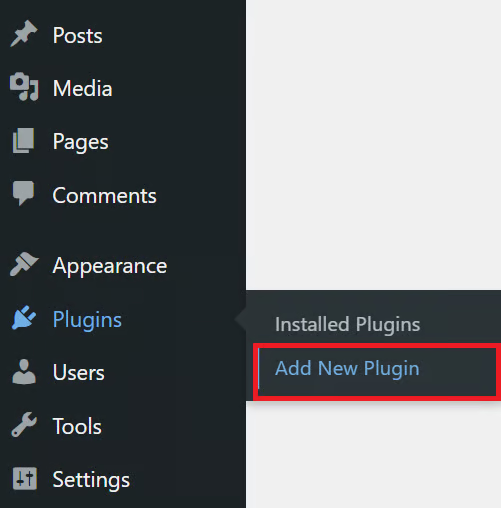
In the plugin search field, enter WPForms and hit Enter. When WPForms appears in the results, select it and click Install Now to begin the installation.
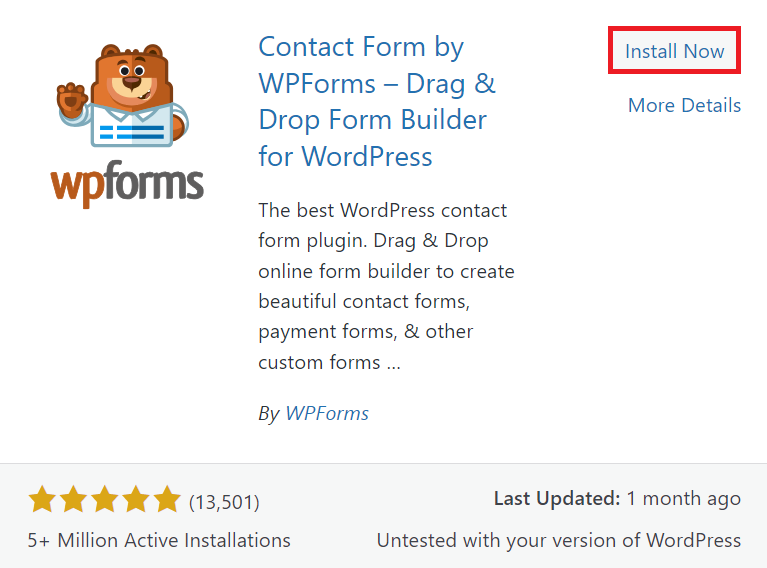
After the installation finishes, click Activate to start using the plugin on your WordPress website.
Step 2: Create a New Contact Form
After activating WPForms, you’re ready to create your first contact form. Thanks to its intuitive interface, the process is straightforward.
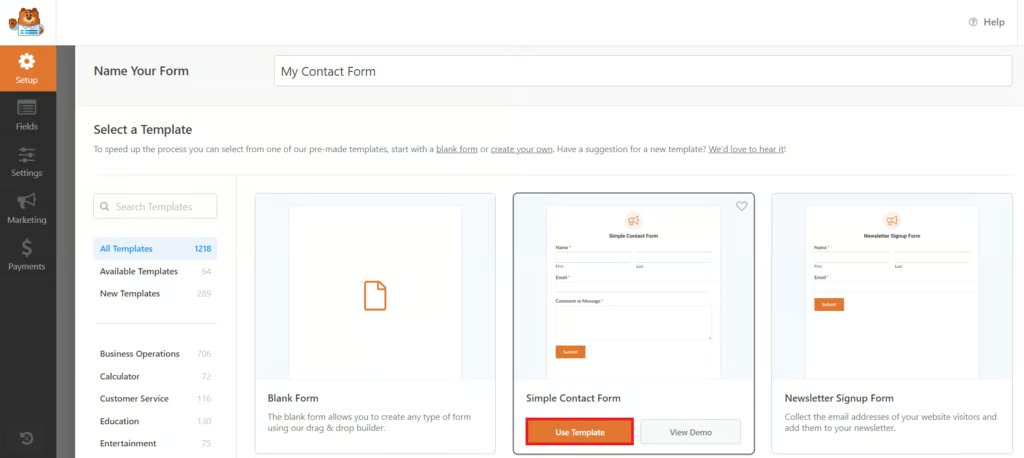
To begin, go to WPForms → Add New in the left-hand menu of your WordPress dashboard.
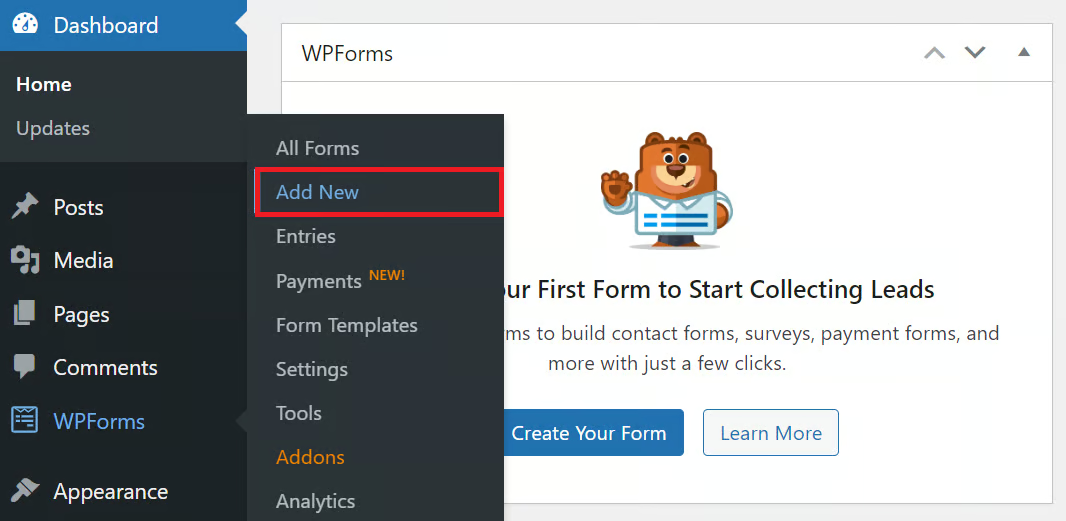
You’ll see a selection of ready-made templates designed for different purposes. Each template comes with pre-set styles and default settings, making it easier to build your form quickly.
Give your form a name and select a template that matches your needs, or choose a blank form to create one from scratch. Then, click Use Template to proceed.
Step 3: Customize the Contact Form
Once you’ve chosen a template, you can personalize the form using WPForms’ drag-and-drop builder. It provides various options, whether you’re creating a basic contact form or a more advanced one.
Adding Fields
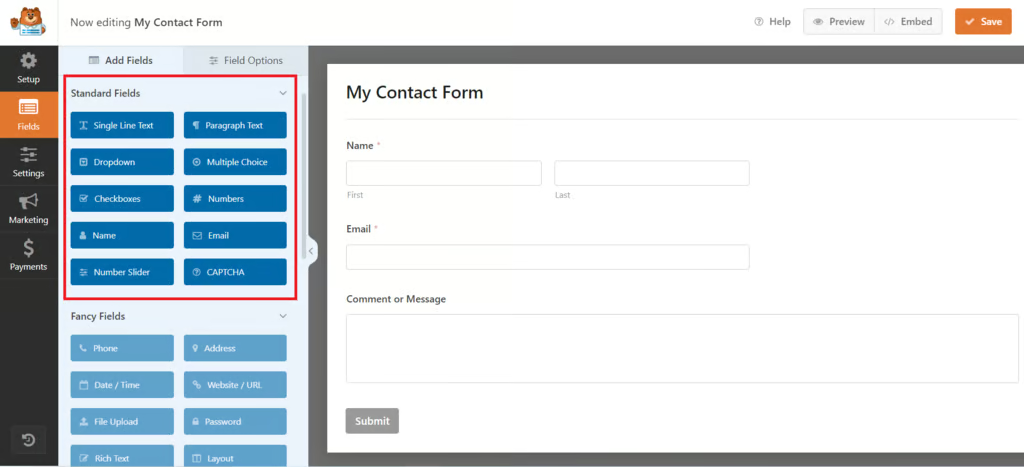
To insert a new field, simply drag it from the WPForms field panel and drop it into the spot where you want it to appear on your form.
Removing Fields
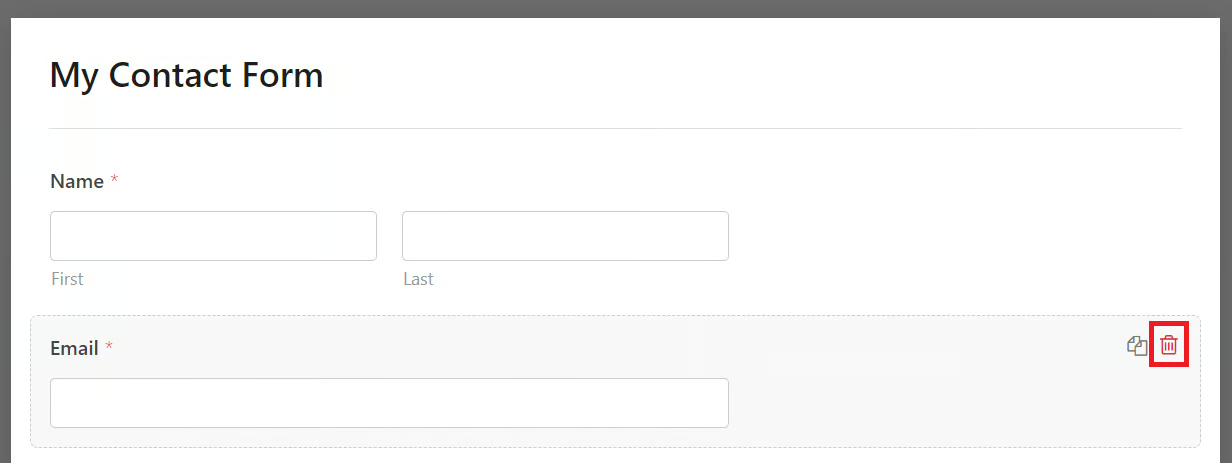
If you want to delete a field from your form, click on the field to select it, then choose the Delete Field option to remove it.
Rearranging Fields
To change the order of your fields, click and drag any field to the position you want, organizing the form according to the flow of information you prefer.
Customizing Field Properties
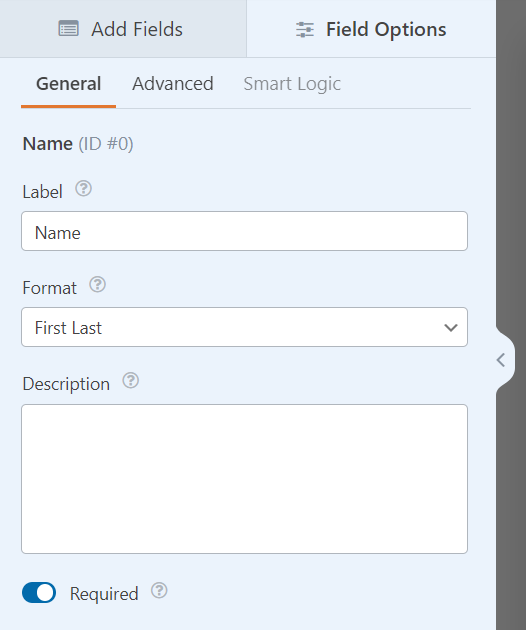
Every field has adjustable properties. Click on a field and use the options in the left-hand panel to modify its size, placeholder text, and default value. This allows you to better guide how visitors fill out the form.
Leveraging Advanced Features
WPForms also offers advanced functionality such as smart conditional logic. This feature lets you create dynamic forms that change based on user responses, making your forms more interactive and tailored to each visitor.
Step 4: Set Up Form Confirmation
When a visitor submits your form, it’s important to confirm their submission with a simple message or by redirecting them to a confirmation page. Here’s how to configure form confirmations in WPForms:
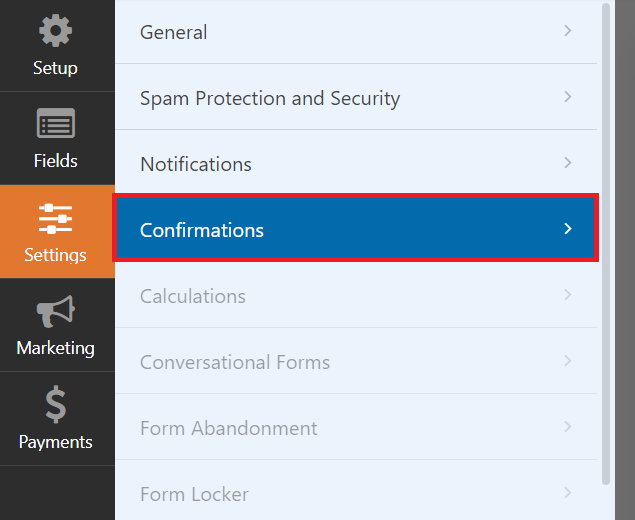
After finishing your form, navigate to Settings → Confirmations inside the WPForms form builder.
Select the Message option, then type the text you want to show visitors, for example: “Thank you for contacting us! We will be in touch soon.”
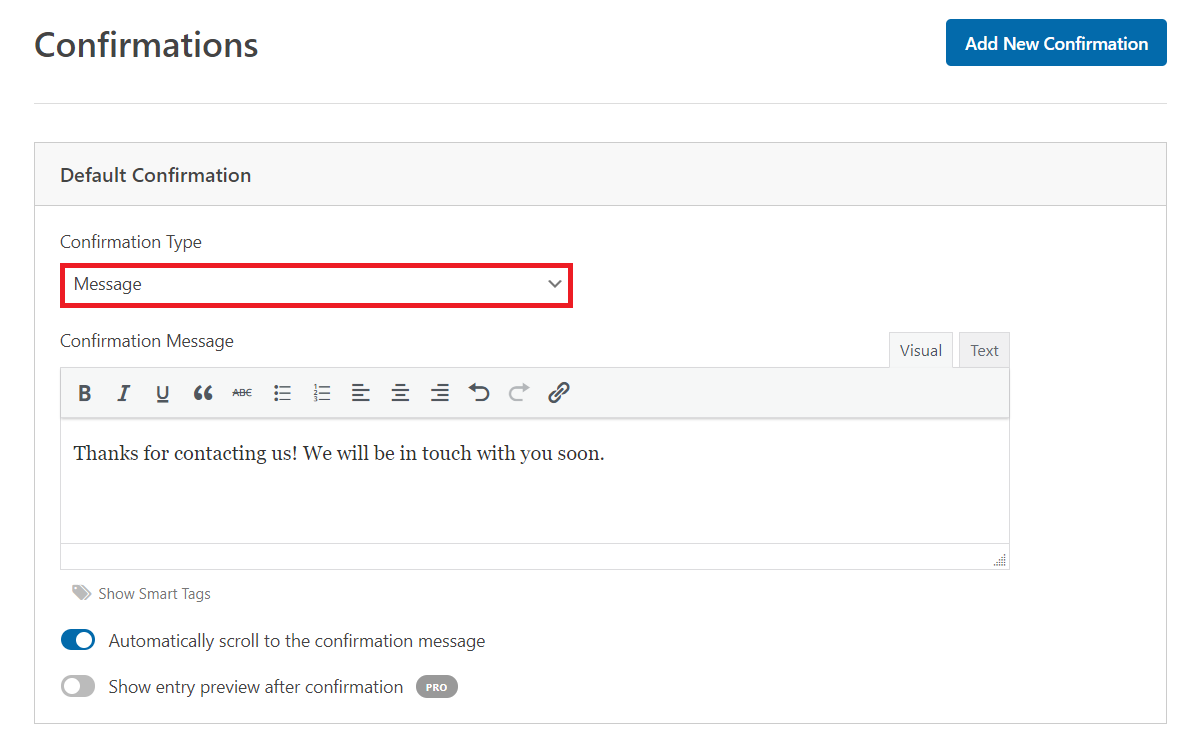
If you want to send users to a specific page after submitting the form, choose the Show Page option. Then, select the page you want from the dropdown menu.
Step 5: Configure Form Notifications
Email notifications allow you to monitor each form submission. By default, WPForms sends a notification to the admin email linked to your WordPress site. You can adjust the notification settings to suit your needs.
To set up WPForms notifications:
- Go to Settings → Notifications.
- To change the recipient, click the Send to Email Address field and enter the desired email address. You can add multiple addresses if necessary.
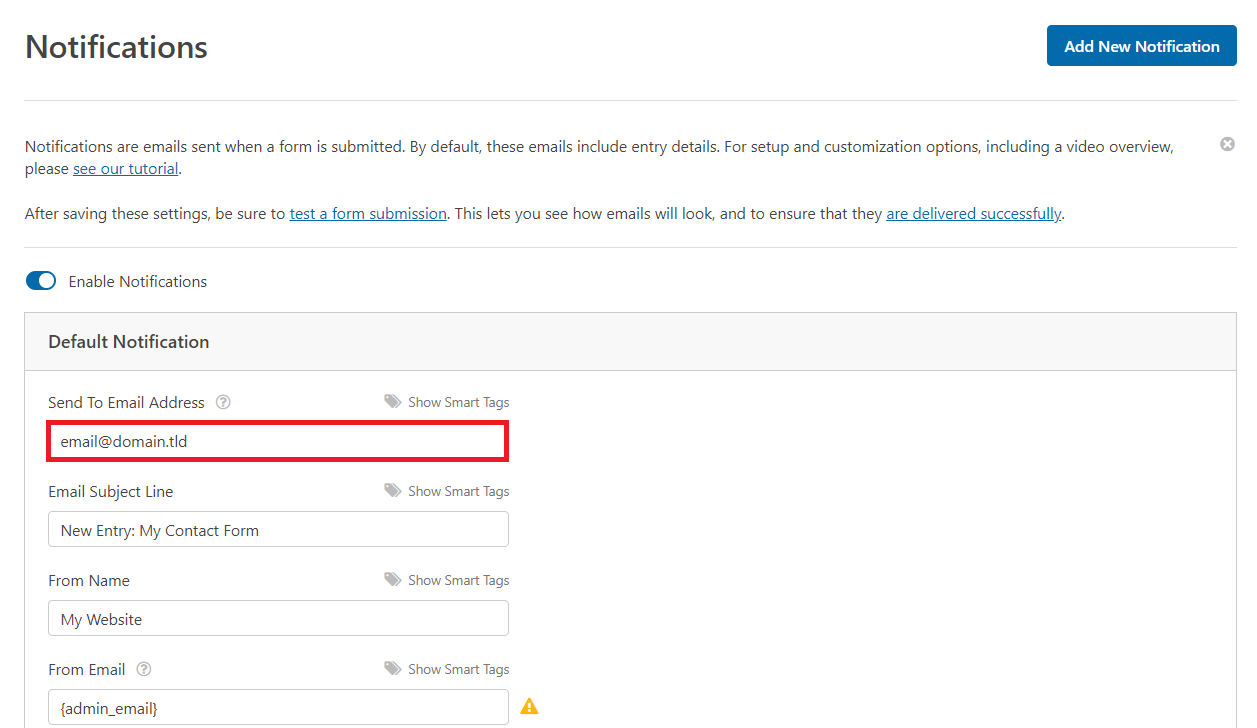
- Customize the Email Subject Line so that notifications are easy to recognize in your inbox.
- You can also personalize the content of the email. Use smart tags to include form data automatically, which helps you respond more efficiently.
Step 6: Embed the Contact Form
Let’s look at the different ways to add a contact form to your WordPress website.
Embedding a Contact Form on a WordPress Page
To place a WPForms contact form on a page using the Gutenberg block editor, follow these steps:
- Open the WordPress page in the block editor. You can use an existing page or create a new one specifically for the form.
- In the page editor, add the WPForms block.

- Choose the form you want to embed from the dropdown menu.
- WPForms will automatically create a shortcode for your form. Alternatively, you can manually paste the WPForms shortcode into a Shortcode block.
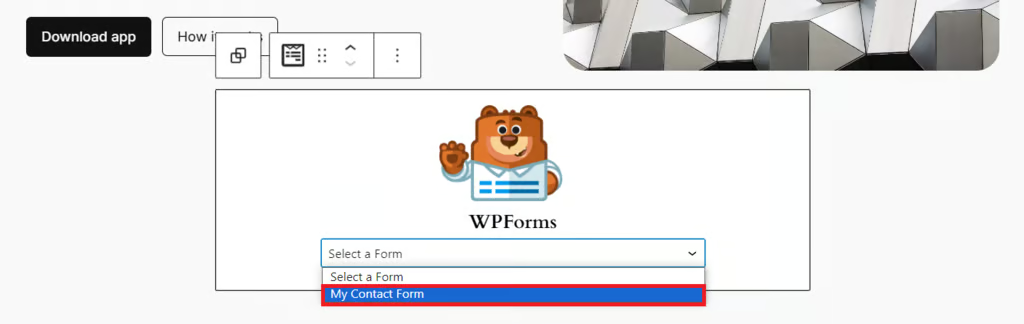
- After adding the form, preview the page to make sure the contact form displays correctly and functions as intended.
Embedding a Contact Form in a Widget Area
You can also place a contact form in a WordPress widget area, like a sidebar or footer. This approach works well for classic themes that support widgets.
- From your WordPress admin dashboard, navigate to Appearance → Widgets.
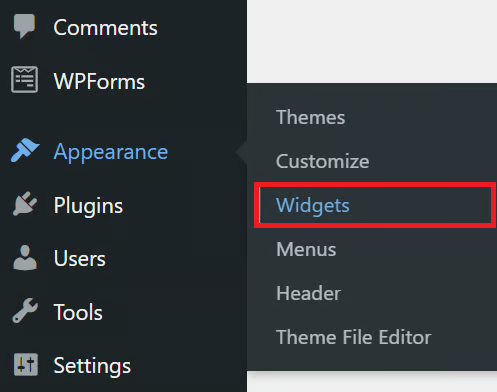
- In the Widgets section, pick the area where you want the contact form to appear, such as the sidebar or footer.
- Locate the WPForms widget, then select the specific form you want to display.
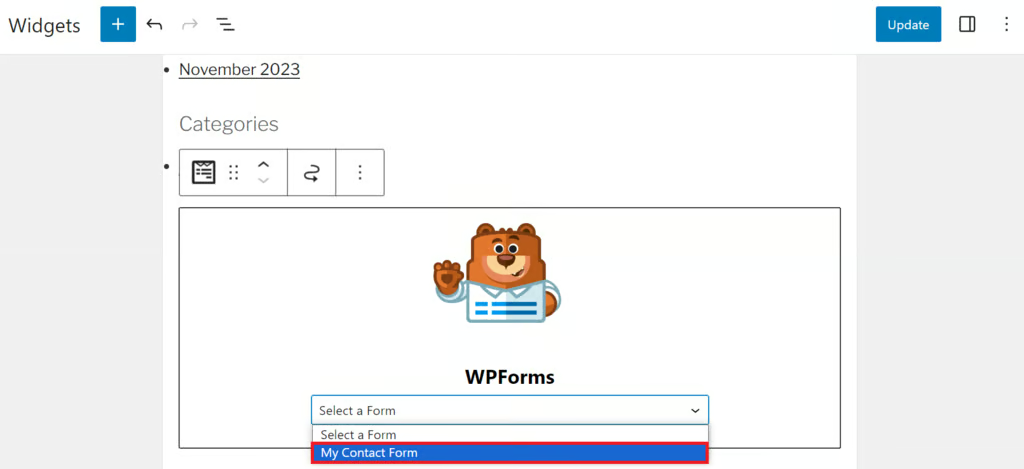
- After selecting the form, click Save to apply the changes.
Embedding a Contact Form in a Template Part
For block-based themes, you can add a contact form directly into a template part using the Site Editor. Follow these steps:
- From your WordPress dashboard, navigate to Appearance → Editor.
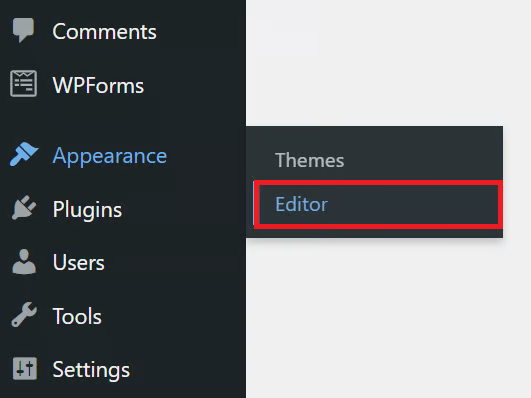
- Open the template part where you want the contact form to appear, such as the header or footer.
- Click on the desired section within the template part, then choose Add block to insert the form.
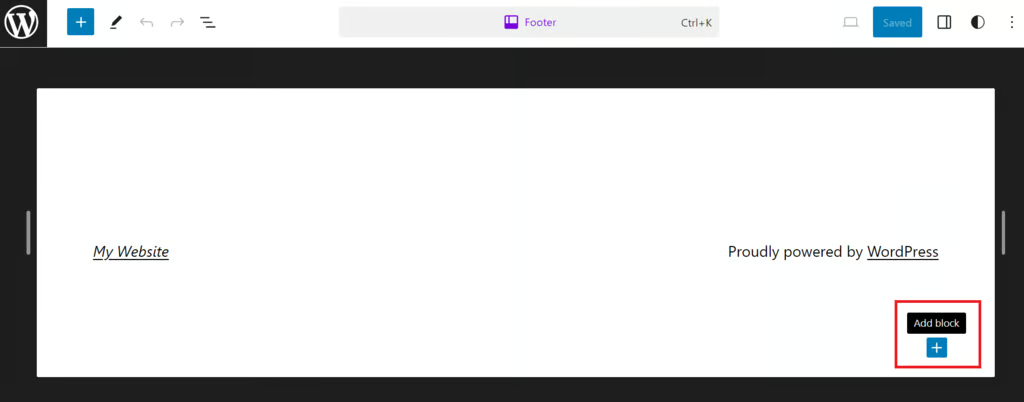
Locate the WPForms block and choose the contact form you want to display. If you’re using smart forms or multi-page forms, make sure the layout and settings are properly configured.
Once the form is added and adjusted, click Save to apply your changes and finalize the setup.
Embedding a Contact Form Using the Classic Editor
If you’re using the WordPress Classic Editor, you can add a WPForms contact form by following these steps:
- Open the post or page in the Classic Editor.
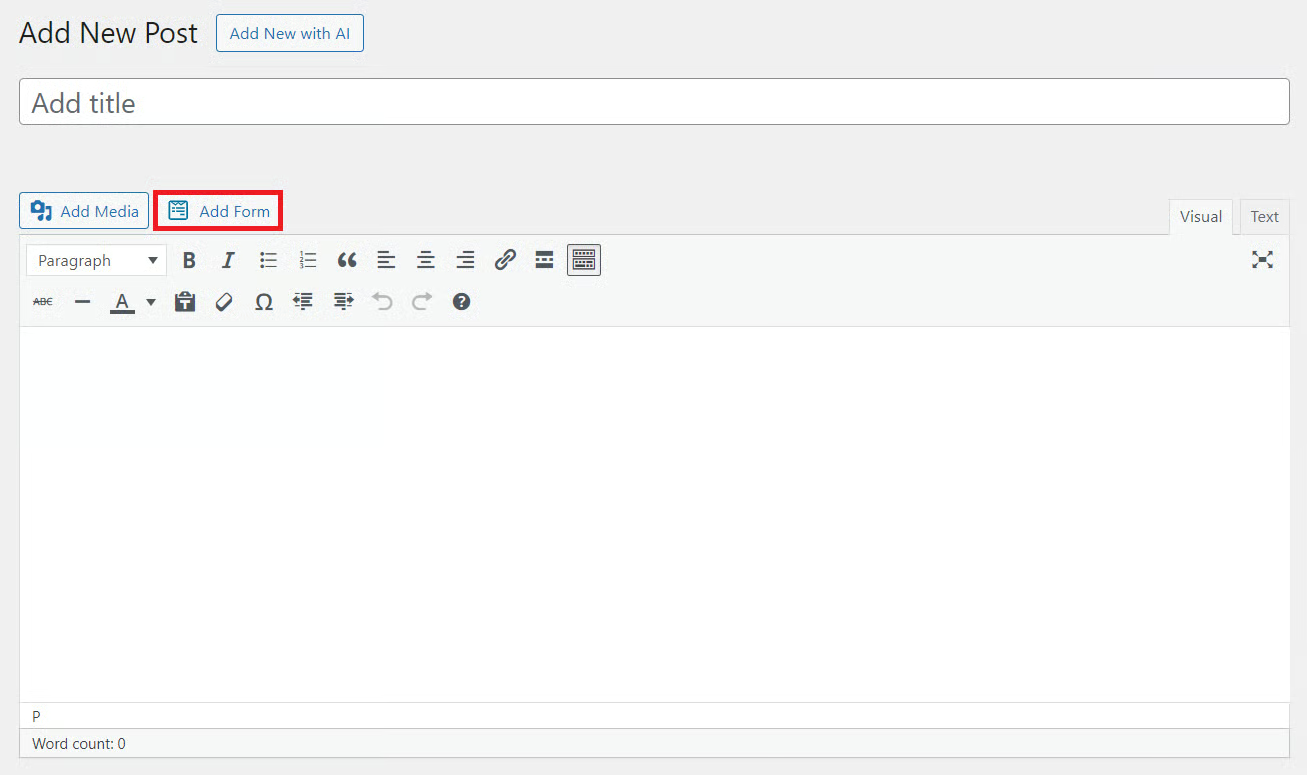
- Click the Add Form button above the text editor. If multiple plugins appear, choose WPForms.
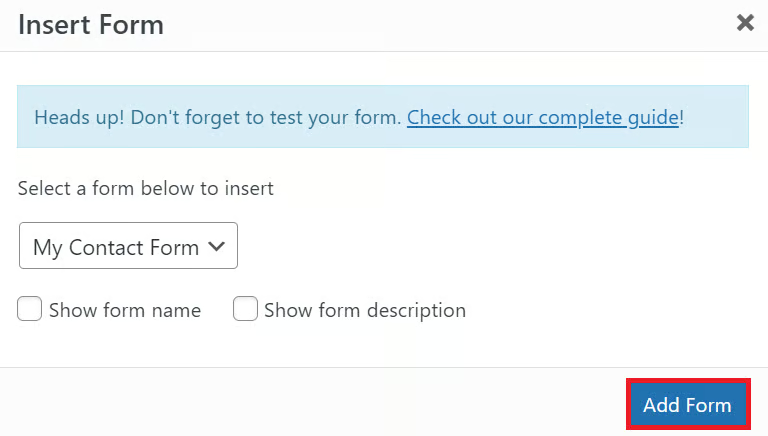
- In the popup window, choose the contact form you want to embed from the dropdown menu. You may also enable the form title and description if needed.
- Click Add Form to insert the form shortcode directly into the editor.
Frequently Asked Questions
1. What is the best contact form plugin for WordPress?
WPForms is one of the best contact form plugins for WordPress thanks to its user-friendly interface, drag-and-drop builder, and reliable performance for business websites.
2. Is WPForms free to use?
Yes. WPForms offers a free version called WPForms Lite, which is suitable for basic contact forms. Advanced features are available in paid plans.
3. Which contact form plugin is best for Hong Kong websites?
For Hong Kong websites, the ideal contact form plugin should support fast loading speeds, spam protection, email notifications, and compatibility with local or Asia-based hosting providers. WPForms, Fluent Forms, and Gravity Forms are all strong choices.
4. Do I need coding skills to create a WordPress contact form?
No. Most modern WordPress form plugins include drag-and-drop builders, allowing you to create contact forms without writing any code.
5. Can I add a contact form to any WordPress page?
Yes. Contact forms can be embedded on pages, posts, sidebars, footers, and template parts using blocks, shortcodes, or widgets.
Conclusion
Choosing the right contact form plugin plays an important role in improving user experience, capturing leads, and streamlining communication on your website. In this guide, we’ve explored the 10 best contact form plugins for WordPress in Hong Kong and walked through how to create a WordPress contact form for Hong Kong websites, from setup to customization and embedding.
If you’re looking for professional WordPress support, Arestós provides end-to-end WordPress services tailored for Hong Kong businesses, including website design, plugin setup, performance optimization, security, and ongoing maintenance. Our team ensures your contact forms work flawlessly across all devices and integrate smoothly with your business workflows.
Contact us today to get expert WordPress solutions designed to help your Hong Kong business grow online.
Subscribe to our newsletter!
Get updated to
the lastest IT trends
Related Posts
Update the latest technology trends for your business