Back to featured insights
How long does it take to build a website in HK?
How long does it take to build a website in Hong Kong? This guide explains the typical development timeline, key project stages, and factors that affect delivery time, helping businesses plan their website projects more effectively.
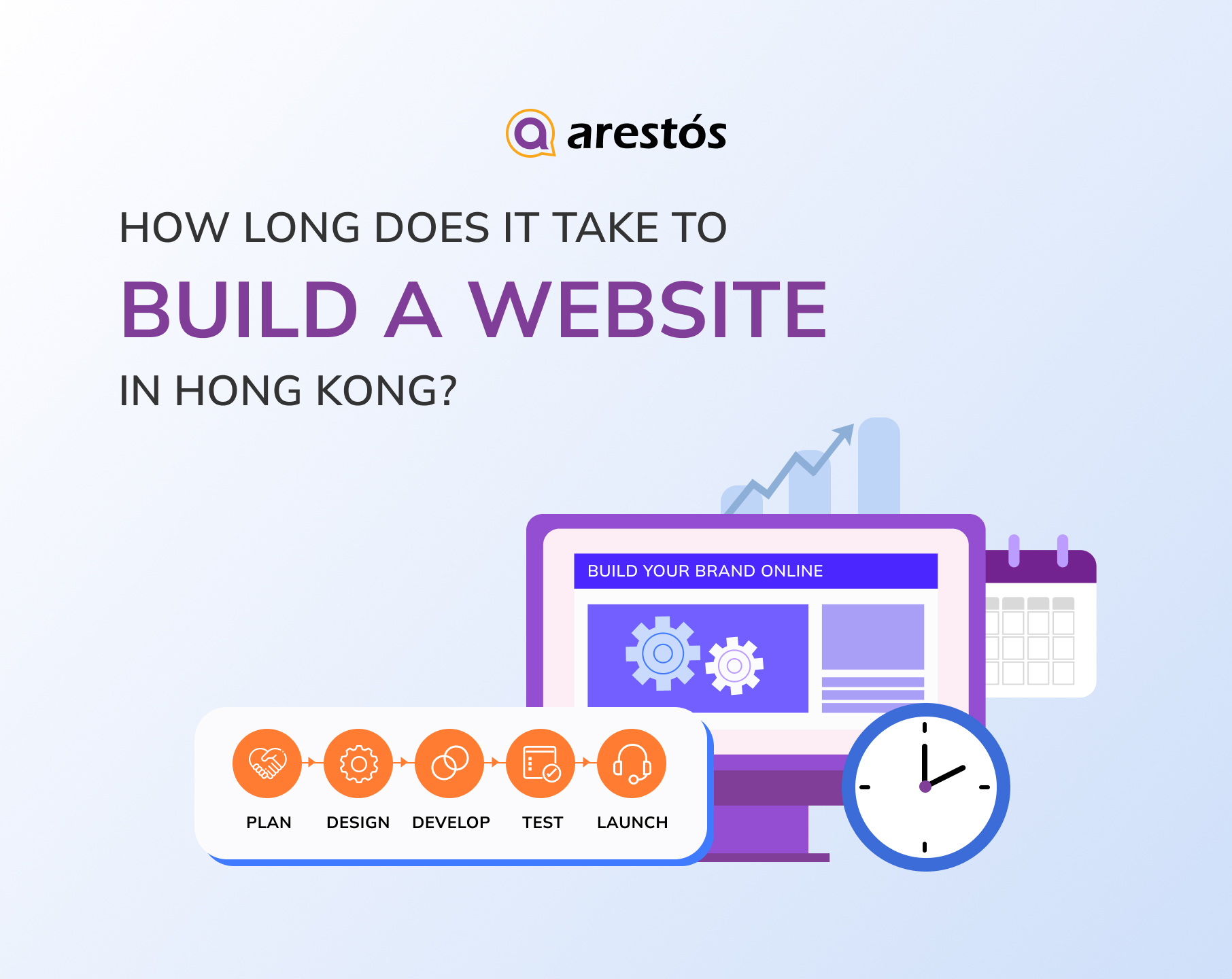

Table of Content
Share
How long does it take to build a website in Hong Kong? The timeline varies depending on your business needs, website complexity, and development approach. Understanding what influences the development process can help you plan your project more effectively, avoid unnecessary delays, and make informed decisions.
Whether you’re a startup, SME, or enterprise planning a new website, this guide will provide a practical overview. In this guide, you’ll learn the typical website development timelines in Hong Kong, the key factors that affect project duration, and what to expect throughout each stage of the development process.
Why Website Timelines Vary So Much
Every website project is different. The overall timeline depends on several factors, from the website’s complexity to how quickly decisions and content are finalized.
- Website Type and Complexity: A simple brochure website takes much less time to build than an eCommerce store or a custom web application with advanced features.
- Template vs. Semi-Custom vs. Fully Custom Design: Template-based websites can be launched quickly, while fully custom designs require more time for planning, design, development, and testing.
- Content Readiness: Missing website copy, images, or translations are among the most common reasons projects are delayed. Having content ready before development begins can significantly shorten the timeline.
- Number of Feature Integrations: Integrating payment gateways, CRM systems, booking tools, or other third-party services adds extra development and testing time.
- Who’s Building the Website: Freelancers, small studios, and agencies have different resources and workflows, which can affect both project speed and delivery quality.
- Feedback and Approval Cycles: Slow approvals, multiple stakeholders, and frequent scope changes often extend project timelines more than technical development itself.
- AI-Assisted Development: AI can speed up tasks like content creation, coding, and testing, but planning, UX design, and custom functionality still require human expertise.
Website timelines and costs are closely related. Learn more in How Much Does the Cost of a Corporate Website Change in HK (With AI-Assisted Development)?
Website Building Process
Every website project follows a series of development stages, and understanding how long each stage typically takes makes it easier to plan resources, set realistic expectations, and avoid unnecessary delays.
Below is a closer look at each phase of the website development process and the estimated timeline involved.
Planning and Researching
The discovery and planning phase lays the foundation for a successful website project. At this stage, the focus is on understanding the project’s objectives, defining its scope, and identifying the resources needed before any design or development begins.
Start by establishing the primary purpose of the website. For example, a simple landing page or portfolio website requires a very different development approach from a corporate website, an eCommerce store, or a custom web application with advanced functionality.
Next, identify your target audience and research their needs, online behavior, and expectations. These insights will shape key decisions throughout the project, including the website structure, user experience (UX), content strategy, and essential features.
Finally, document the project requirements by creating a clear project scope, sitemap, feature list, timeline, and success metrics. Having well-defined objectives from the outset helps reduce misunderstandings, minimizes scope changes, and keeps the development process on schedule.
Choosing a Platform
Before building a website, one of the first decisions you’ll need to make is choosing the right platform. This choice affects not only your development timeline but also your website’s flexibility, scalability, and long-term maintenance.
The three most common approaches are:
- Website builders: Ideal for simple websites that need to be launched quickly. They offer drag-and-drop editors and pre-built templates but provide limited customization.
- Content Management Systems (CMS): Platforms like WordPress offer greater flexibility, a wide range of plugins, and better scalability, although they typically require more setup and technical knowledge.
- Custom development: Building a website from scratch provides complete control over design and functionality, making it suitable for complex business requirements. However, it also requires the longest development time.
Choose the option that best aligns with your project goals, budget, and expected launch date.
In addition to selecting a platform, you’ll also need to register a domain name and choose a reliable hosting provider. A memorable domain supports your brand identity, while quality hosting helps ensure your website is secure, fast, and performs consistently after launch.
Defining and Customizing the Design
Once the project requirements are finalized, the next step is to design a website that is both visually appealing and easy to navigate. A well-designed interface helps users find information quickly, strengthens brand identity, and improves the overall user experience.
There are two common approaches to website design:
- Using a pre-designed template: Templates provide ready-made layouts that can be customized with your branding and content. They are cost-effective and can significantly shorten the design phase, making them ideal for simple business websites or landing pages.
- Creating a custom design: A custom UI/UX is built specifically for your business, giving you complete control over layouts, branding, and user interactions. While this approach creates a more distinctive website, it also requires additional design, review, and development time.
Before finalizing the design, it’s also a good idea to review competitors’ websites and industry best practices. This helps identify familiar layouts and user expectations while ensuring your website delivers a better overall experience.
Creating Content
Content is one of the most important parts of any website and should be planned early in the project. Delays in preparing copy, images, or other assets often slow down both the design and development phases.
The time required for content creation depends on several factors, including:
- Content volume: Larger websites with more pages naturally require more time.
- Content quality: Original, well-researched content takes longer to produce than generic copy.
- Content ownership: Timelines vary depending on whether the content is created in-house, by an agency, or by freelance writers.
- SEO requirements: Optimizing content for search engines adds additional research, writing, and editing time.
To accelerate this phase, many businesses now use AI-powered writing tools to generate first drafts, brainstorm ideas, or refine existing content. However, human editing is still essential to ensure accuracy, brand consistency, and quality.
Testing and Publishing
Before launching your website, it’s essential to test every feature to ensure everything works as expected. A thorough quality assurance (QA) process helps identify issues before they affect your users.
Key areas to test include:
- Functionality: Check forms, buttons, links, and interactive features.
- Performance: Test page loading speed and overall website responsiveness.
- Mobile compatibility: Ensure the website displays and functions properly across different devices and screen sizes.
- Security and bug fixes: For eCommerce or feature-rich websites, additional testing is often required to verify payment flows, user accounts, and data security.
Using a pre-launch checklist can help ensure nothing is overlooked. After the website goes live, ongoing maintenance—including performance monitoring, software updates, backups, and security checks—is essential to keep the site running smoothly.
How Long Does It Take to Make a Website
Website development timelines vary based on the website type, complexity, and development approach. While a simple landing page can be launched within a few weeks, a custom eCommerce website or web application may take several months.
The following sections compare typical timelines across website builders, CMS platforms like WordPress, and fully custom development to help you estimate your project more accurately.
Website Builder Sites
If your goal is to launch a website as quickly as possible, a website builder is often the fastest option. With drag-and-drop editors, pre-built templates, and AI-powered tools, businesses can create and publish a website without extensive coding or technical setup.
Advantages of website builders include:
- Drag-and-drop editing with little or no coding required.
- Ready-made templates that speed up the design process.
- Built-in hosting, SSL, and domain management.
- AI tools for generating layouts, copy, logos, and images.
- Faster deployment for projects with tight deadlines.
However, there are also some limitations:
- Less flexibility than WordPress or custom development.
- Limited access to backend code and advanced customization.
- Fewer options for complex integrations and enterprise-level features.
- Scalability may become an issue as business needs grow.
Website builders are best suited for landing pages, portfolio websites, startup websites, small business websites, MVPs, and marketing campaign pages. For larger or more complex projects, a CMS like WordPress or a fully custom solution is usually a better long-term investment.
Single-Page Website
A website builder is the quickest way to launch a landing page, portfolio, or event website that only requires a single page. When your content, branding assets, and images are prepared in advance, a basic one-page website can often be completed within a few hours to three days, depending on the level of customization and functionality required.
- Planning & Requirement Gathering (1 hour–1 day): Define the website’s purpose, identify your target audience, and determine the essential sections and features, such as a hero banner, contact form, testimonials, or call-to-action.
- Design & Setup (2 hours–1 day): Select a suitable template, customize the layout, colors, typography, and branding, then upload your content, images, and other media assets.
- Testing & Quality Assurance (1–3 hours): Review the website across different devices and browsers, ensuring that navigation, forms, buttons, and page performance function as expected.
- Deployment (Around 1 hour): Connect your domain, publish the website, and perform a final review to verify that everything is working correctly on the live site.
Because website builders are designed for ease of use, they streamline much of the traditional web development process. Features such as drag-and-drop editing, pre-built templates, integrated hosting, and AI-assisted tools enable even non-technical users to launch a professional-looking website in a relatively short timeframe.
Small eCommerce Site
Many website builders now offer dedicated eCommerce plans that include essential features such as online payments, security, inventory management, shipping options, and marketing integrations. These all-in-one solutions make it easy for businesses to launch an online store without managing complex technical configurations.
With your products and content prepared in advance, a small eCommerce website can typically be built within 1–7 days.
- Planning & Requirement Gathering (2 hours–3 days): Define your store structure, products, and shipping or payment requirements.
- Design & Setup (4 hours–2 days): Customize a store template, upload products, and configure key settings.
- Testing & Quality Assurance (2 hours–1 day): Test the checkout process, payment methods, and mobile responsiveness.
- Deployment (2 hours–1 day): Publish the website and perform final pre-launch checks.
While website builders are ideal for launching online stores quickly, they generally offer less flexibility than CMS or custom-built websites. Before choosing a platform, verify that it supports the payment methods, shipping services, and business features required for your target market.
Enterprise Website
Enterprise websites are significantly more complex than standard business websites. They often include multiple business units, multilingual content, country-specific pages, advanced integrations, and enterprise-level security, all of which extend the development timeline.
Using a website builder, an enterprise website typically takes 5–14 weeks to complete, depending on its size and requirements.
- Planning & Requirement Gathering (1–4 weeks): Define business goals, website structure, user roles, and functional requirements.
- Design & Setup (1–4 weeks): Customize templates, develop page layouts, and configure enterprise features.
- Testing & Quality Assurance (2–4 weeks): Test functionality, performance, security, and compatibility across devices and browsers.
- Deployment (1–2 weeks): Launch the website, configure the production environment, and monitor performance.
While website builders can support larger websites, they often have limitations in customization, backend access, and complex integrations. For organizations that require greater flexibility, scalability, and long-term control, CMS platforms such as WordPress—or fully custom development—are generally more suitable choices.
CMS Websites
WordPress is the world’s most popular content management system (CMS), powering millions of websites ranging from personal blogs to large corporate websites. Compared with website builders, it offers greater flexibility through customizable themes, plugins, and backend access, making it suitable for businesses that need a scalable website.
While WordPress has a steeper learning curve than drag-and-drop builders, it provides an excellent balance between customization, scalability, SEO performance, and long-term cost efficiency, making it one of the most popular choices for business websites.
Single-Page Website
Once you install WordPress and your content is ready, a single-page website can typically be built within 2–8 days, depending on the level of customization and the features required.
- Planning & Requirement Gathering (2 hours–2 days): Define the website goals, structure, and required functionality.
- Theme Customization & Setup (1–3 days): Install WordPress, choose a theme, customize the design, and add content.
- Testing & Quality Assurance (3 hours–2 days): Test responsiveness, forms, navigation, and overall performance.
- Deployment (2 hours–1 day): Connect the domain, launch the website, and perform final checks.
Adding features such as membership systems, downloadable resources, online bookings, or payment gateways will extend the overall development timeline.
Other factors that can affect the project schedule include:
- Choosing the right theme: Selecting a well-designed, lightweight, and business-appropriate theme can significantly reduce design and development time.
- Selecting plugins: WordPress offers thousands of plugins, so researching and choosing reliable ones beforehand helps avoid compatibility issues and delays.
- Using page builders: The built-in Block Editor (Gutenberg) is sufficient for many websites, while page builders such as Elementor, Divi, or Beaver Builder offer greater design flexibility but may require additional setup time.
Small eCommerce Site
Building an eCommerce website with WordPress typically takes 5 days to 5 weeks, depending on the level of customization and the number of products involved.
- Planning & Requirement Gathering (1–3 days): Define your store structure, product categories, and required features.
- Theme Customization & Setup (2 days–4 weeks): Configure WooCommerce, customize the theme, and add essential store functionality.
- Testing & Quality Assurance (1–3 days): Test the checkout process, payment gateways, shipping options, and overall website performance.
- Deployment (1 day): Launch the store and complete final pre-launch checks.
Using a pre-built WordPress theme is the fastest approach, while a fully custom design requires additional time for wireframing, UI design, and theme development. You should also factor in extra time for uploading products, images, descriptions, and inventory information, especially for larger online stores.
Enterprise Website
WordPress is a powerful platform for enterprise websites, offering the flexibility and scalability needed for large organizations. Depending on the project’s complexity, development typically takes 13–22 weeks.
- Planning & Requirement Gathering (2–4 weeks): Define business objectives, technical requirements, user roles, and project scope.
- UI/UX Design & Setup (4–6 weeks): Create a custom user experience, visual design, and website architecture.
- Custom Development (4–6 weeks): Build advanced features, custom plugins, and integrate third-party systems or APIs.
- Testing & Quality Assurance (2–4 weeks): Verify functionality, security, performance, and cross-device compatibility.
- Deployment (1–2 weeks): Launch the website, configure the production environment, and complete final testing.
WordPress offers thousands of plugins that simplify the implementation of common features, such as live chat, SEO, and analytics. However, enterprise websites typically require custom UI/UX design and bespoke functionality, which significantly increases both design and development time.
Custom Website Development
For businesses that require maximum flexibility and complete ownership, custom website development is the most powerful option. Building a website from scratch allows developers to design every aspect of the site’s appearance, functionality, and user experience without being limited by templates or third-party platforms.
However, this level of customization comes with a longer development timeline. Every feature must be designed, coded, tested, and optimized manually, making custom development significantly more time-consuming than using a website builder or CMS like WordPress.
Other considerations include:
- Advanced technical expertise: Development requires proficiency in technologies such as HTML, CSS, JavaScript, and often back-end frameworks.
- Longer development cycles: There are no pre-built templates or plugins, so every component is created from scratch.
- Higher project costs: Businesses often need a team of designers, front-end developers, back-end developers, QA engineers, and project managers for larger projects.
- Greater scalability: Despite the higher investment, custom websites offer the highest level of performance, flexibility, and long-term scalability.
Single-Page Website
Once the project requirements are finalized, a custom-coded single-page website typically takes 8–21 days to complete, depending on its complexity and the number of revisions involved.
- Planning & Requirement Gathering (1–3 days): Define the project scope, website structure, and functional requirements.
- Design & Prototyping (2–7 days): Create wireframes, UI mockups, and interactive prototypes for client review.
- Development (3–10 days): Build the website from scratch using front-end and back-end technologies.
- Testing & Quality Assurance (1–3 days): Test functionality, responsiveness, browser compatibility, and performance.
- Deployment (1 day): Launch the website and perform final post-deployment checks.
Because custom development requires more time and resources, it’s important to obtain client approval at each major milestone—especially after the design phase. Early feedback helps reduce unnecessary revisions during development, keeping the project on schedule and improving the overall quality of the final website.
Small eCommerce Site
Building a custom-coded eCommerce website takes longer than developing a standard website because every feature—from payment processing to inventory management—must be implemented and tested manually. Depending on the project’s complexity, development typically takes 11–36 days for a small online store.
- Planning & Requirement Gathering (1–3 days): Define store requirements, product structure, payment methods, and shipping workflows.
- Design & Prototyping (2–7 days): Create wireframes, UI mockups, and customer journey flows.
- Development (5–20 days): Build the storefront, shopping cart, checkout process, and integrate third-party services such as payment gateways.
- Testing & Quality Assurance (2–5 days): Verify payments, checkout, security, responsiveness, and overall website performance.
- Deployment (1 day): Launch the website and perform final production checks.
Because custom eCommerce development involves multiple technical components, projects are often completed more efficiently by a team of designers, front-end developers, back-end developers, and QA engineers. It’s also important to allocate sufficient time to testing the checkout experience, as it directly affects customer satisfaction and conversion rates.
Enterprise Website
Developing an enterprise-level website from scratch is the most time-intensive approach, as it often involves custom functionality, complex integrations, high security standards, and large-scale system architecture. Depending on the project scope, development typically takes 15–40 weeks.
- Planning & Requirement Gathering (2–4 weeks): Define business goals, technical requirements, user roles, and project scope.
- Design & Prototyping (2–8 weeks): Create wireframes, UI/UX designs, and interactive prototypes for review.
- Development (8–20 weeks): Build custom features, APIs, integrations, and backend systems.
- Testing & Quality Assurance (2–6 weeks): Test functionality, performance, security, and compatibility across devices and browsers.
- Deployment (1–2 weeks): Launch the website, configure the production environment, and monitor post-launch performance.
Enterprise websites often need to integrate with business systems such as CRM, ERP, payment platforms, or internal applications, which adds both development and testing time. These projects also involve multiple stakeholders and approval stages, making effective project management essential to keep the development process on schedule.
Looking to speed up your website project? Explore our AI Web Development Services for Hong Kong Businesses.
Frequently Asked Questions
1. How long does it take to build a website in Hong Kong?
Most corporate websites take 4–8 weeks, while eCommerce websites and custom web applications typically require 2–6 months, depending on complexity.
2. What factors affect how long it takes to build a website?
The biggest factors are project scope, customization, content readiness, integrations, multilingual requirements, and client approval speed.
3. Can AI reduce website development time?
Yes. AI can accelerate content creation, coding, testing, and prototyping, but planning, strategy, and custom design still require human expertise.
4. How much does it cost to build a website faster?
Usually yes. Faster delivery often requires more developers and dedicated resources, which increases project costs.
5. Can I update my website myself after it launches?
Yes. If your website uses a CMS like WordPress, you can easily update content, images, and pages without coding.
Conclusion
Website development timelines in Hong Kong vary depending on your project scope, website type, and level of customization. By understanding the typical timeline and the factors that influence it, you can plan your project more effectively and avoid unnecessary delays.
At Arestós, we provide professional website development services tailored to businesses of all sizes, from corporate websites to custom web solutions. Our team helps you build high-quality websites that are delivered on time and designed to support your business growth.
Contact us today to discuss your website project and get a tailored solution for your business.
Subscribe to our newsletter!
Get updated to
the lastest IT trends
Related Posts
Update the latest technology trends for your business