Back to featured insights
AI Search Engine Optimization WordPress: The Complete Guide
Discover how AI Search Engine Optimization WordPress is reshaping modern SEO. Learn how to structure content, use schema, and optimize your WordPress site to increase visibility and get featured in AI-generated search results.
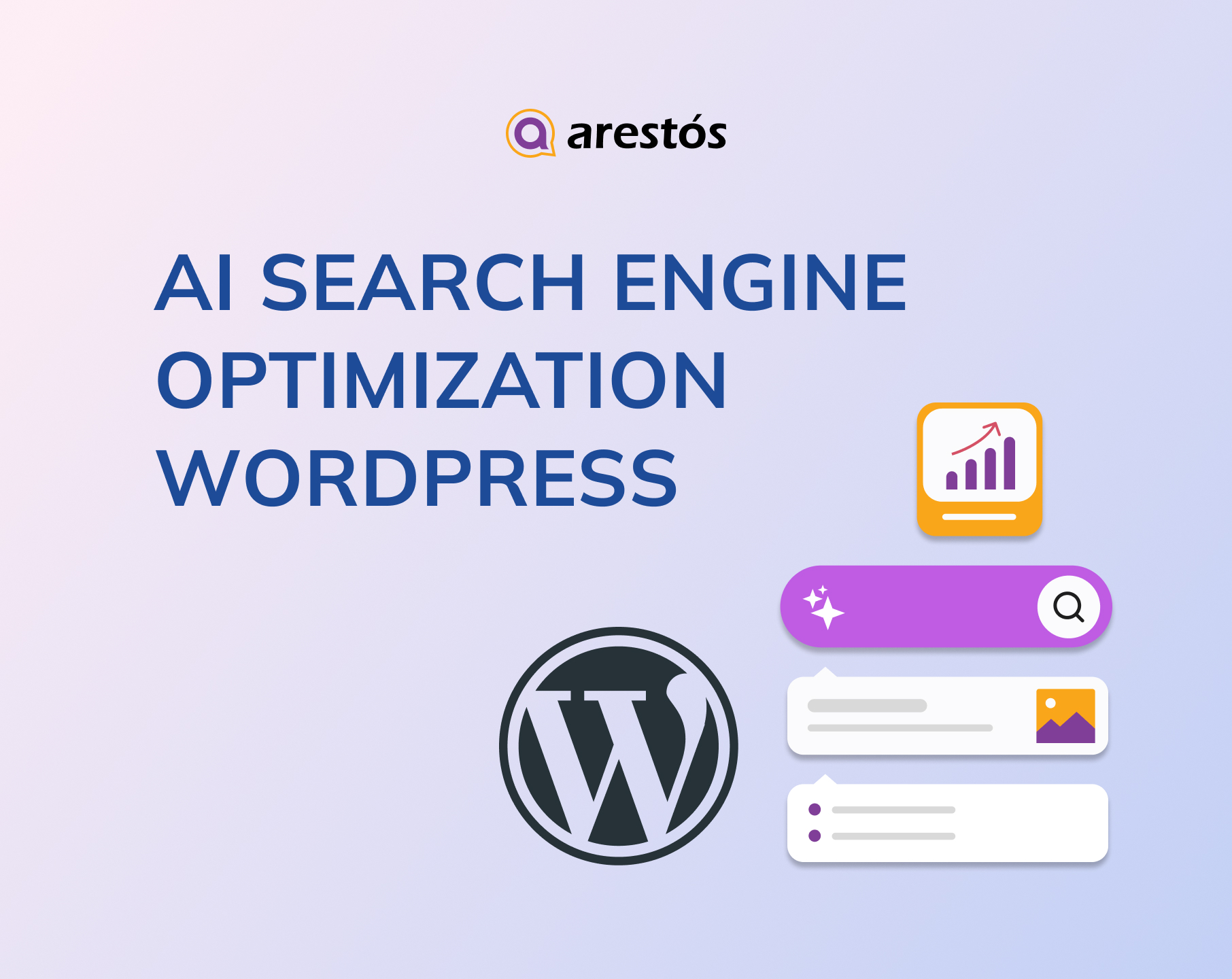
Table of Content
Share
AI Search Engine Optimization WordPress is transforming how websites appear in both traditional search results and AI-generated answers. By applying AI SEO strategies, you can improve content visibility, increase qualified traffic, and boost your chances of being cited by AI systems.
This guide is designed for marketers, business owners, and WordPress users who want to stay competitive in the evolving search landscape. In this guide, you’ll learn how to optimize your WordPress site for AI search with practical steps, tools, and proven strategies.
What Is AI Search Engine Optimization WordPress?
AI Search Engine Optimization for WordPress is the process of optimizing a WordPress website so AI systems can understand, extract, and present its content in search results or AI-generated answers. Instead of focusing only on rankings on platforms like Google, this approach prioritizes clarity, structure, and context.
In practice, it means creating answer-focused content, organizing information with clear headings and formats, and making it easy for tools like ChatGPT to interpret and reuse. The goal is not just to rank, but to become a reliable source that AI can cite.
Why Does AI SEO Matters on Your Website WordPress?
Here is why AI SEO matters for your WordPress website:
Adapting to AI-Powered Search (SGE & AI Overviews)
Search engines like Google now use AI to generate direct answers (AI Overviews) at the top of search results.
- The Impact: If your content isn’t structured for AI models to crawl and understand, you won’t appear in these “zero-click” summaries.
- The AI SEO Edge: AI tools help you format content into “answer blocks” and structured data that Google’s AI prefers, keeping your site visible in the new search era.
Deep Understanding of User Intent
Old-school SEO focused on exact-match keywords. AI SEO focuses on Semantics (meaning).
- Smart Analysis: AI tools analyze billions of data points to understand why someone is searching, not just what they typed.
- Content Relevance: WordPress plugins like Rank Math AI or Yoast AI scan top-ranking competitors in real-time and tell you exactly which subtopics and related terms you need to include to satisfy the user’s intent.
Automated Technical Excellence
WordPress sites can become slow or cluttered with bad code. AI SEO handles the heavy lifting:
- Image & Code Optimization: AI can automatically compress images without losing quality and prioritize which scripts load first to improve your Core Web Vitals (a major Google ranking factor).
- Internal Linking: Tools like Link Whisper use AI to suggest relevant internal links as you write, building a powerful site structure that helps Google crawl your pages faster.
Efficiency and Scaling
For small business owners or solo bloggers, SEO can be overwhelming.
- Instant Metadata: AI can generate high-click-through-rate (CTR) Titles and Meta Descriptions in seconds.
- Content Audits: Instead of manually checking every post, AI tools can audit your entire WordPress library to find “decaying” content that needs an update to regain its ranking.
How to Prepare Your WordPress Site for AI Search Engines
AI-powered search tools like ChatGPT and Google’s AI features are reshaping how users discover information online.
The good news is that your WordPress site can appear in both traditional search results and AI-generated responses with the right adjustments.
Most of the foundations for AI optimization are already built into WordPress—you just need to organize and leverage them effectively.
In this section, you’ll learn how to prepare your WordPress site for AI search through nine practical steps.
- Write answer-first content with a clear structure
- Organize content into topical clusters and key category pages
- Add schema to formalize entities and relationships
- Add FAQs and structured sections AI can quote
- Make authorship, experience, and E-E-A-T signals explicit
- Strengthen site-level trust
- Reinforce local and business credibility
- Make sure search engines can access and crawl your site
- Use visuals as explanatory assets
Follow these steps to optimize your WordPress site for AI search engines
Write answer-first content with a clear structure
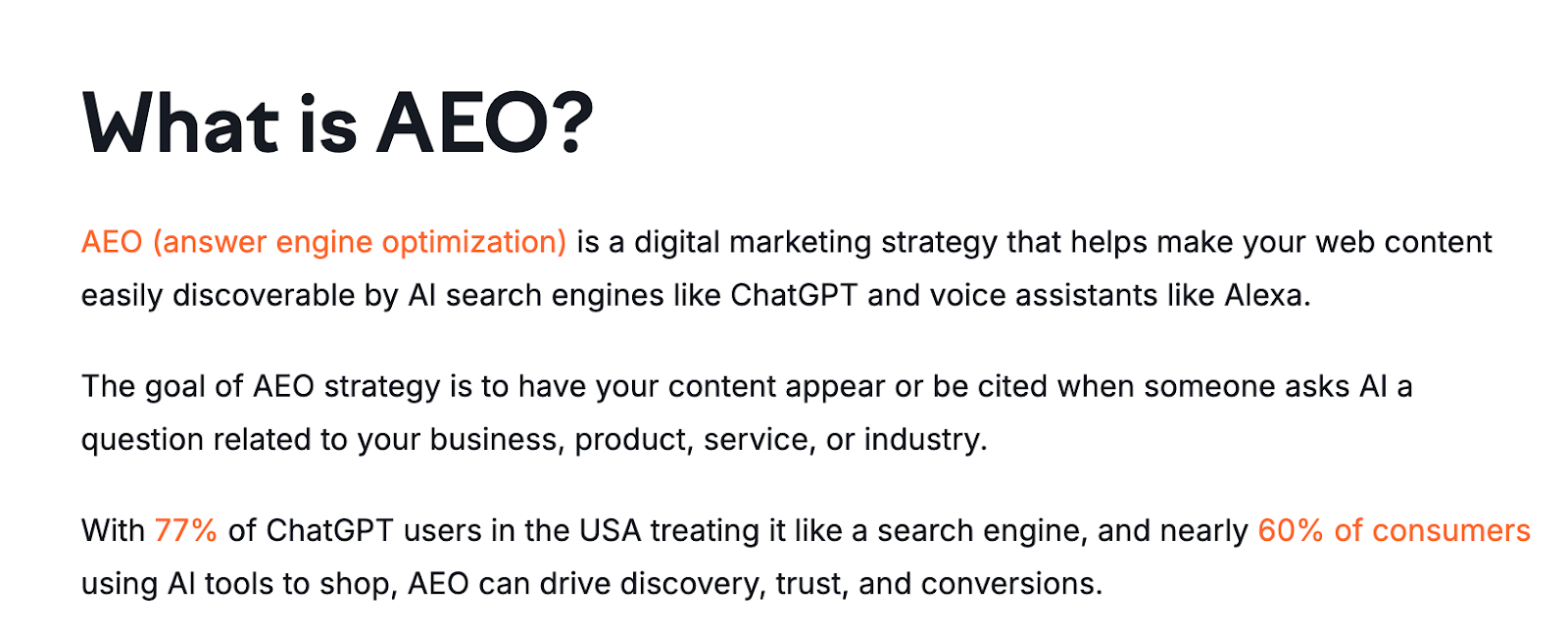
When creating content for your website, begin each section with the key takeaway before adding supporting details.
AI systems identify and extract information by looking for clear answers and recognizable structures. By placing the most important information first and organizing your content logically, you make it easier for AI to interpret and reuse.
A simple way to apply this is to use a question-based heading, followed by a paragraph that immediately answers the question, then expands with additional context.
How to Do It in WordPress
- Start each page with a clear answer, definition, or key takeaway to immediately address user intent.
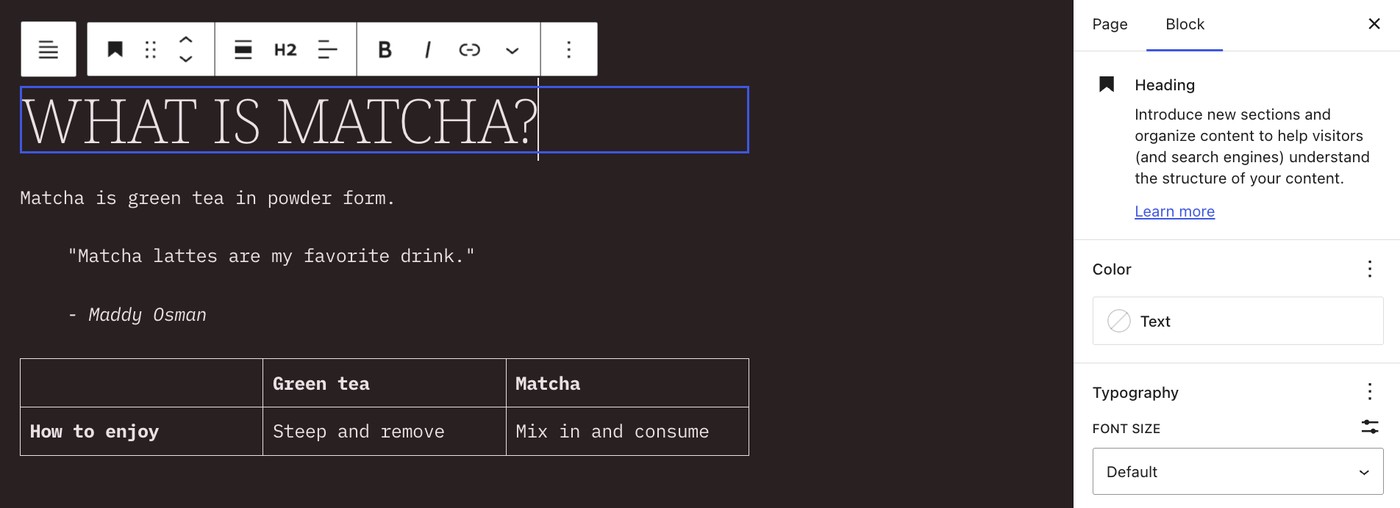
- Use built-in blocks like Headings, Lists, Tables, and Quotes to organize content into easy-to-scan sections.
- Align your opening sentence with the heading—for example, if the heading asks “What is matcha?”, begin with “Matcha is…”.
- Keep paragraphs short (2–3 sentences) so both users and AI systems can quickly grasp the main points.
- Prioritize the most important information within the first 100 words to improve visibility and extraction.
Organize content into topical clusters and key category pages
Organize your content into clearly defined topic clusters and explicitly reference the key people, brands, tools, and concepts you cover.
AI systems rely on “entities”—distinct elements that carry meaning and context. These can include products like Monday.com, concepts such as remote teams, or categories like integrations.
By structuring your content around these entities and using consistent terminology, you help AI understand how different topics connect—making it easier to recognize your authority and expertise.
How to Do It in WordPress
- Identify 3–6 core themes your brand focuses on and group related content around each one. For example, a lifestyle blog might organize topics like wellness, home organization, work–life balance, personal finance, travel, and daily routines.
- Group related posts and pages into category pages to create a clear structure, similar to how content is organized on WordPress.com.
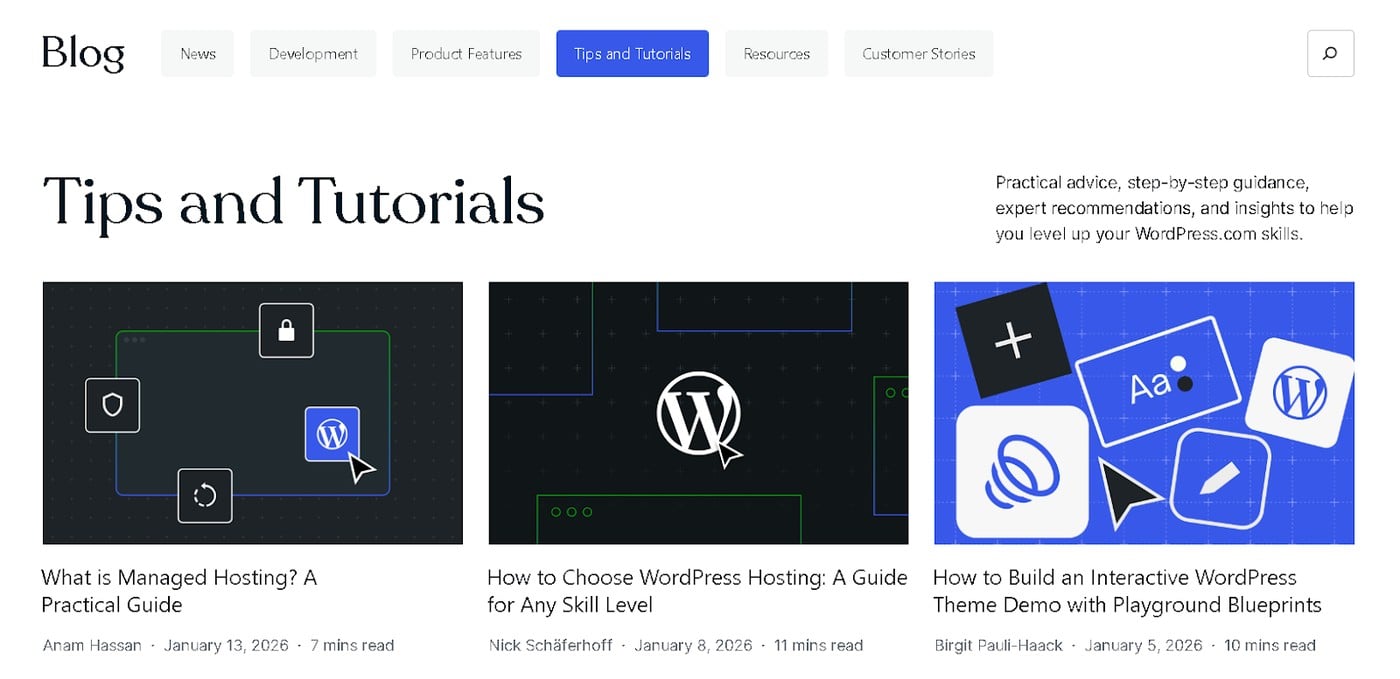
- Define each category clearly and add a short description to explain what users can expect (e.g., “Practical tips and step-by-step guidance on personal finance”).
- Link your category hub pages in the main navigation, and connect posts within each cluster using clear, entity-focused anchor text.
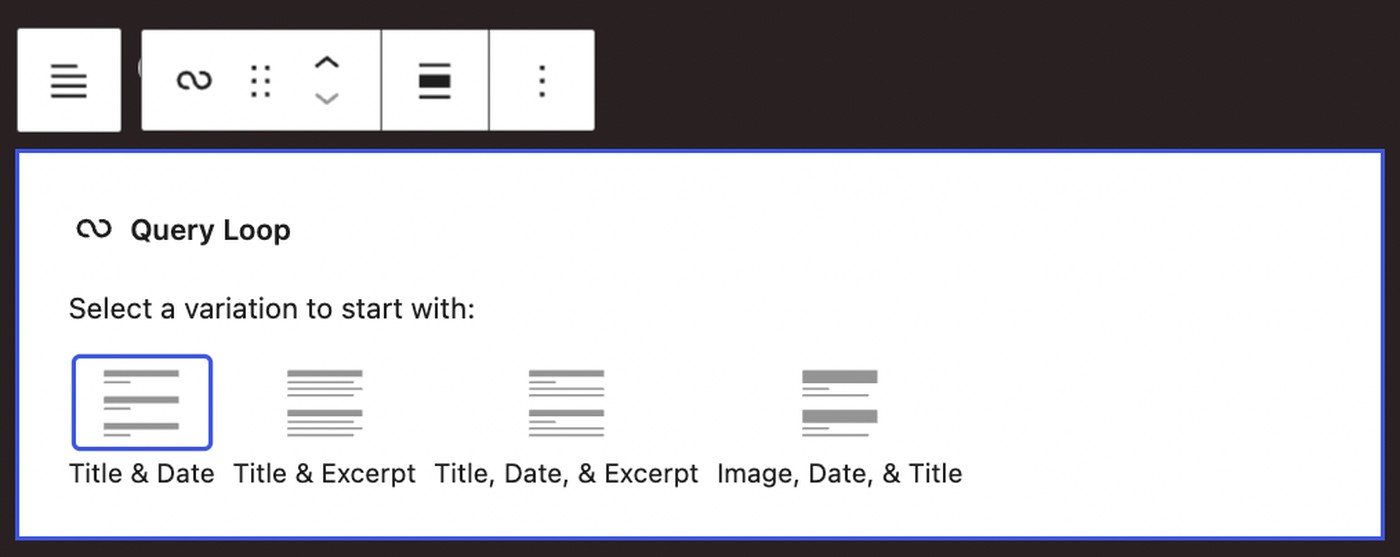
- Use the Query Loop block in WordPress to automatically display related posts and pages on your category hubs.
Add schema to formalize entities and relationships
Add schema markup (structured data) to clearly define the type of content you’re publishing, helping search engines and AI systems better understand your pages.
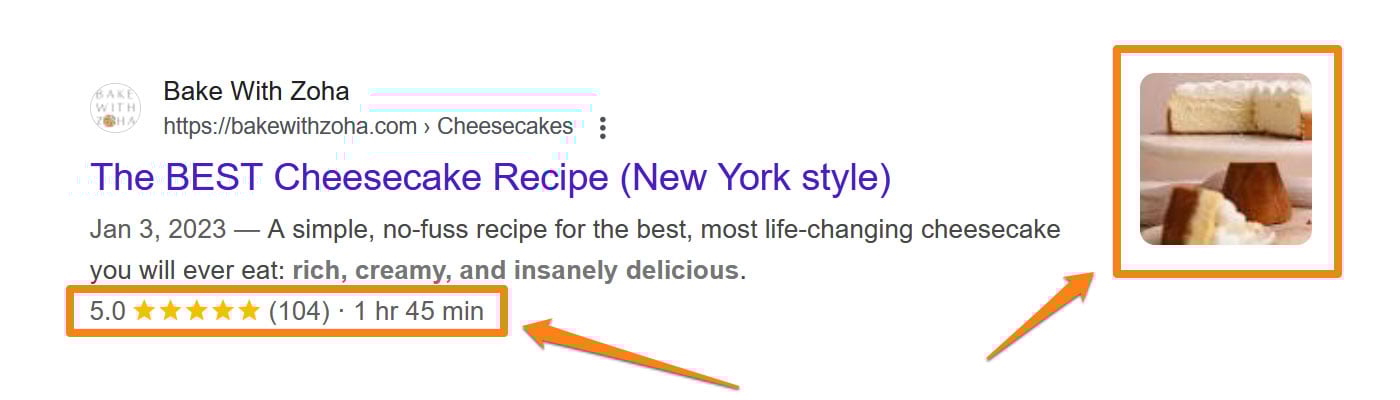
For example, you can label a page as a recipe, product review, or local business listing to provide more precise context.
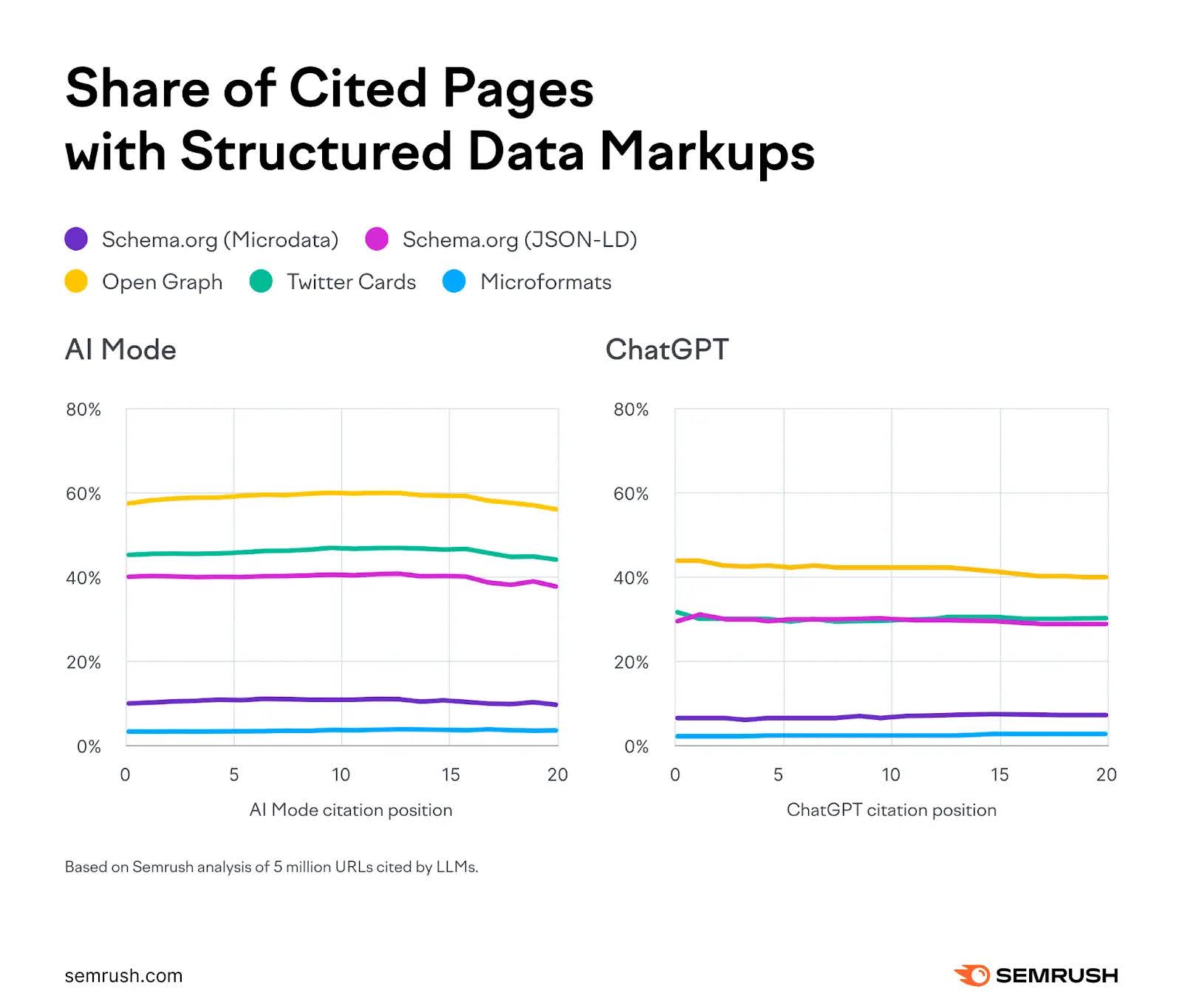
Schema markup isn’t a guaranteed shortcut to better results—few things in SEO or GEO are—but it does play an important role in helping AI understand your WordPress site more clearly.
For instance, a recent Semrush study found a correlation between schema usage and AI citations, suggesting that structured data provides additional context and signals of credibility that AI systems can interpret.
How to Do It in WordPress
- Choose the appropriate schema type for each page, such as Article, FAQ, Product, Review, or LocalBusiness, to accurately describe your content.
- Link your content to real authors and organizations using Person and Organization schema to strengthen credibility signals.
- Use SEO plugins in WordPress to implement schema without coding—popular options include All in One SEO, Schema & Structured Data for WP, Yoast SEO, and Rank Math SEO.
Add FAQs and structured sections AI can quote
Include FAQ sections with clearly structured question-and-answer pairs so AI systems can easily identify and extract key information.
FAQs are particularly effective for AI search because they reflect how users naturally ask questions. They also give you more control over how your answers are presented and understood.
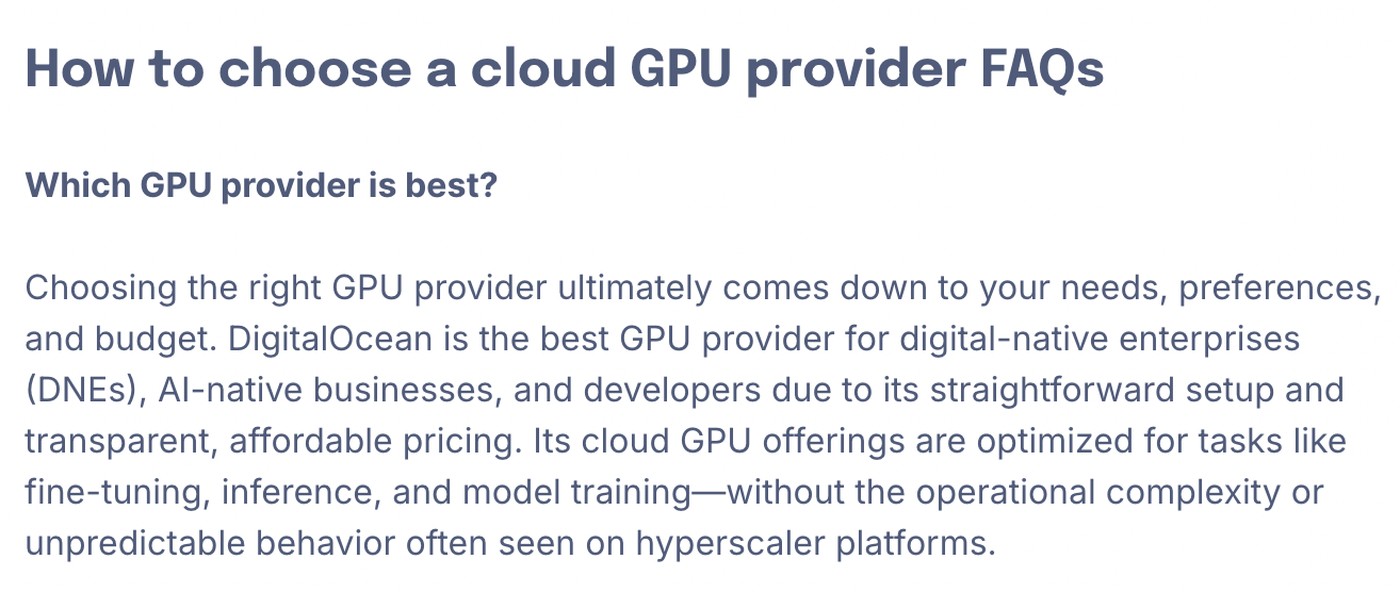
For example, you can use FAQs to reinforce your brand positioning in a structured format, such as when explaining how to choose a cloud GPU provider.
How to Do It in WordPress
- Use a single, clear question followed by a concise and focused answer.
- Begin each answer with the key point, then expand with supporting details.
- Keep responses informative and neutral—avoid overly promotional language, especially for questions like “What is X?”.
- Position FAQs at the end of your content or at key decision-making points in the user journey.
- Use the Accordion block in WordPress to present FAQs in a clean and organized layout.
Make authorship, experience, and E-E-A-T signals explicit
Include author details, credentials, and original insights in your content to clearly show who created it and why it can be trusted.
Demonstrating real-world experience and expertise—often referred to as E-E-A-T (Experience, Expertise, Authoritativeness, and Trustworthiness)—helps both search engines and AI systems evaluate your credibility and increases the likelihood of your content being cited.
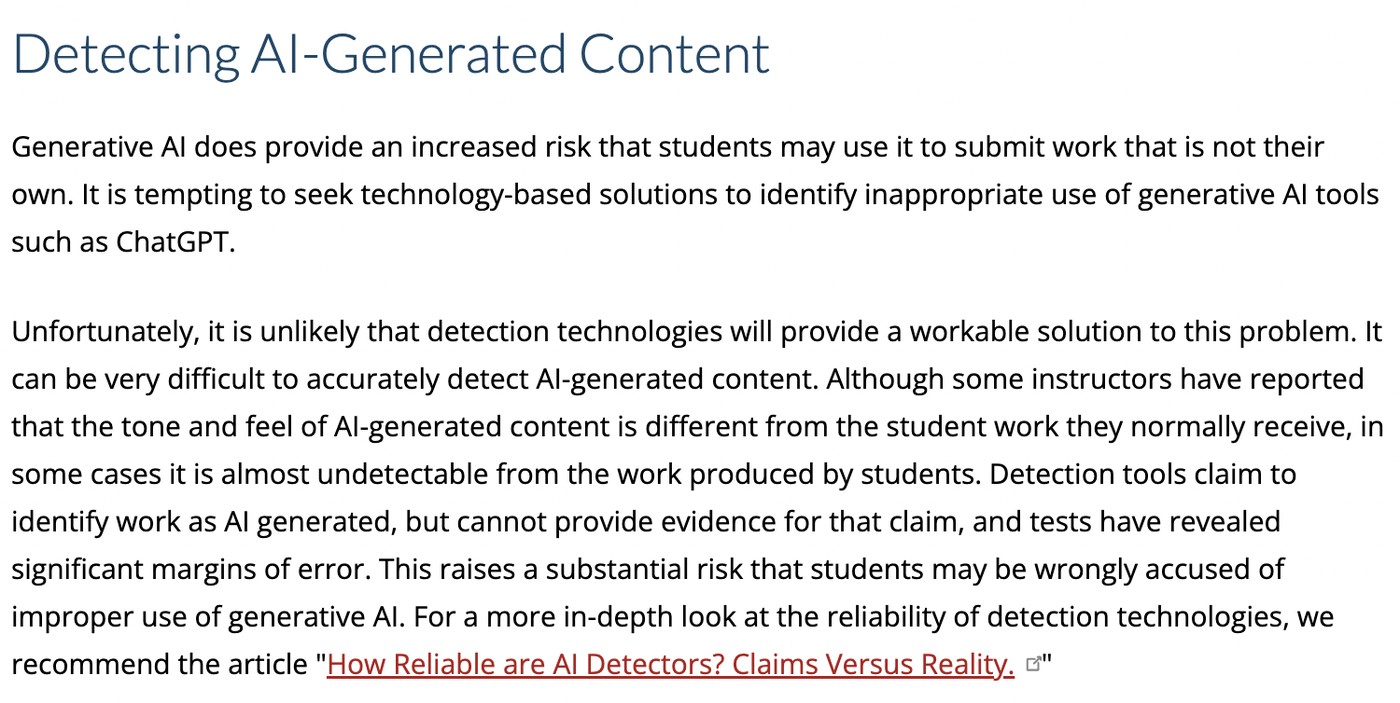
For example, DigitalOcean published original research on AI detector accuracy on its blog. This content became a major traffic driver and was later cited by Cornell University, reinforcing its authority.
How to Do It in WordPress
- Use the Authors Widget in WordPress to clearly display the author’s name on each post.

- Link each author’s name to a dedicated profile page that highlights their background, experience, and expertise.
For example, iFixit—an e-commerce and how-to platform—clearly showcases the credentials and expertise of its contributors to build trust and authority.
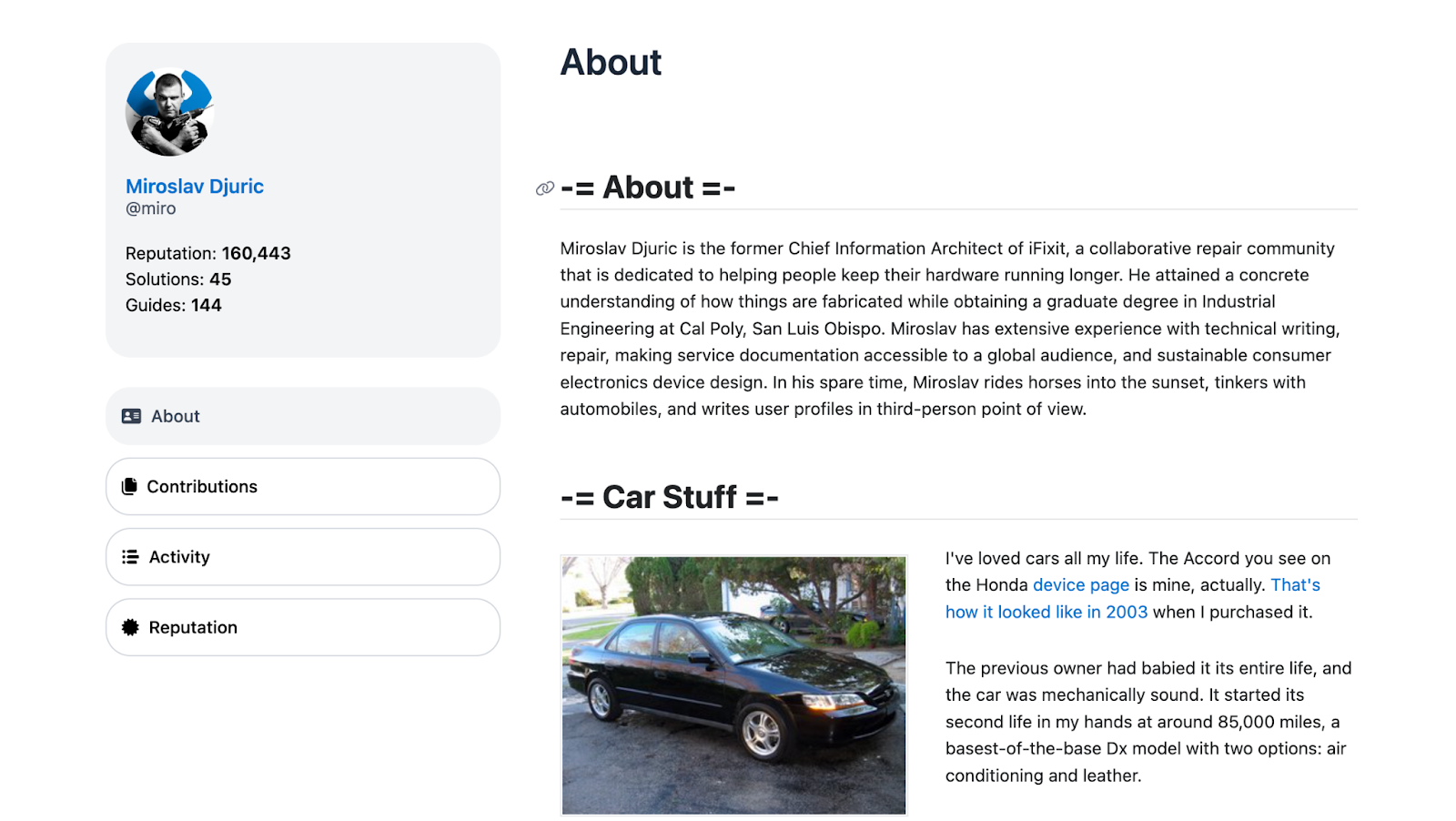
This approach builds trust with users—especially when providing practical guidance like fixing electronics—and also signals credibility to AI search systems.
- Include insights from subject matter experts to strengthen E-E-A-T and make your content more distinctive.
- Conduct original research and incorporate up-to-date statistics to support your claims and enhance overall credibility.
Strengthen site-level trust
Create clear and detailed About and Contact pages to show both users and AI systems that your website is legitimate.
AI doesn’t evaluate content in isolation—it assesses your entire WordPress site to determine trustworthiness. When you provide transparent information about who you are, how to contact you, and what your brand stands for, you strengthen your credibility signals.
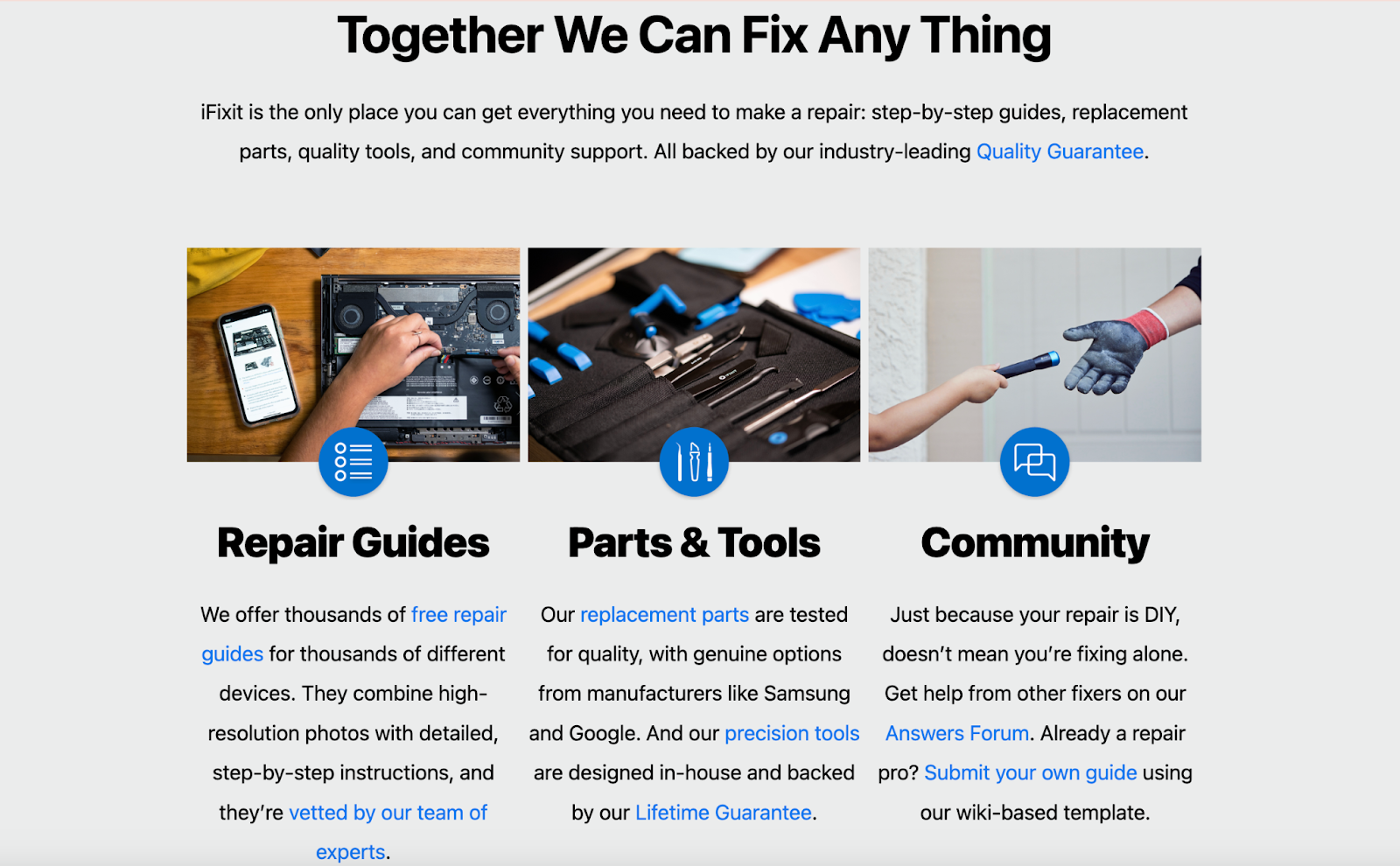
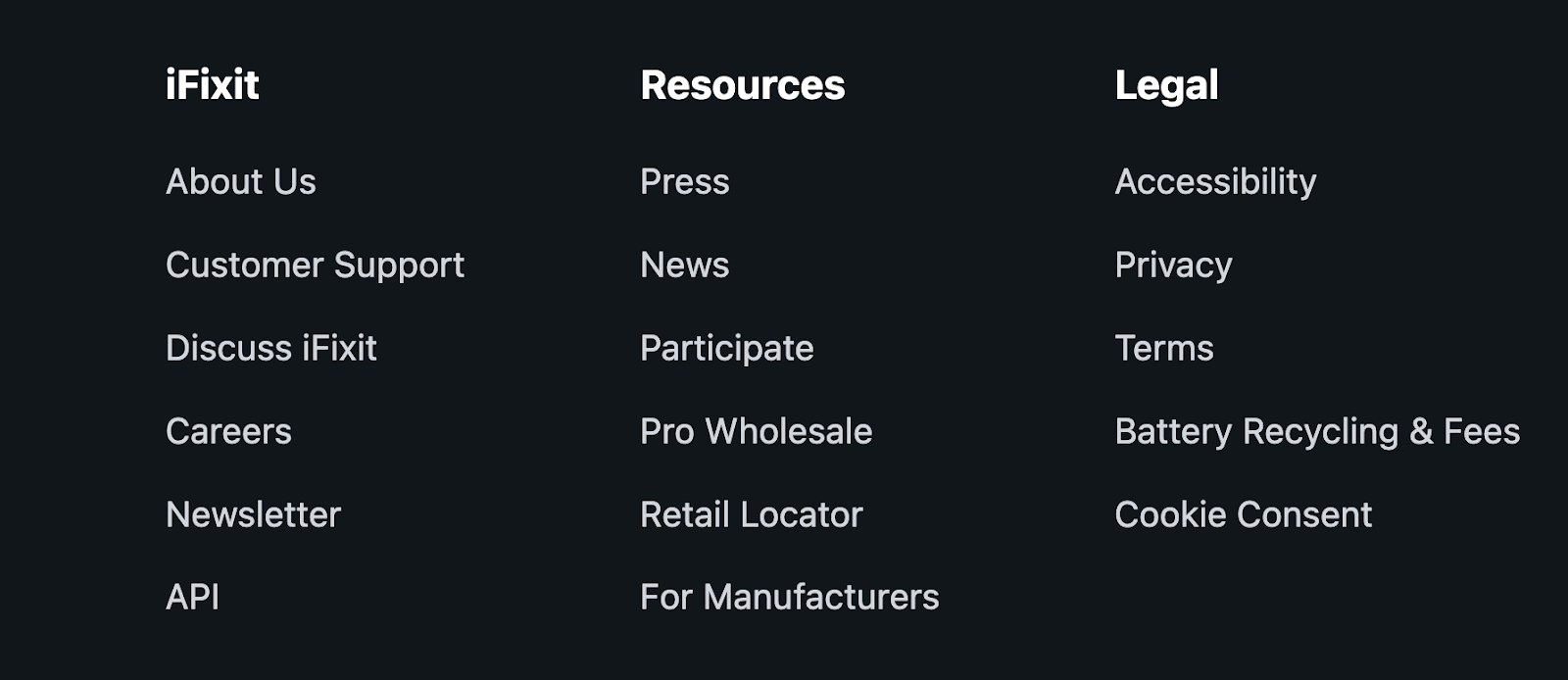
For example, iFixit offers a well-structured About page that clearly communicates its mission, expertise, and values, helping build trust with both readers and search systems.
How to Do It in WordPress
- Create a clear About page that explains who you are, what you do, and who your content or services are for.
- Use Organization schema through an SEO plugin like All in One SEO to define your business name, location, and activities for search engines.
- Add a dedicated Contact page with accurate and verifiable business information.
- Make sure both About and Contact pages are easily accessible from your site-wide navigation, such as the header or footer.
Reinforce local and business credibility
If you operate a local business, include key details such as your address, business hours, and customer reviews to demonstrate legitimacy.
Providing local business information builds trust for both physical locations and service-based companies. When AI systems detect consistent contact details, authentic reviews, and clear location data, they are more likely to recognize and reference your brand.
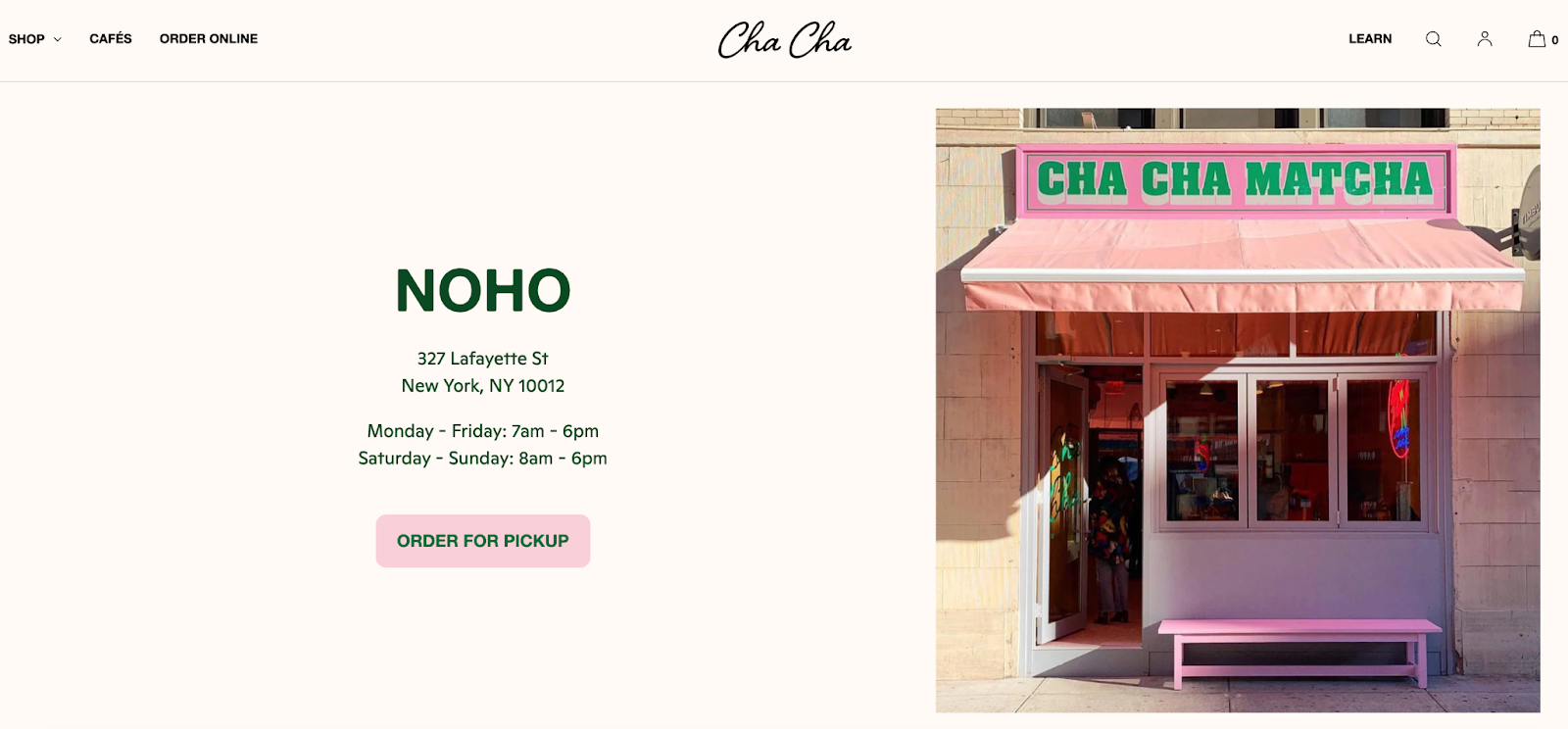
For example, Cha Cha Matcha clearly presents its address and essential information on its website, making it easy for both users and AI to verify.
How to Do It in WordPress
- Ensure your business name, address, and phone number (NAP) are consistent across your website and your Google Business Profile.
- Claim and optimize your Google Business Profile by keeping your hours, photos, and services accurate and up to date.

- Add LocalBusiness schema using an SEO plugin like All in One SEO to help search engines and AI understand your business details.
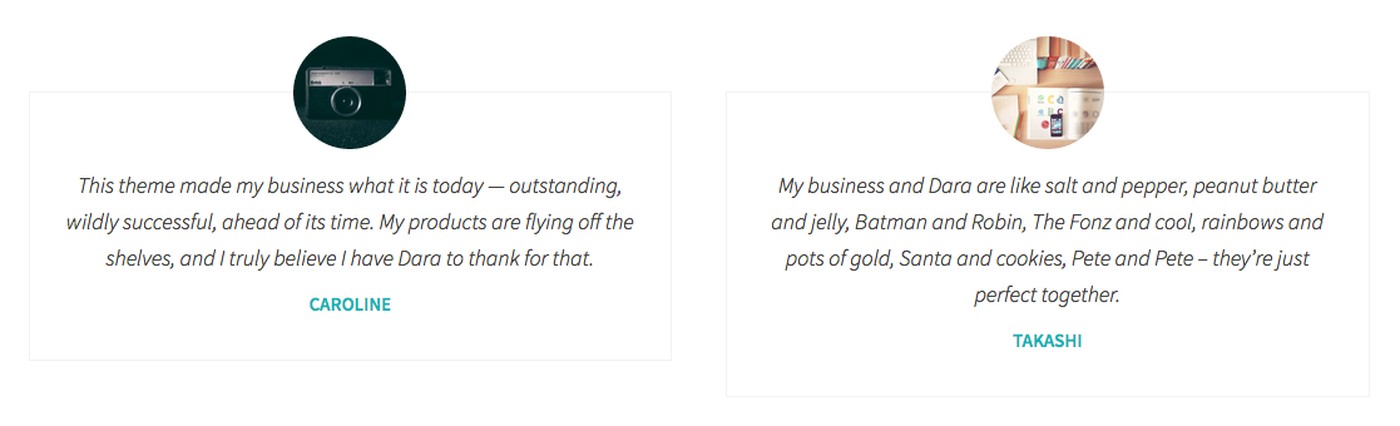
- Showcase customer reviews and testimonials using the Testimonial block and plugins like Google Business Reviews and Rating to build trust and credibility.
- Embed a map on your Contact or Location page to help users and AI systems easily identify your business location.
Make sure search engines can access and crawl your site
Eliminate technical obstacles that prevent search engines and AI systems from discovering and indexing your content.
Even high-quality content can remain invisible if your site blocks crawlers, loads slowly, or isn’t properly indexed. Ensuring your site is accessible and performant is essential for visibility.
Using reliable WordPress hosting can address many of these issues automatically by improving site speed, enforcing HTTPS, and maintaining consistent uptime.
How to Do It in WordPress
- Enable search engine visibility in Settings → Reading to allow your site to be indexed.
- Configure your robots.txt file properly using an SEO plugin like All in One SEO to control which parts of your site bots can crawl.
- Generate and submit an XML sitemap through your SEO plugin to help search engines discover your key pages (WordPress.com enables this by default).
- Make sure HTTPS is enabled—look for the padlock icon in your browser to confirm your site is secure.
- Improve performance by optimizing speed and uptime through image compression, caching, and lightweight themes.
Use visuals as explanatory assets
Use images, diagrams, and screenshots that actively support your content rather than relying on purely decorative visuals.
Clear, instructional visuals help simplify complex ideas and improve understanding. As AI search evolves toward multimodal capabilities, systems will increasingly analyze and interpret visual elements alongside text.
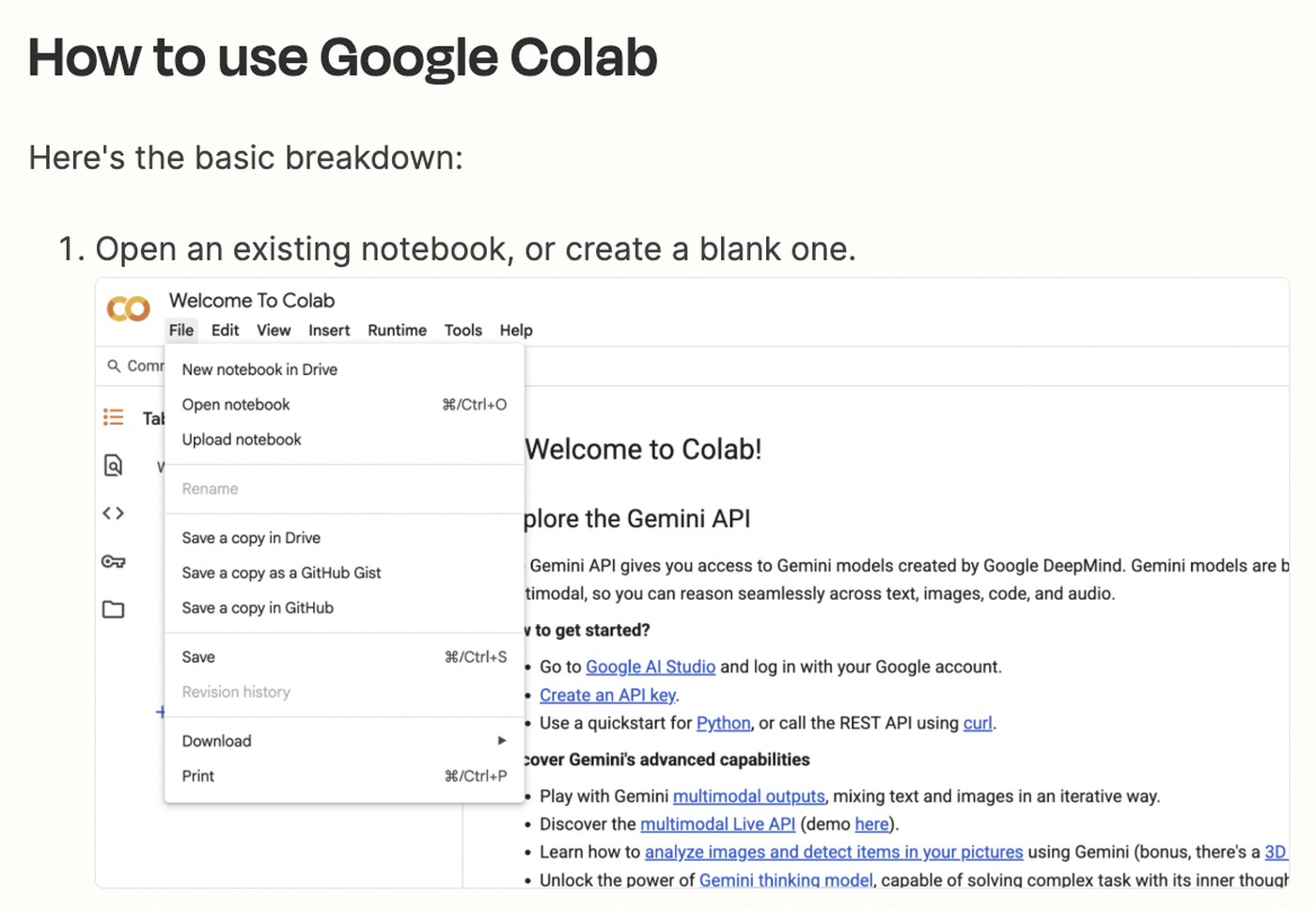
For example, a tutorial on using Google Colab for non-developers can include step-by-step screenshots to guide readers through each stage of the process.
How to Do It in WordPress
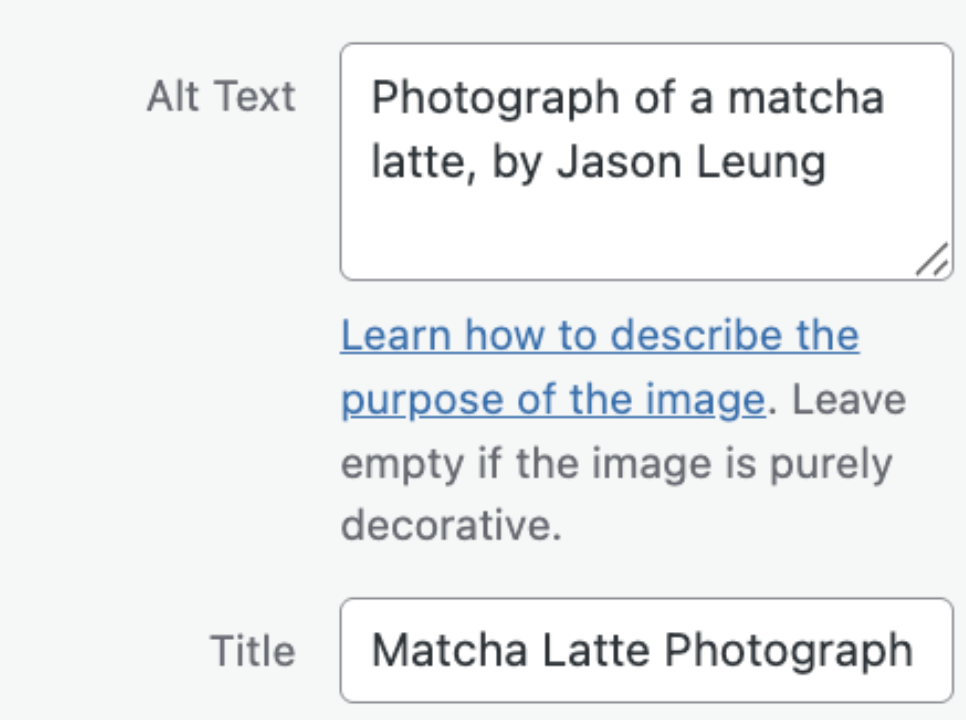
- Use descriptive file names and alt text to clearly explain what your images show. For example, rename files to “wordpress-dashboard-settings.jpg” instead of generic names like “IMG_1234.jpg,” and write alt text that accurately describes the image for both search engines and accessibility.
- Add captions to your images to provide extra context and clarify what readers should focus on.
- Refer to visuals within your content—don’t just insert images; guide readers by mentioning them (e.g., “as shown in the screenshot below”).
- Use blocks like Image, Gallery, and Table in WordPress to present diagrams, screenshots, and step-by-step flows effectively.
- Organize your media files in the Media Library so you can easily manage and reuse visuals across different posts.

Pro tip: Help AI search tools discover your most valuable content.
An llms.txt file is an emerging method for signaling which pages on your site are most important—such as key guides, category hubs, or your About page. While it’s not a strict requirement and AI systems may not always follow it, it works similarly to early implementations of robots.txt—as a guideline rather than a rule.
How to do it in WordPress:
- Create an llms.txt file using a plugin like Website llms.txt.
- Include links to your most important pages, such as cornerstone articles, category hubs, and your About page.
AI SEO WordPress Tools to Help You Optimize Faster
To optimize your WordPress site more efficiently for AI search, here are five essential tools that can streamline your workflow and improve your results:
ChatGPT
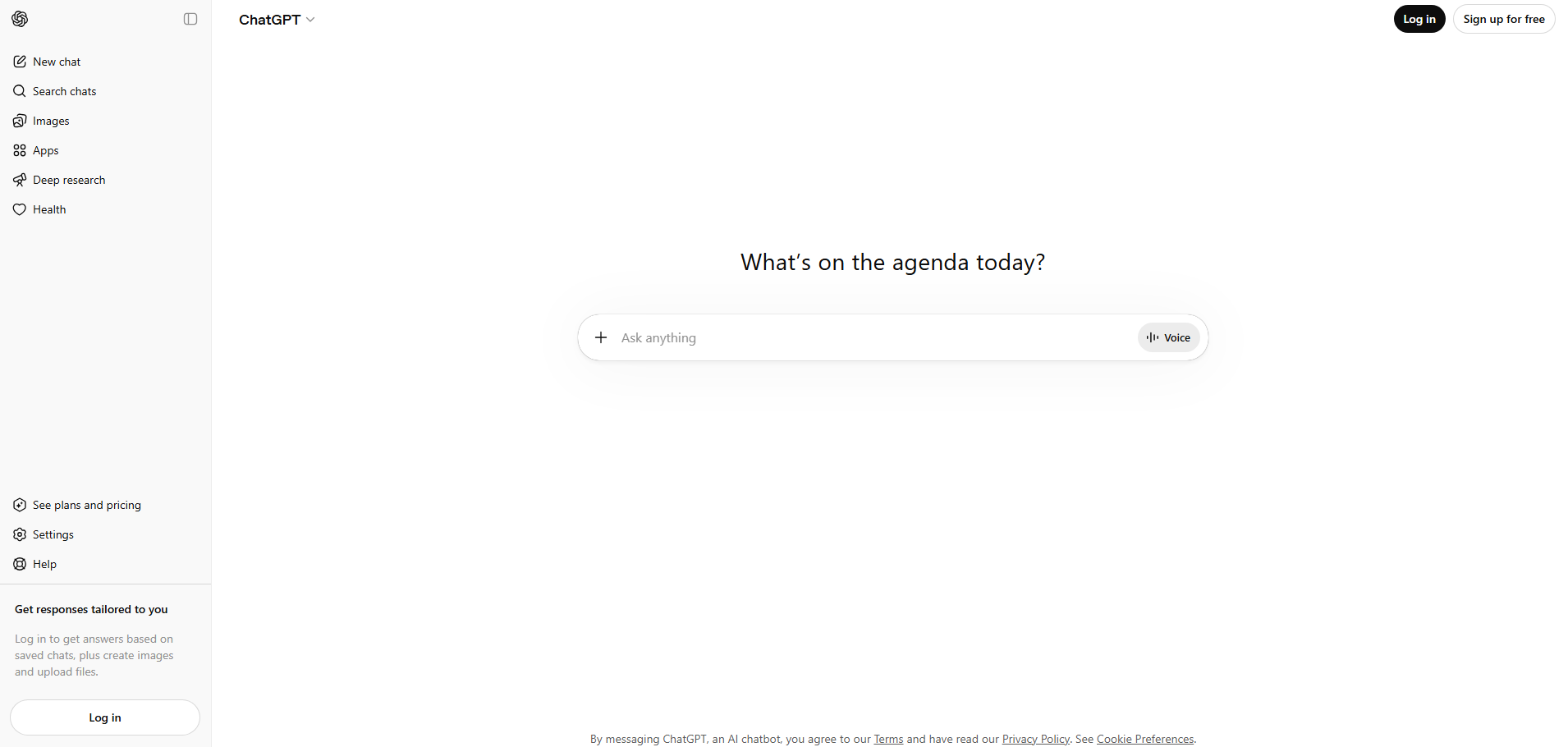
ChatGPT is a powerful AI tool that helps streamline content creation and optimization for WordPress websites. It can generate blog ideas, create structured outlines, and rewrite content to make it clearer and more aligned with user intent—key factors for AI SEO.
In addition, ChatGPT is especially useful for producing answer-focused content such as summaries, FAQs, and concise explanations. This makes your content easier for AI systems to understand, extract, and potentially feature in AI-generated responses.
Yoast SEO
Yoast SEO is one of the most widely used WordPress plugins for on-page SEO, helping you optimize content structure, readability, and key elements like titles and meta descriptions. It provides real-time suggestions to ensure your content aligns with SEO best practices.
In the context of AI SEO, Yoast SEO helps you create well-structured, easy-to-read content that AI systems can quickly interpret. Features like readability analysis, internal linking suggestions, and basic schema support make it easier for your content to be understood, indexed, and potentially featured in AI-generated answers.
Rank Math
Rank Math is a powerful WordPress SEO plugin that helps optimize on-page elements, track keywords, and add schema without complex setup. It provides real-time suggestions directly in the editor, making optimization faster and more efficient.
For AI SEO, Rank Math is especially useful for structuring content and adding schema so AI systems can better understand your pages. Its data-driven insights also help you align content with search intent and improve your chances of being featured in AI-generated answers.
All in One SEO
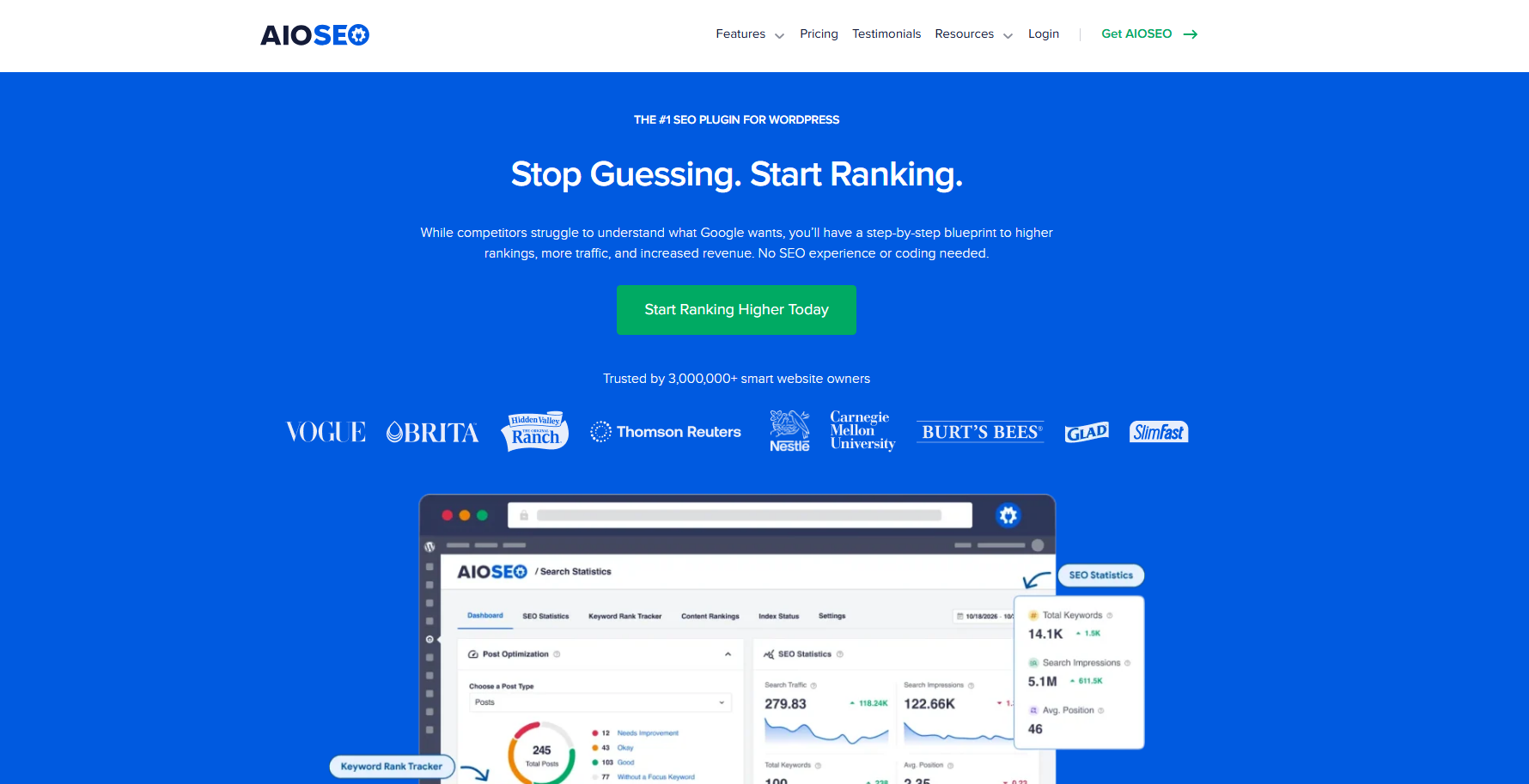
All in One SEO is a beginner-friendly WordPress SEO plugin that simplifies tasks like meta optimization, XML sitemaps, and schema setup. Its intuitive interface makes it easy to manage SEO settings without technical complexity.
For AI SEO, All in One SEO helps ensure your site is properly structured and accessible, with built-in schema and technical optimization features. This makes it easier for AI systems to crawl, understand, and index your content effectively.
Schema & Structured Data for WP
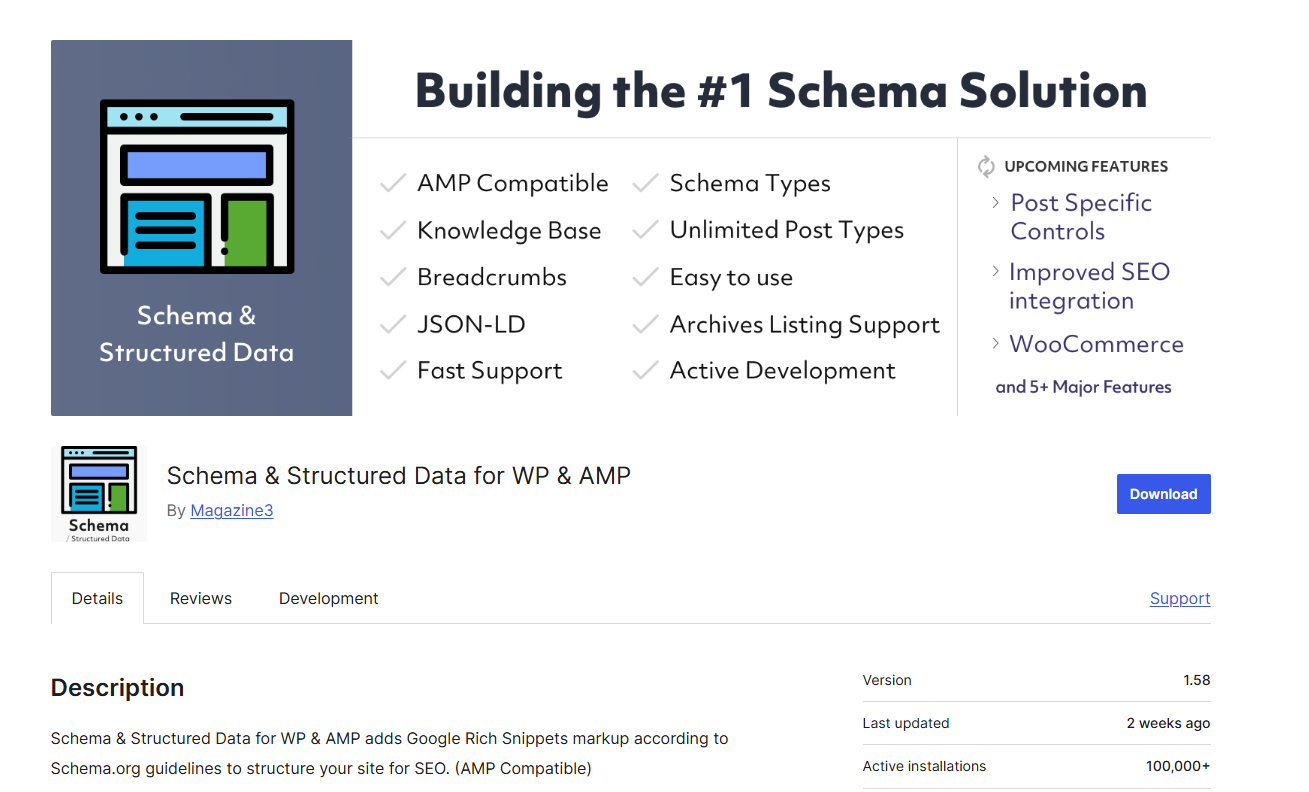
Schema & Structured Data for WP is a specialized tool designed to add structured data to your website without coding. It supports multiple schema types such as articles, FAQs, products, and local businesses.
For AI SEO, this plugin plays a key role in helping search engines and AI systems clearly understand your content and its context. By defining entities and relationships through schema, it increases the chances of your content being accurately interpreted and cited.
To explore more tools that can enhance your workflow, check out our guide on Top 7 WordPress AI Plugins for Hong Kong Websites.
Frequently Asked Question
1. How is AI SEO different from traditional SEO?
AI SEO focuses on making content easy for AI systems to understand, extract, and reuse, while traditional SEO mainly targets rankings on search engines like Google. AI SEO emphasizes structure, clarity, and context over just keywords.
2. Do I need plugins to implement AI SEO in WordPress?
Not necessarily, but plugins like Rank Math or Yoast SEO make it much easier to optimize content, add schema, and manage technical SEO without coding.
3. How often should I update content for AI SEO?
You should update content regularly to keep it accurate and aligned with current search intent. Refreshing key pages every few months helps maintain visibility and relevance.
4. How do I know if my content is AI-friendly?
Your content is AI-friendly if it answers questions directly, uses clear structure (headings, lists, FAQs), and includes relevant context and entities that AI systems can understand.
5. Can small websites compete in AI search?
Yes. AI prioritizes content quality, clarity, and relevance over website size, so smaller sites can still be featured if their content is well-structured and useful.
Conclusion
AI Search Engine Optimization for WordPress is no longer optional—it’s essential for staying visible in an AI-driven search landscape. By focusing on clear structure, answer-first content, strong E-E-A-T signals, and technical optimization, you can make your website easier for both search engines and AI systems to understand, trust, and cite.\
At Arestós, we specialize in building and optimizing high-performance WordPress websites tailored for modern SEO and AI search. From technical setup and content strategy to advanced schema implementation, our team helps you turn your website into a powerful growth engine.
Contact us today and start optimizing for the next generation of search.
Subscribe to our newsletter!
Get updated to
the lastest IT trends
Related Posts
Update the latest technology trends for your business