Back to featured insights
Joomla vs WordPress: Complete Comparison
Joomla and WordPress are two of the most popular content management systems used to build websites today. While both platforms are powerful and flexible, they are designed for different needs and skill levels. This article compares Joomla and WordPress to help you choose the right CMS for your website goals.
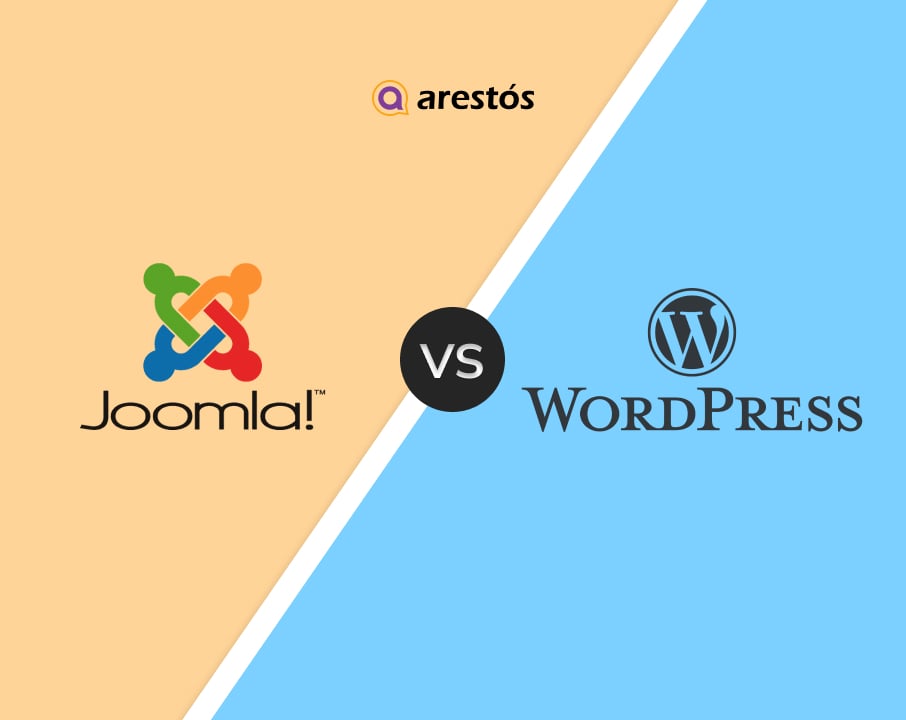

Table of Content
Share
Joomla vs WordPress is one of the most common comparisons when choosing the right content management system for building a website. Both platforms offer powerful features, flexibility, and scalability to help users create professional and high-performing websites.
This comparison is especially useful for beginners, business owners, and developers who are deciding which CMS best fits their needs. In this guide, we’ll break down the key differences between Joomla and WordPress to help you make an informed decision.
Overview of Joomla and WordPress
Before diving into a detailed comparison, let’s take a high-level look at Joomla and WordPress to understand what each platform is, how they work, and why they remain two of the most popular content management systems today.
What is Joomla?
Joomla is a free, open-source Content Management System (CMS) that allows users to build, manage, and publish websites and online applications. It is written in PHP and uses a MySQL database, making it a flexible and powerful solution for developers and businesses alike.
Key features of Joomla
- Advanced Content Management: Supports multiple content types, categories, and nested structures, making it ideal for complex and content-heavy websites.
- Flexible User Management & Access Control: Powerful Access Control Lists (ACL) enable detailed user roles and permissions, perfect for multi-user and membership-based sites.
- Strong Security by Default: Includes core security features such as two-factor authentication and granular user permissions to enhance website safety.
- Extensive Extension Ecosystem: Thousands of extensions are available for SEO, e-commerce, forms, galleries, and custom functionality.
- Template-Based Design System: Separates content from design, allowing developers to customize layouts while keeping content organized and manageable.
- SEO-Friendly Structure: Supports search-engine-friendly URLs, metadata management, and customizable routing for better visibility in search results.
- Built-in Caching & Performance Optimization: Offers built-in caching options to help improve website loading speed and overall performance.
What is WordPress?
WordPress is a free, open-source Content Management System (CMS) that enables users to create and manage websites with ease. Originally developed as a blogging platform, WordPress has evolved into a highly versatile CMS used to build everything from personal blogs and business websites to eCommerce stores and large-scale enterprise sites.
Built with PHP and powered by a MySQL database, WordPress is widely known for its user-friendly interface and extensive ecosystem of themes and plugins. Its flexibility allows users to customize both design and functionality without requiring advanced technical skills, making it a popular choice for beginners and professionals alike.
To learn more about how to use WordPress effectively, check out our WordPress Tutorial: A Complete Step-by-Step Guide for beginners.
Key features of WordPress
- Extensive Theme Ecosystem: Thousands of free and premium themes allow users to quickly customize the design and layout of their websites.
- Powerful Plugin System: A vast plugin library enables easy addition of features such as SEO, security, forms, analytics, and more.
- Strong SEO Capabilities: Excellent SEO support through plugins like Yoast SEO and Rank Math, helping websites rank better in search engines.
- Flexible Content Creation: Supports blogs, pages, media, and custom post types, making it suitable for various website types.
- E-Commerce Ready with WooCommerce: Seamless integration with WooCommerce allows users to build and scale online stores efficiently.
- Large Global Community: Massive community provides tutorials, forums, documentation, and third-party resources for continuous support.
- Regular Updates & Improvements: Frequent core updates improve performance, security, and compatibility with modern web standards.
- Scalable for Growth: Suitable for small blogs and large enterprise websites, with the ability to scale as traffic and content grow.
Check Out Other Platform Comparison WordPress vs Wix, or explore our detailed guide on CMS WordPress vs Other CMS Platforms to better understand how WordPress compares with other popular platforms.
Joomla vs WordPress: Which One is Better
The key difference between Joomla and WordPress lies in their balance between flexibility and ease of use.
Joomla offers more advanced control and customization options, but it requires a higher level of technical knowledge.
WordPress, by comparison, is easier to use and more accessible for beginners. In addition, WordPress stands out thanks to its extensive plugin ecosystem, which allows users to easily extend website functionality.
The following section examines the advantages of WordPress and Joomla across several key aspects.
- Pricing
- Ease of use
- Content management
- Design & Customization
- Extensions & Plugins
- SEO & Performance
- Security and performance
- E-commerce and payment gateways
- Official support
To better understand the strengths and weaknesses of each platform, let’s take a closer look at how Joomla and WordPress compare across key criteria.
Pricing
When launching an e-commerce website, cost efficiency is often a top priority, particularly for merchants with limited budgets.
Although both Joomla and WordPress are open-source platforms, it’s still important to account for related expenses such as hosting, domain registration, security certificates, and other essential services.
WordPress Pricing
WordPress is an open-source content management system, meaning it can be downloaded and installed at no cost. However, running a fully functional website still involves several necessary expenses, including domain registration, web hosting, and additional services.
Based on our Joomla vs WordPress research, the estimated costs below are provided for reference only, as the final price may vary depending on your website’s complexity and specific requirements:
- Domain name: $10–$30 per year
- WordPress hosting: $5–$100+ per month, depending on the hosting type and provider
- Security solutions: Starting from $50, charged monthly or as a one-time fee
- Developer services: $40–$180+ per hour
- Website maintenance: From $99 per month
- Plugins: Free to $300, billed monthly or as a one-time purchase
Overall, the cost of building a WordPress website can range from as little as $100–$500 for basic setups, up to $3,000 or even $30,000+ for large-scale or highly customized projects. In return, you gain a professional website with extensive customization options, dedicated technical support, and full ownership of your site.
Additionally, working with a WordPress development agency can help you define a clear budget and accurately estimate the total cost of your website based on your goals.
For a more detailed local perspective, you can explore our guide on WordPress website cost to see how pricing varies in Hong Kong based on different business needs.
Joomla Pricing
Like WordPress, Joomla is an open-source CMS that can be used without any licensing fees. However, building and maintaining a Joomla website still requires using third-party services such as domain registration, hosting, and additional technical resources.
The main distinction comes from the overall cost structure, which can be higher depending on project complexity.
Below is an estimated cost breakdown for reference:
- Domain registration: $10–$30 per year
- Hosting services: $5–$100+ per month, depending on hosting type and provider
- Design and development: $50–$200+ per hour
- Website maintenance: $100–$1,000 per month
- Extensions: Free to $300+ for advanced plugins or subscriptions
Overall, the monthly cost of running a Joomla website can range from approximately $700 to $6,500 or more. Compared to WordPress, Joomla projects often require a higher budget, especially for websites with complex structures or advanced customization needs.
Verdict
Overall, WordPress tends to be more cost-effective due to its large and active community. Users can easily access support through countless third-party resources such as blogs, forums, and freelance developers. In contrast, Joomla projects often involve higher development costs, as professional developer assistance is usually required.
Ease of use
Usability is one of the most important considerations when selecting an eCommerce platform. While both Joomla and WordPress are open-source solutions, they typically demand more technical involvement to build and manage a website compared to fully hosted platforms.
WordPress Ease of Use
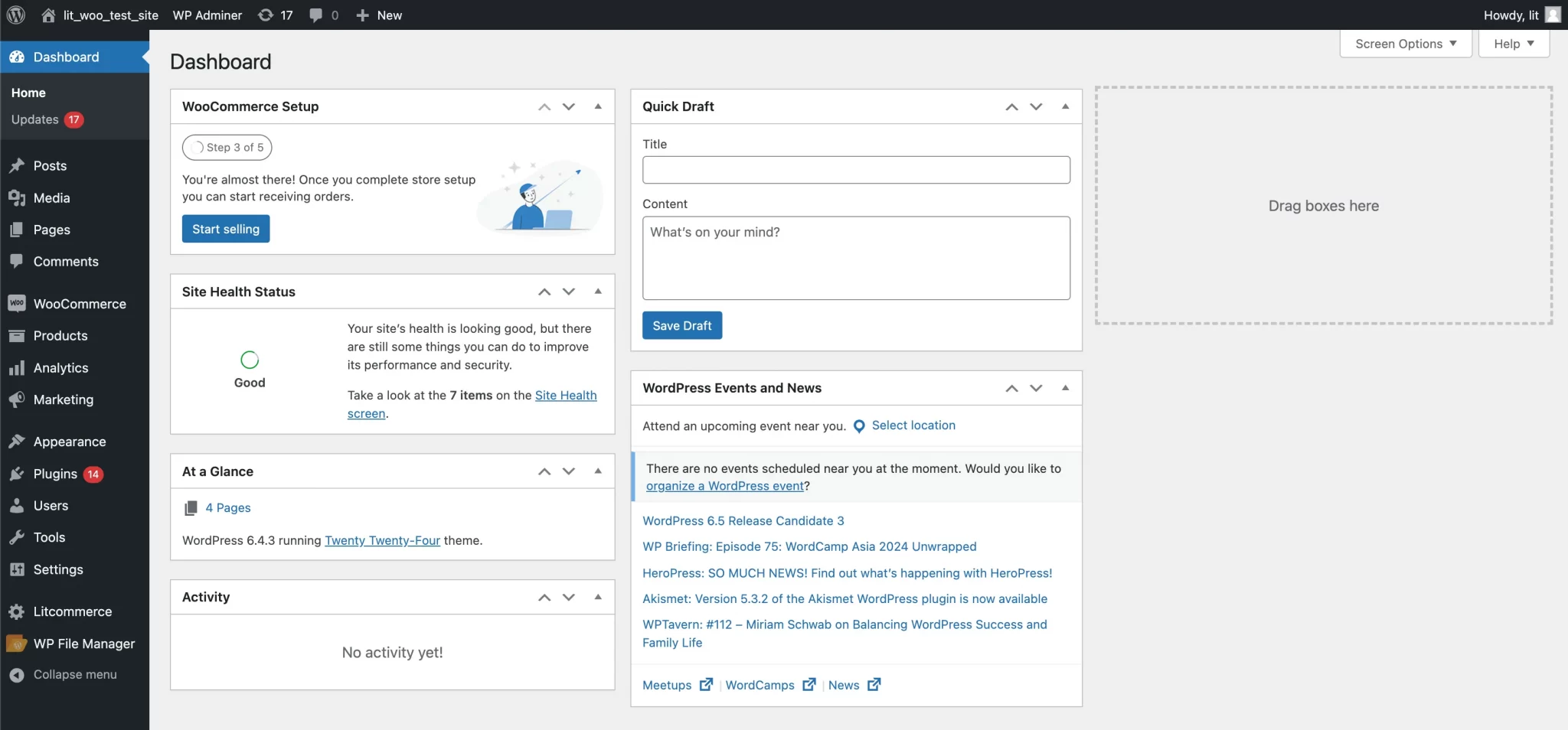
WordPress is widely recognized for its user-friendly nature, which is why it is often chosen over other CMS platforms. It appeals to both beginners and more experienced users thanks to its straightforward setup process and intuitive interface. With a clean and simple dashboard, most newcomers can quickly learn how to manage content and navigate the system with ease.
Joomla Ease of Use
Joomla takes a different approach and can feel more complex, especially for users who are not comfortable with technical terminology. While the platform offers powerful capabilities once mastered, it requires more time and effort to learn.
Due to its multiple administrative screens and detailed configuration options, beginners may find Joomla more challenging to use compared to WordPress.
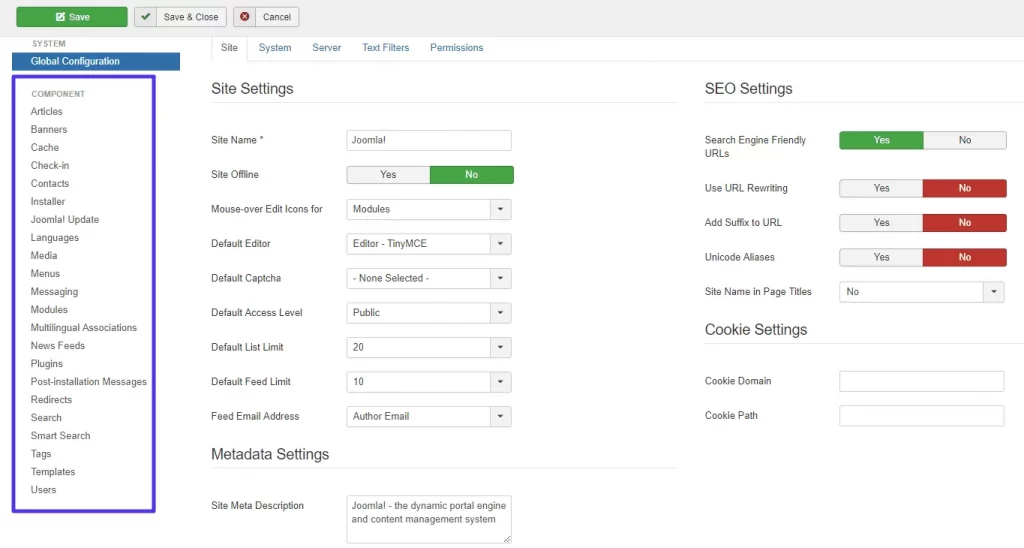
Joomla structures content around Articles and Categories, meaning users must set up categories before publishing any content. While this approach provides strong organizational control, it can feel more complex than WordPress, particularly for users without a technical background.
In the long run, choosing a platform that is easy to use improves the overall user experience, increases conversion potential, and allows businesses to concentrate on scaling and achieving long-term success.
Verdict
Overall, WordPress clearly outperforms Joomla in terms of ease of use. Although both platforms share a similar installation process, Joomla requires significantly more time to fully understand its control panel. As a result, it is generally less suitable for beginners compared to WordPress.
Content management
Content is at the core of every website, and your CMS plays a crucial role in how that content is created and published. Therefore, it’s essential to explore how the content management experience differs between Joomla and WordPress.
WordPress Content Management
WordPress provides a streamlined and user-friendly content creation experience, allowing users to easily write, edit, and publish posts or pages. Its built-in block editor, Gutenberg, simplifies the process of adding and organizing content elements visually.
In addition, WordPress makes it easy to build a well-structured blog hierarchy, which is a key advantage for content-focused websites.
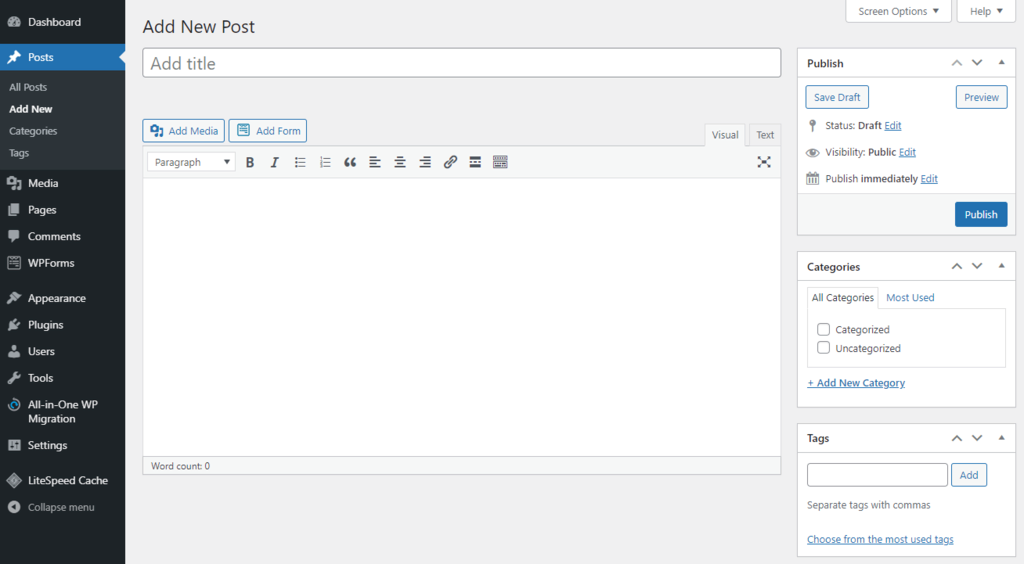
Visual and multimedia elements are essential to effective content, and WordPress is built with this in mind. The platform offers powerful media management features that make it easy to upload, organize, and embed images, videos, and other media types directly into your content.
Joomla Content Management
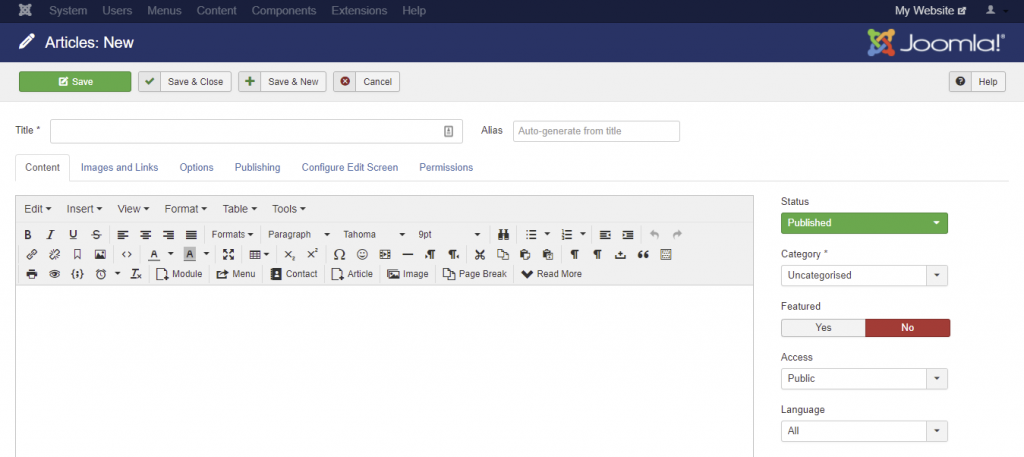
Joomla comes with a solid content editor that allows users to create and customize articles effectively, though its interface is generally less intuitive than WordPress. Many users find content organization more challenging due to Joomla’s more complex structural approach.
That said, Joomla stands out with its advanced version control features, enabling users to track changes and manage article revisions. This functionality is especially valuable for team collaboration and content review processes.
Verdict
Overall, WordPress delivers a more approachable and intuitive content management experience, making it well suited for users without technical expertise. Its simplicity allows users to manage and publish content efficiently with minimal learning effort.
In contrast, Joomla provides a more advanced and flexible content management framework. While this can be beneficial for large-scale or complex websites, it often comes with a steeper learning curve, particularly for beginners.
Design & Customization
One key factor behind the popularity of both WordPress and Joomla is their ability to be easily extended and customized. Each platform offers a wide selection of themes and plugins, allowing users to enhance functionality and design their websites without requiring extensive web development knowledge.
WordPress Customization
One of WordPress’s strongest advantages is its extensive theme library, offering over 12,000 free and premium options suitable for nearly any type of website. Users can further customize themes by modifying the source code to meet specific requirements.
For those who prefer visual customization, WordPress also supports a wide range of drag-and-drop builders available through its plugin ecosystem.
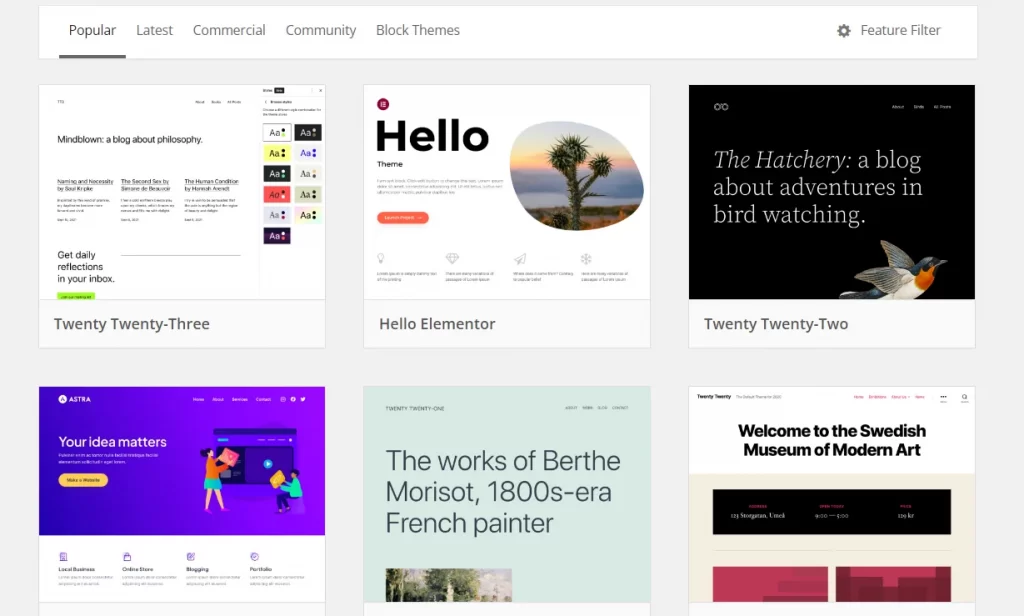
One limitation of WordPress is that it typically supports only a single active theme across the entire website at any given time.
Joomla Customization
Although Joomla does not offer an official template marketplace, users can still build visually impressive websites using templates from third-party providers such as ThemeForest or JoomShaper. These templates can be customized through Joomla’s editor, with the level of flexibility depending on the specific template chosen.
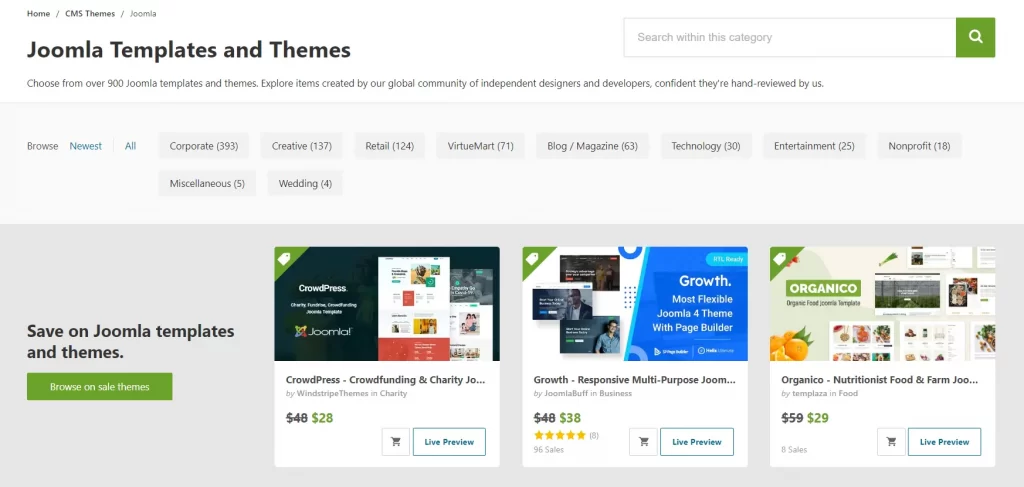
One of Joomla’s key advantages is its support for using multiple templates within a single website. For example, users can apply different designs to different sections, such as using one template for the blog and another for the main site. This allows for greater flexibility in layout and visual presentation.
Additionally, Joomla is better equipped to manage multiple or highly complex content structures, whereas WordPress may become less efficient when handling advanced content requirements.
Verdict
When it comes to customization and design, Joomla and WordPress are evenly matched. Each platform offers distinct strengths that set it apart and make it suitable for different design needs.
Extensions & Plugins
Plugins and extensions play a vital role in expanding a website’s functionality by adding ready-made features directly to the platform. They help save time and development effort by offering solutions for tasks such as SEO optimization, security, contact forms, social media integration, and more.
With that in mind, let’s compare Joomla and WordPress in terms of plugins, focusing on both the size of their ecosystems and the overall quality of available extensions.
WordPress Plugins
Similar to its theme ecosystem, WordPress provides access to more than 59,000 plugins designed to enhance website functionality and performance. These plugins cover a wide range of use cases, from building membership sites and online stores to managing educational platforms or showcasing photography portfolios. With such a diverse plugin library, WordPress can easily adapt to a variety of website needs.
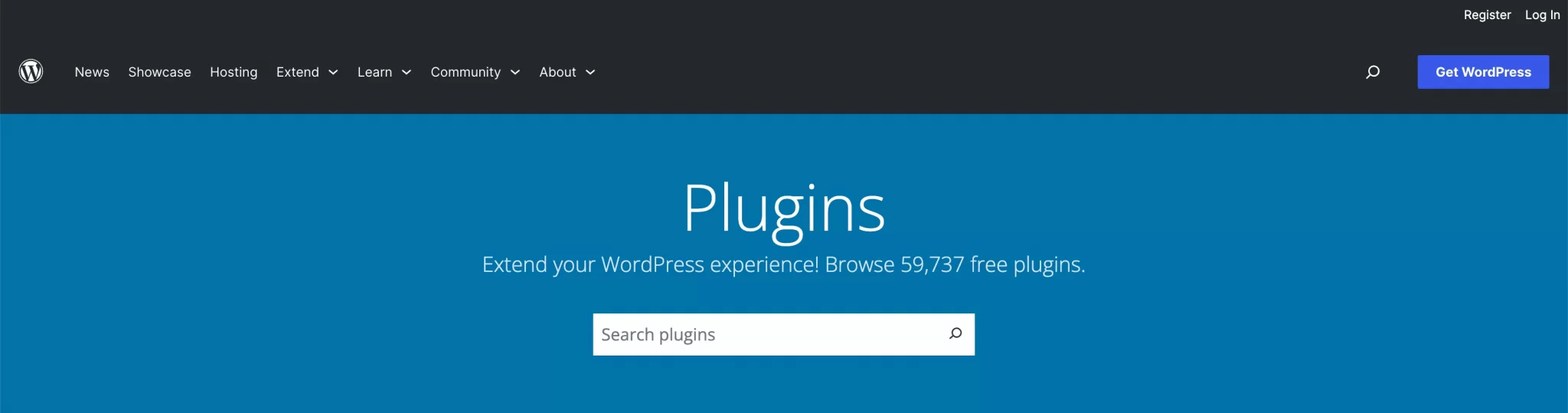
For users on WordPress.com, it’s also possible to upload and customize custom plugins. However, this feature is restricted to higher-tier plans, specifically the Business and eCommerce packages, which are priced at $25 and $45 per month, respectively.
Joomla Plugins
Joomla currently offers around 5,000 official extensions through its extension directory. Over time, the platform has continued to evolve thanks to an active community that contributes tools, extensions, and templates to expand its functionality.
Joomla extensions are clearly categorized based on their role and complexity:
- Components: Full-featured applications that handle complex functions such as eCommerce, forums, or event management. Popular examples include VirtueMart, HikaShop, MijoShop, JoomShopping, J2Store, and EShop.
- Modules: Lightweight extensions that display specific content or features in designated areas of a website, such as menus, login forms, or informational widgets.
- Plugins: Event-driven extensions that modify system behavior, enhance content display, enable social media integration, or extend existing features.
- Extension-specific installers: Some extensions use dedicated installers, either via Joomla’s Extension Installer or third-party installation tools.
That said, installing extensions in Joomla typically requires more manual steps than in WordPress. Since the extension directory is not directly accessible from the dashboard, users must first download the extension and then upload it manually through the installation interface.
Verdict
Overall, WordPress has a clear advantage in the Joomla vs WordPress plugin comparison. Due to its wider adoption, WordPress offers a larger and more mature plugin ecosystem, both in terms of quantity and overall quality, compared to Joomla.
SEO & Performance
In today’s fast-paced digital landscape, achieving strong visibility on search engines is essential for business success. As a result, SEO plays a critical role when selecting a platform for your website.
Let’s take a closer look at how Joomla and WordPress compare in terms of SEO capabilities for business websites.
WordPress SEO
WordPress is widely regarded as a strong platform for SEO optimization. Many themes come with built-in SEO-friendly features such as schema markup, breadcrumb navigation, and Open Graph metadata.
In addition, WordPress allows users to create tags for posts by default, a feature that Joomla only supports through extensions. Users can also easily customize permalink structures and define metadata for both pages and posts.
To further enhance SEO performance, WordPress supports powerful plugins like Yoast SEO. This plugin is beginner-friendly and offers a wide range of optimization tools. Yoast evaluates SEO performance using a simple traffic-light system—red, yellow, and green—making it easy for users to identify and improve key SEO elements.
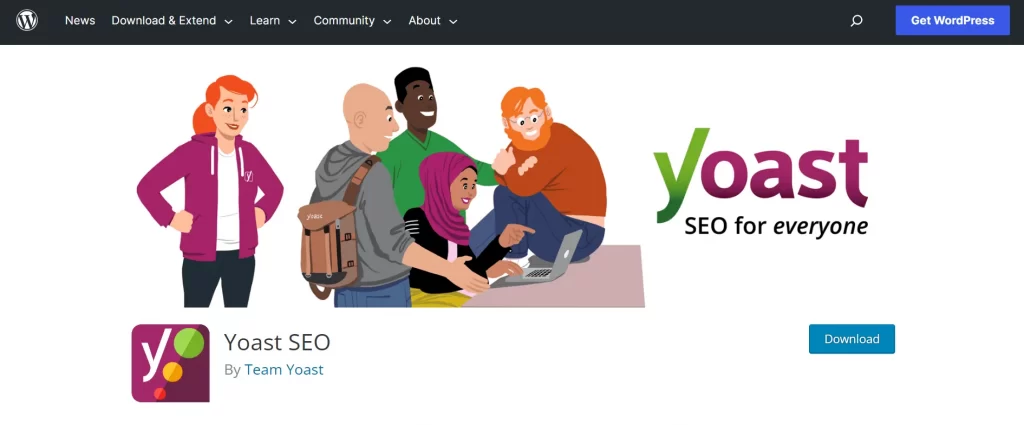
In addition, the plugin provides clear recommendations on how to improve your score in each SEO category and also evaluates your content’s readability. This allows you to fine-tune your posts for both search engines and real readers. The advantage of WordPress is that even beginners can achieve strong search rankings, thanks to its user-friendly tools and flexible SEO controls.
When it comes to marketing, WordPress truly makes things easier. The platform integrates seamlessly with social media, allowing businesses to connect and manage multiple social channels directly from their website.
Moreover, built-in analytics and tracking tools provide valuable insights into visitor numbers and user behavior. These metrics are accessible, easy to understand, and available without complicated setup.
Joomla SEO
On the other hand, Joomla is also a search-engine-friendly platform. Although it requires more initial effort and careful configuration, it has strong potential to achieve high rankings when set up correctly.
Joomla allows users to enable Search Engine Friendly (SEF) URLs, making links more readable and easier for both users and search engine crawlers to understand.
It also supports URL rewriting, which helps remove index.php from URLs, creating a cleaner structure. In addition, users can manually add metadata and title tags to each page.
That said, proper on-site SEO optimization in Joomla is not a one-click process. Especially for beginners or first-time users, the setup can be complex and time-consuming. Therefore, working with an SEO expert or an experienced developer is often recommended to fully unlock Joomla’s SEO potential.
Verdict
Joomla supports essential SEO functionality; however, optimizing a website effectively often requires a solid level of technical knowledge. Similarly, WordPress also comes with built-in SEO basics, but it truly stands out thanks to its wide range of SEO plugins.
Tools like Yoast SEO allow users to access more advanced features and optimize their websites more easily, even without extensive technical expertise.
Security and performance
Security is a critical factor that every online merchant must carefully evaluate before choosing a platform. No business wants to risk losing valuable data to cyberattacks, as security breaches not only disrupt the customer experience but can also lead to a serious decline in sales.
So, how do Joomla vs WordPress compare when it comes to website security?
WordPress Security
Due to its popularity, WordPress is often a target for hacking attempts, malware, data breaches, and other security threats.
Although WordPress offers a vast plugin ecosystem, not all plugins follow strict security standards or stay compatible with newer versions, which can create vulnerabilities. Many advanced features also rely on third-party plugins, requiring careful management.
That said, WordPress provides numerous security plugins and frequent system updates to help protect websites. Installing an SSL certificate—commonly supported by plugins like Really Simple SSL—and keeping the platform regularly updated can significantly enhance site security.
Joomla Security
Similar to WordPress, Joomla also faces security risks, mainly stemming from third-party extensions and plugins, which account for a large percentage of compromised Joomla websites.
As no CMS can guarantee absolute security, Joomla provides its own set of security extensions to help mitigate these risks.
Unlike WordPress, which relies on additional plugins for SSL configuration, Joomla includes a built-in Force SSL feature that allows users to enable SSL directly within the core system, without installing extra extensions.
It’s also important to note that each Joomla version is supported for a limited time. Therefore, regular updates are essential to keep the website secure, stable, and free from known vulnerabilities.
Verdict
Joomla takes the lead. As open-source platforms, both Joomla and WordPress require users to actively manage security. However, Joomla gains an advantage by offering a built-in Force SSL feature, allowing SSL activation without additional extensions. In contrast, WordPress typically relies on third-party plugins to configure SSL.
E-Commerce and payment gateways
In this section, we’ll examine how both CMS platforms handle eCommerce features, including online selling tools, payment gateways, and overall business functionality.
WordPress WooCommerce Payment Gateways
WordPress offers a wide selection of both free and premium eCommerce plugins. Among them, WooCommerce stands out as the most popular solution, supporting over 100 payment gateways for both local and international transactions.
It covers nearly all essential eCommerce functions, from product management to shipping and order processing.
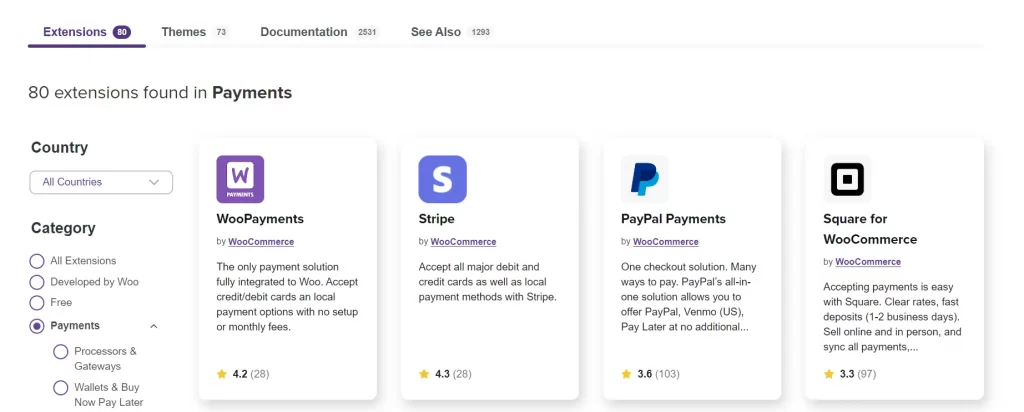
Although WooCommerce itself is free, many advanced features require paid extensions. Popular premium add-ons include Store Finder by WPExperts, SkyVerge Membership Solutions, and Smart Coupons.
In addition, users can choose from numerous eCommerce-ready themes available in the WordPress theme directory, the WooCommerce marketplace, or third-party theme providers.
For more details on payment options in Hong Kong, check out Top 8 WooCommerce Payment Gateways
Joomla Payment Gateways
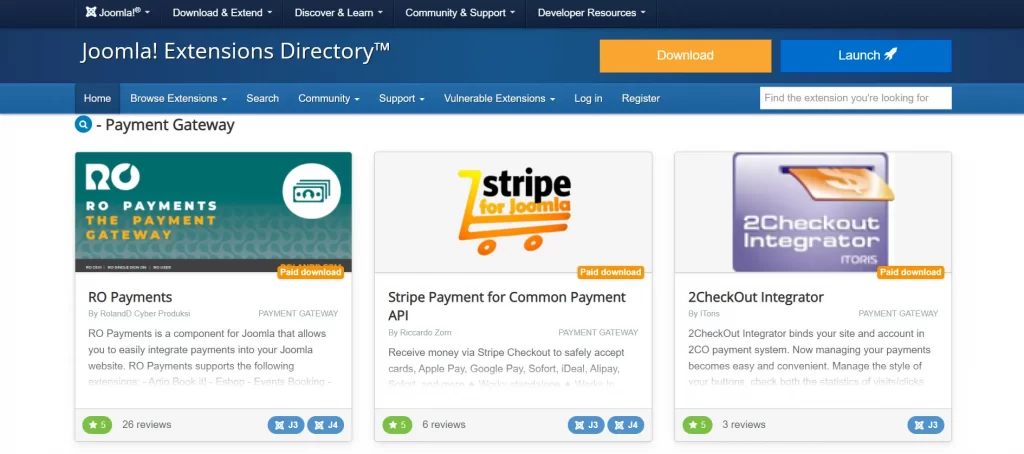
Joomla also supports eCommerce capabilities through a range of free and paid extensions. One notable option is HikaShop, which allows users to create product catalogs, set up shopping carts, manage orders, and process payments through more than 60 supported payment gateways.
In addition, Joomla offers a variety of eCommerce-ready templates that can be downloaded from multiple third-party theme marketplaces.
Verdict
WordPress takes the lead in this area, supporting over 100 payment gateways, whereas Joomla offers around 77 payment options.
Official support
Finally, let’s take a look at the support and help resources available for WordPress vs Joomla. For beginners especially, this aspect plays a crucial role, as building a website often comes with many questions and challenges along the way.
WordPress Support
As the most widely used CMS, WordPress has developed a massive and highly active global community. Users can easily find countless tutorials, guides, and practical tips related to WordPress across the internet. In addition, there is no shortage of written documentation, video walkthroughs, and step-by-step instructions created by fellow users and professionals alike.
Beyond free community-based support, WordPress also gives you access to a large pool of experienced developers worldwide. This makes it easier to get professional assistance when dealing with advanced or technically demanding issues that go beyond DIY solutions.
Joomla Support
Similar to WordPress, Joomla is a free, open-source CMS supported by an active collaborative community of users, developers, and enthusiasts. The official Joomla website also provides a wide range of support resources, including detailed documentation, tutorial articles, and instructional videos.
All of these materials are freely accessible, well-structured, and easy for users to locate when they need help.
Verdict
When it comes to customer support, the comparison between Joomla and WordPress ends in a draw. Both platforms offer a wide range of resources that help users troubleshoot issues and find solutions throughout their website-building journey.
Joomla vs WordPress: Comprehensive comparison
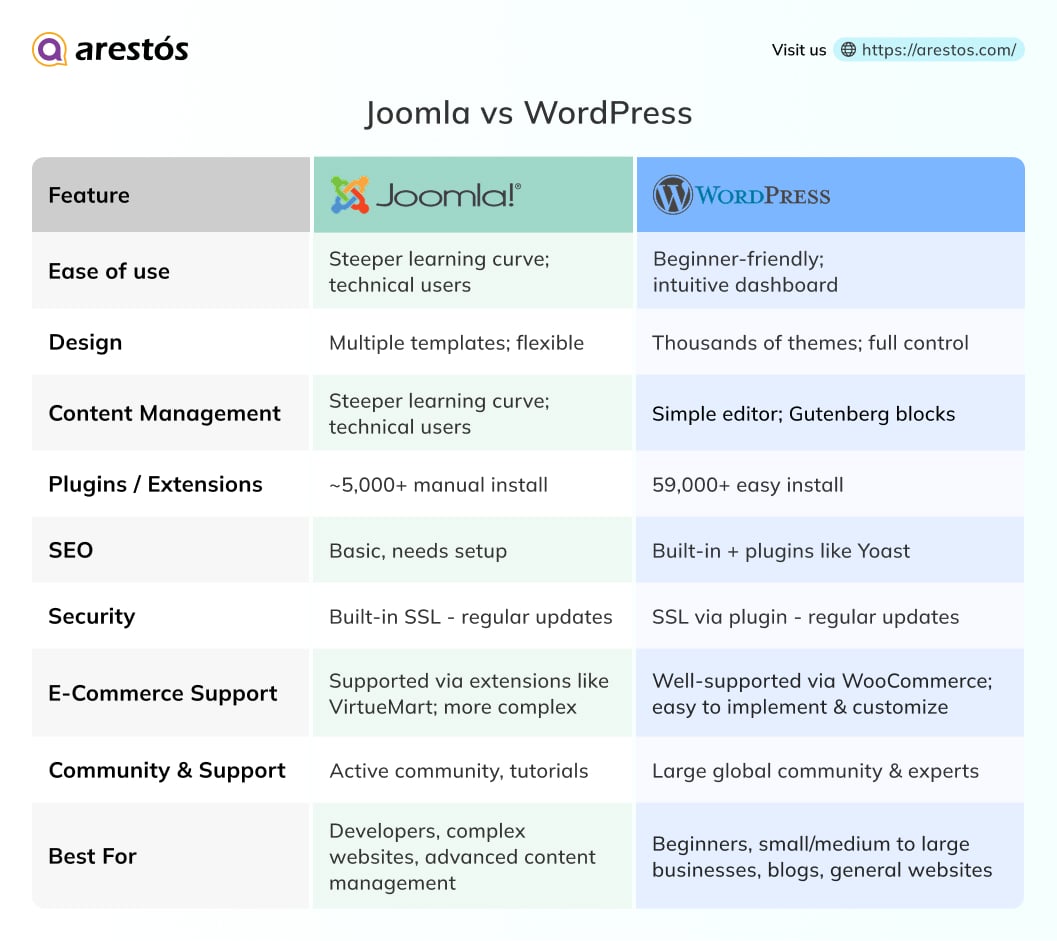
WordPress or Joomla: Which Should You Choose?
As we conclude this Joomla vs WordPress comparison, WordPress clearly comes out on top in several of the criteria discussed above. However, choosing the right CMS ultimately depends on your website’s goals and how you plan to use it.
WordPress remains the most beginner-friendly option, especially for non-technical users and bloggers. If you’re new to website building and want to launch a site quickly with minimal effort, WordPress is the most practical choice.
Joomla, on the other hand, offers greater flexibility in handling diverse content types and managing user permissions. For users with technical expertise who want more control over structure and design, Joomla can be a powerful alternative.
Finally, selecting the right CMS is only part of the journey—migrating your website correctly is just as important. If you’re planning to move between Joomla and WordPress, working with experienced professionals can help minimize risks and ensure a smooth transition.
If you’re considering switching platforms, check out our step-by-step guide How to Convert Joomla to WordPress — a detailed walkthrough to help you migrate safely and efficiently.
Frequently Asked Questions
1. What is the main difference between Joomla and WordPress?
WordPress is beginner-friendly and ideal for blogs and small business websites, while Joomla is better for complex sites with multiple content types, user roles, and multilingual support.
2. Which CMS is easier to use?
WordPress is much easier for beginners with its intuitive dashboard and visual editor. Joomla requires more technical knowledge to manage and customize.
3. Which CMS has better SEO capabilities?
WordPress has stronger SEO support through plugins like Yoast and Rank Math, making it easier to optimize content. Joomla can also perform well in SEO but may need more technical setup.
4. Can I build an e-commerce site with Joomla or WordPress?
Yes. WordPress works well with WooCommerce, which is easy to use and customize. Joomla can support e-commerce through extensions like VirtueMart, but it is more complex to configure.
5. How do I choose between Joomla and WordPress?
Choose WordPress if you want ease of use, lots of themes/plugins, and quick setup for blogs or small business sites. Choose Joomla if you need advanced content management, complex user roles.
Conclusion
In summary, both Joomla and WordPress are powerful content management systems, but they are designed for different needs. Joomla is well-suited for complex websites with advanced user management and multilingual requirements, while WordPress stands out for its ease of use, flexibility, and extensive ecosystem, making it an ideal choice for most blogs, business websites, and e-commerce projects.
If you’re considering building or upgrading a website with WordPress, Arestós offers professional WordPress services, including website design, development, customization, performance optimization, and ongoing maintenance. Our team focuses on delivering scalable, secure, and SEO-friendly WordPress solutions tailored to your business goals.
Contact us today to discuss your WordPress project and discover how we can help you build a high-performing website that grows with your business.
Subscribe to our newsletter!
Get updated to
the lastest IT trends
Related Posts
Update the latest technology trends for your business