Back to featured insights
Voice Search Optimization: How to Rank for Spoken Searches
More people are searching with their voices instead of typing. If your website isn't optimized for spoken queries, you could be missing valuable traffic and visibility opportunities. Discover how voice search optimization can help your content reach users through voice assistants, featured snippets, and AI-powered search experiences.

Table of Content
Share
Voice search optimization is the process of optimizing your website so it can appear in spoken search results when users ask questions through voice assistants, helping improve visibility and attract more qualified organic traffic.
It is especially valuable for marketers, SEO professionals, content creators, and business owners who want to adapt to changing voice-first search behavior. By applying the right strategies, you can increase your chances of appearing in featured snippets, local results, and AI-driven answers. In this guide, you will learn how voice search optimization works and how to apply it effectively to your content.
What Is Voice Search Optimization?
Voice Search Optimization is the process of optimizing content so search engines and voice assistants can understand, retrieve, and deliver it as a spoken answer to users’ queries. Unlike traditional SEO, which often focuses on typed keywords, voice search optimization targets conversational language and question-based searches.
As more people use voice assistants and AI-powered devices, businesses need to create clear, direct, and well-structured content that matches how users naturally speak. This increases the chances of appearing in voice search results and AI-generated answers.
To improve your chances of being referenced by AI systems, you can also explore How To Get Cited By AI
Why Voice Search Optimization Matters
Voice search is changing how people find information online. According to PwC, 71% of consumers prefer using voice search over typing when they need information quickly. As voice assistants and AI-powered search tools become more common, businesses that optimize for spoken queries can improve their visibility and reach users more effectively.
In addition, voice search optimization aligns closely with Answer Engine Optimization (AEO) and Generative Engine Optimization (GEO). By creating clear, conversational content that directly answers user questions, businesses can increase their chances of appearing in voice search results, featured snippets, and AI-generated responses.
Learn more in AEO vs GEO: What’s the Difference?
What are the Benefits of Voice Search Optimization?
Voice Search Optimization offers several advantages for businesses looking to improve their online visibility and adapt to changing search behaviors:
- Increases visibility in voice search results: Optimized content is more likely to be selected and delivered as a spoken answer by voice assistants.
- Improves user experience: Clear, concise, and well-structured content makes it easier for users to find the information they need quickly.
- Captures more conversational searches: Voice searches are often longer and more natural than typed queries, creating new opportunities to reach potential customers.
- Supports local SEO performance: Many voice searches have local intent, such as finding nearby businesses, products, or services.
- Increases opportunities for featured snippets: Content that directly answers questions has a higher chance of appearing in featured snippets, which are often used for voice responses.
- Strengthens AEO and GEO efforts: The same optimization techniques that help with voice search can also improve visibility in AI-generated answers and answer engines.
How to Optimize Your Website for Voice Search
Below are some effective strategies to optimize your website for voice search and improve your chances of appearing in spoken search results.
Research Keywords for Voice Search
Optimizing for voice search starts with understanding how people naturally ask questions. By targeting keywords that reflect conversational language and spoken queries, you can increase the likelihood of your content being selected as a voice search result.
When conducting keyword research for voice search, prioritize:
- Long-tail keywords: These are longer, more specific search phrases that closely match how users speak. For example, instead of searching for “PDF editor,” a user may ask, “How can I edit a PDF file for free?”

- Question-based keywords: Voice searches are often phrased as questions, making keywords that start with words like “how,” “what,” “why,” “when,” and “where” particularly valuable. For example, instead of searching for “PDF editing,” a user may ask, “How do I edit a PDF file?”

- Conversational keywords: These keywords reflect the natural, everyday language people use when speaking to voice assistants. Since voice searches tend to be more conversational than typed searches, optimizing for these phrases can help your content better match user queries. For example, a user might ask, “How do I edit a PDF?” instead of typing a shorter keyword phrase.
While these keyword types serve different purposes, they often overlap. For example, many question-based keywords are also long-tail keywords, and conversational queries frequently contain both characteristics. Focusing on keywords that reflect how people naturally speak can help improve your visibility in voice search results.
To discover relevant voice search keywords, use keyword research tools to identify common questions, conversational phrases, and long-tail search queries related to your industry. These insights can help you create content that aligns with how users interact with voice assistants.
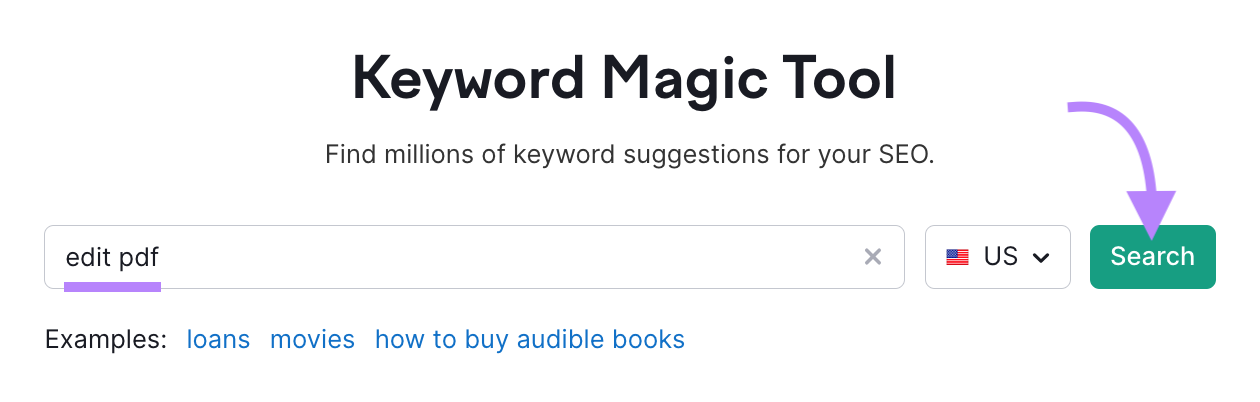
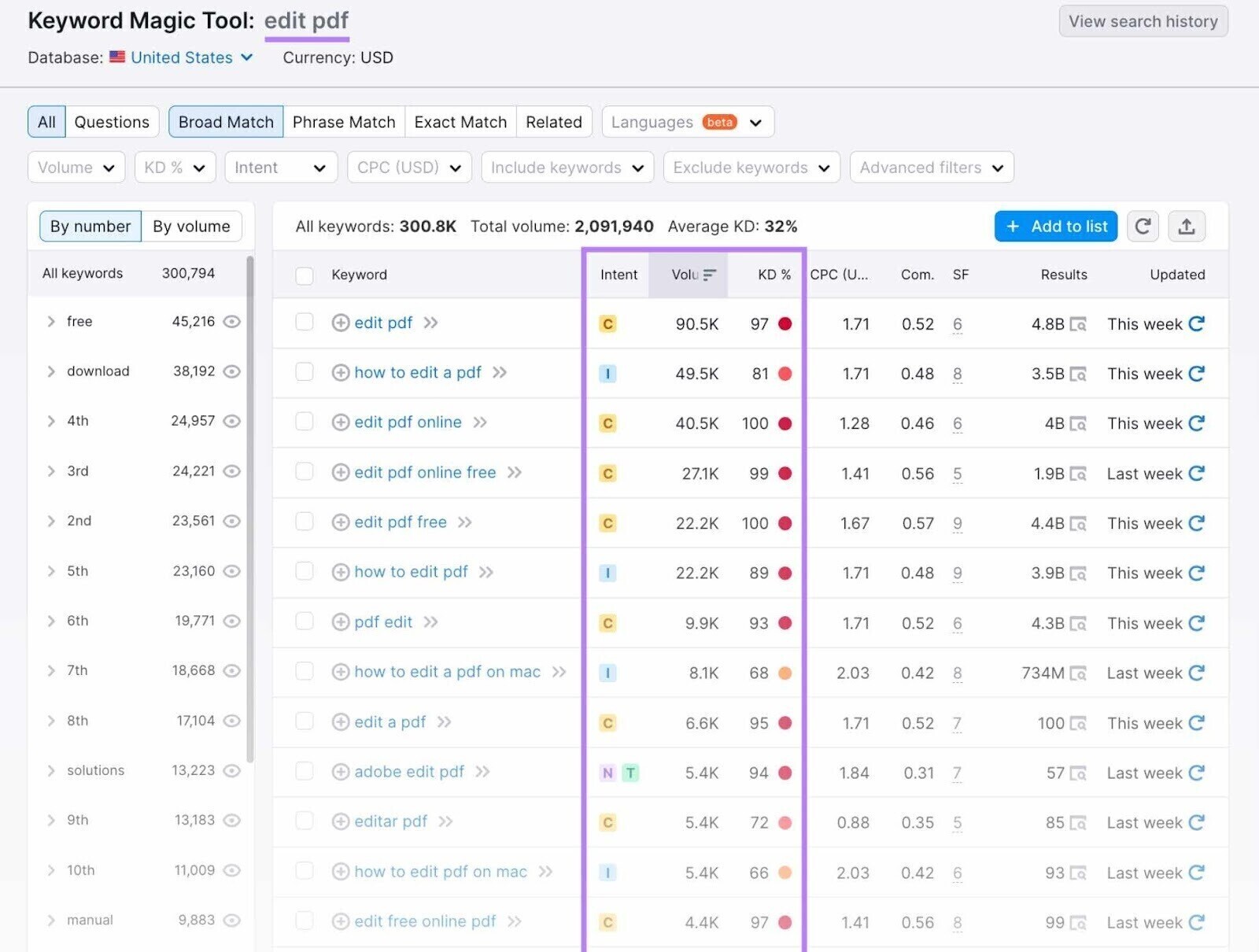
You’ll then see a list of related keywords along with valuable metrics such as search intent, monthly search volume, keyword difficulty, and other insights. These metrics can help you identify relevant voice search opportunities and prioritize keywords that align with your audience’s needs.
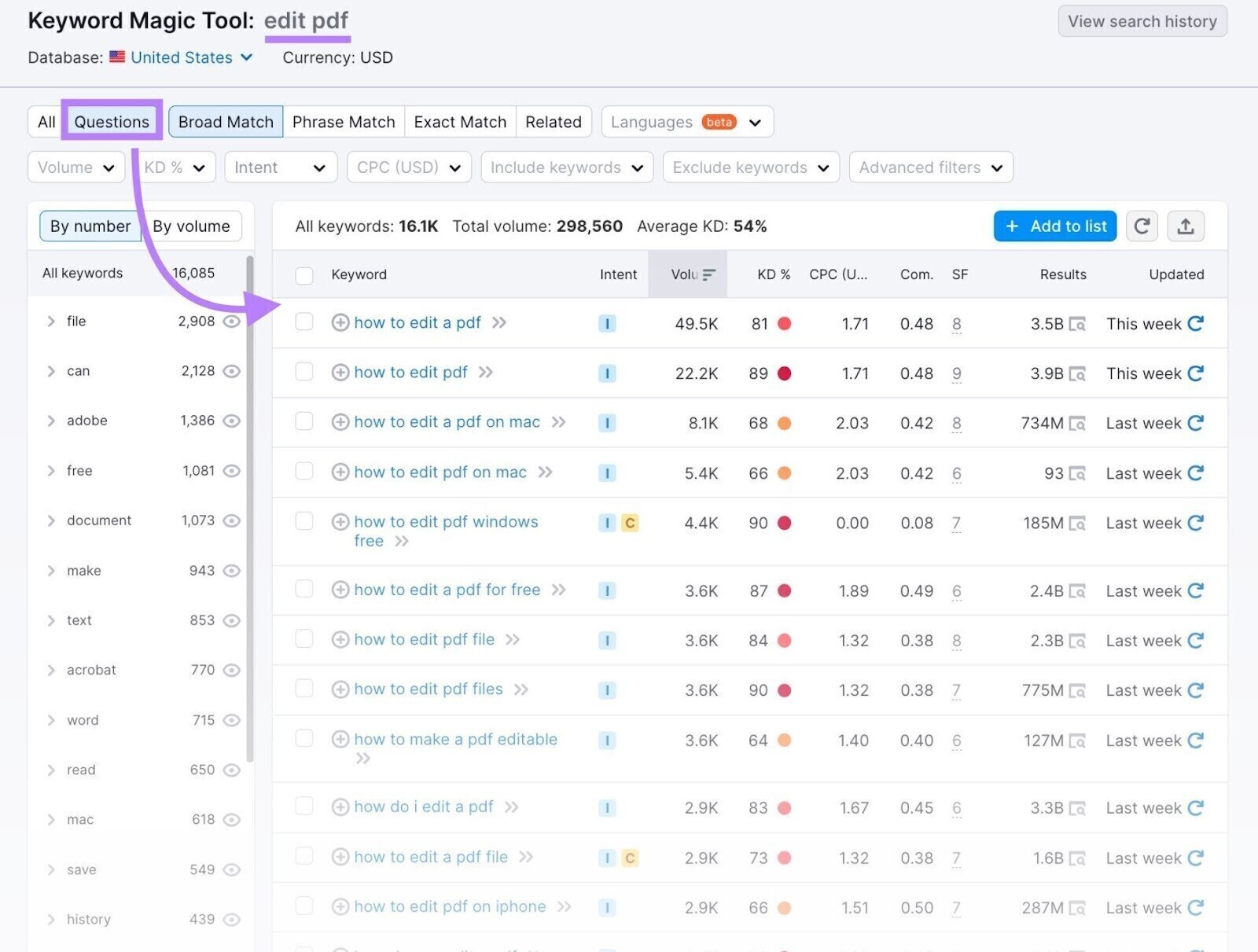
One effective way to discover voice search opportunities is to focus on question-based keywords. Using a “Questions” filter in keyword research tools can help uncover the specific questions users are asking, making it easier to create content that directly addresses their needs.
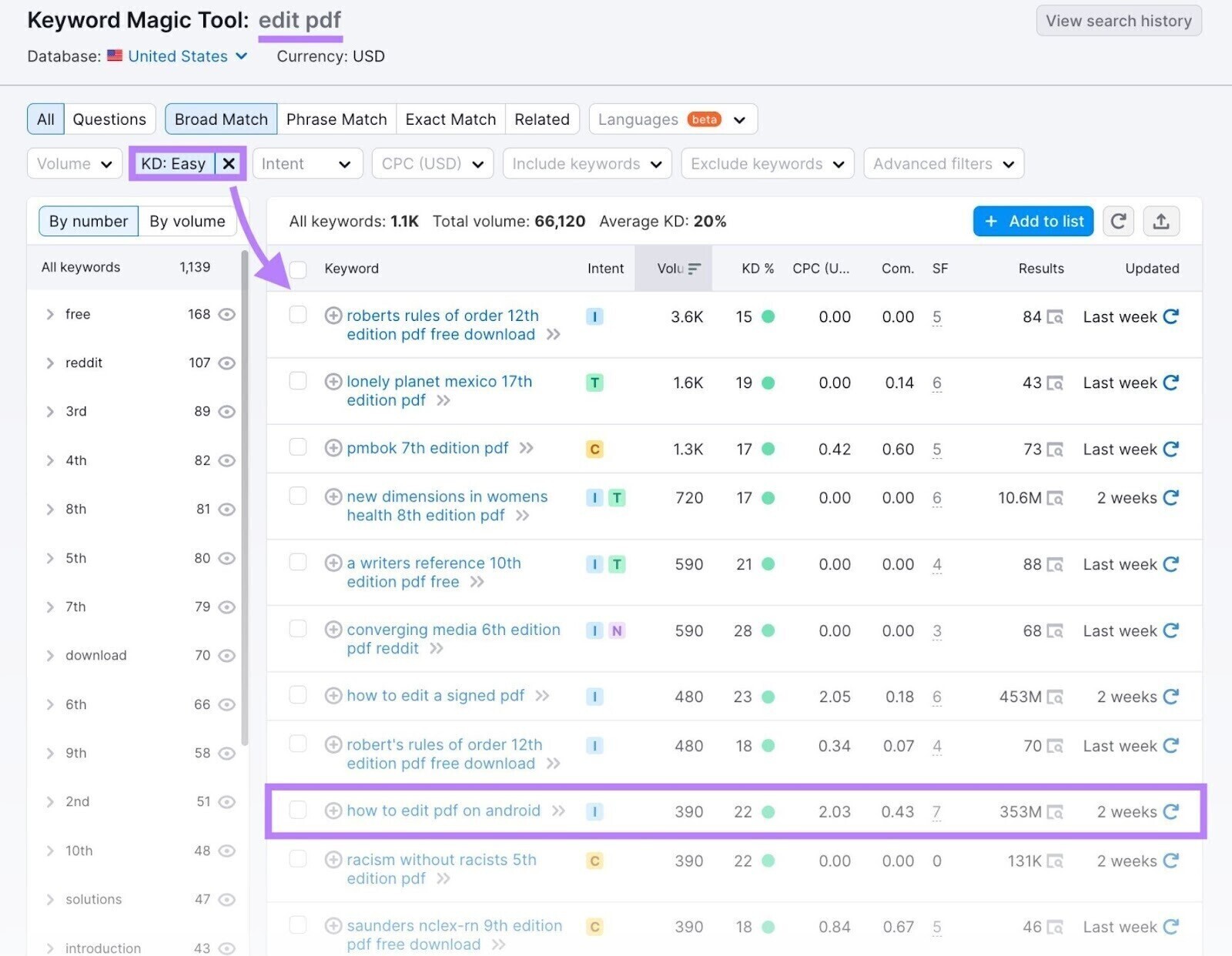
You can also uncover valuable voice search opportunities by filtering keywords based on ranking difficulty. While not every long-tail keyword is easy to rank for, many have lower competition than broader search terms. Prioritizing keywords with lower difficulty scores can help you identify topics that offer a better chance of gaining visibility in search results.
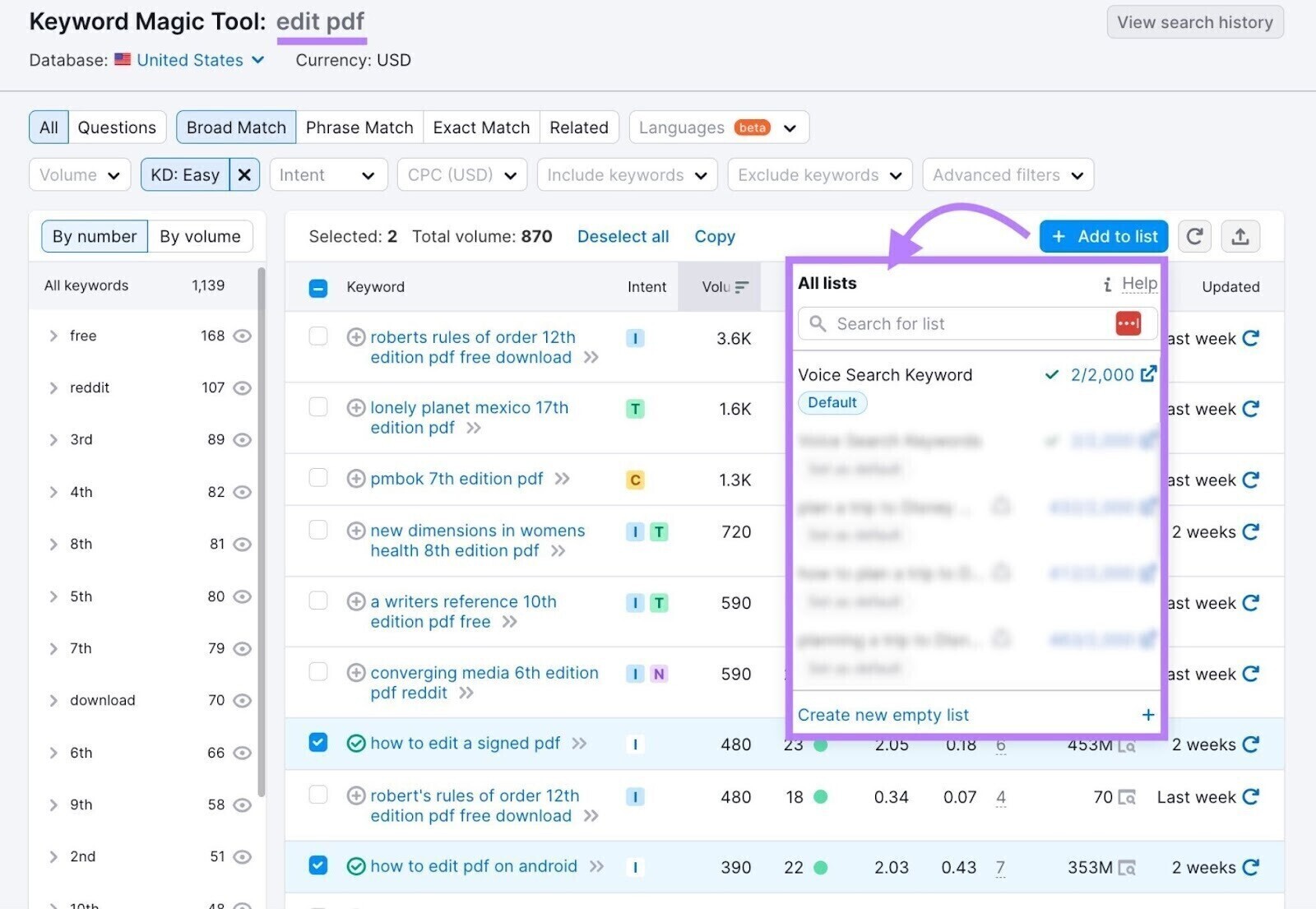
Once you’ve identified relevant voice search keywords, you can save them to a keyword list for future analysis and content planning.
Simply select the keywords you want to keep and add them to a new or existing list, making it easier to organize and prioritize your keyword research.
You can also export your keyword list from the Keyword Strategy Builder for further analysis or collaboration. The tool supports multiple file formats, including CSV, XLSX, and CSV Semicolon.
Google’s autocomplete feature can be a useful source of voice search keyword ideas. By entering a topic or phrase into the search bar, you can see suggested queries that reflect how users commonly search for information.

The search suggestions provided by Google can reveal valuable keyword opportunities and highlight the phrases users commonly search for. Once you’ve identified relevant keywords, the next step is to evaluate the search results to better understand the competition and content landscape.
Analyze Search Results for Keywords You Want to Target
Review the search engine results pages (SERPs) for your target keywords to understand what types of content are already ranking. This can help you identify the formats, topics, and information that search engines consider most relevant for those queries.
It’s also important to pay attention to SERP features. These are enhanced search results that appear alongside traditional organic listings and provide users with information in a more visible or interactive format.

SERP features are particularly important for voice search because they often provide the direct answers that search engines and voice assistants rely on. A voice search study found that 70% of voice search answers came from pages that appeared in SERP features, highlighting the value of optimizing for these prominent search results.
Some of the most common SERP features on Google include:
- Featured snippets: Short excerpts that appear at the top of search results and provide users with quick, direct answers to their questions. These snippets are often pulled from webpages that clearly address a specific query.
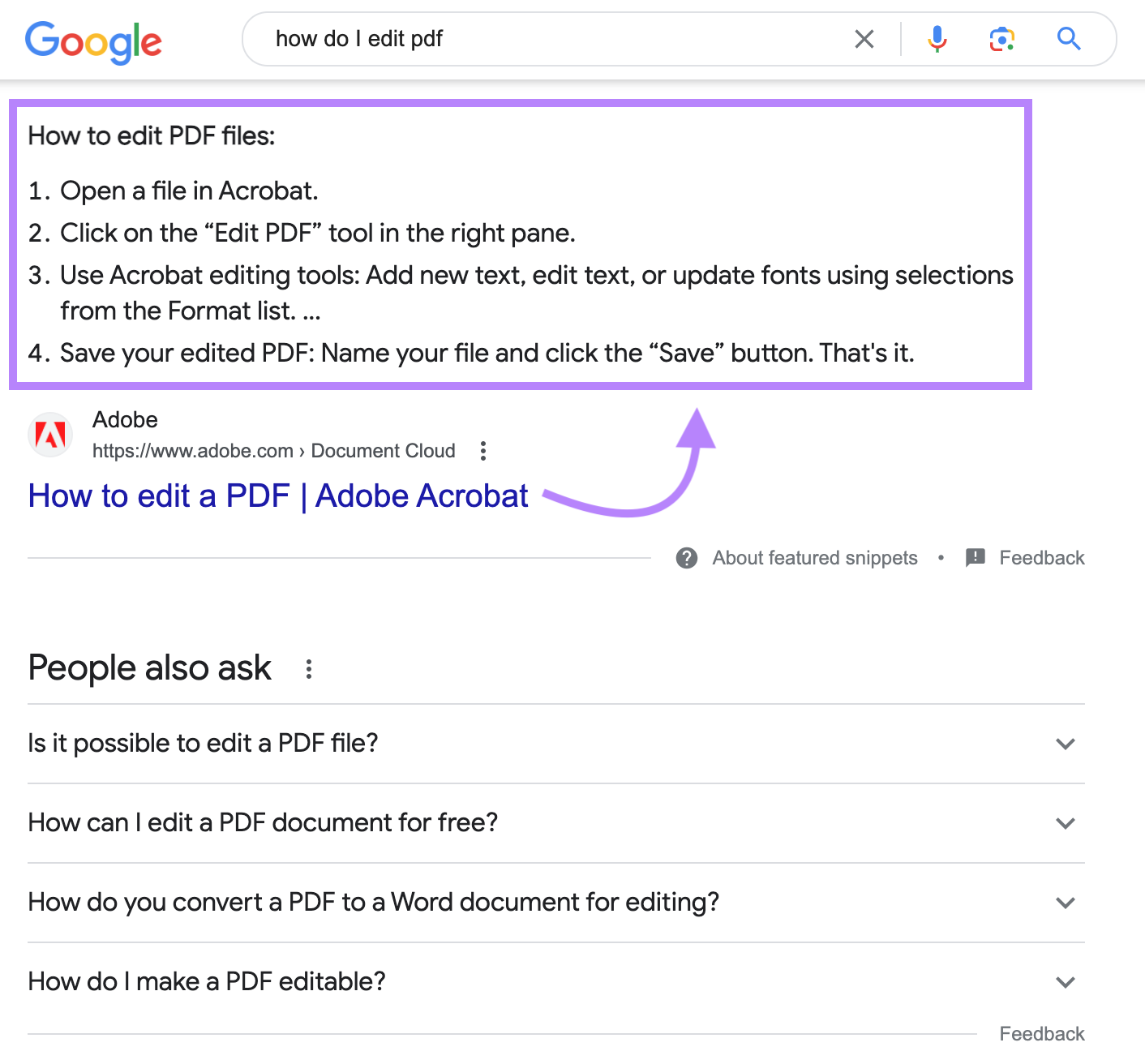
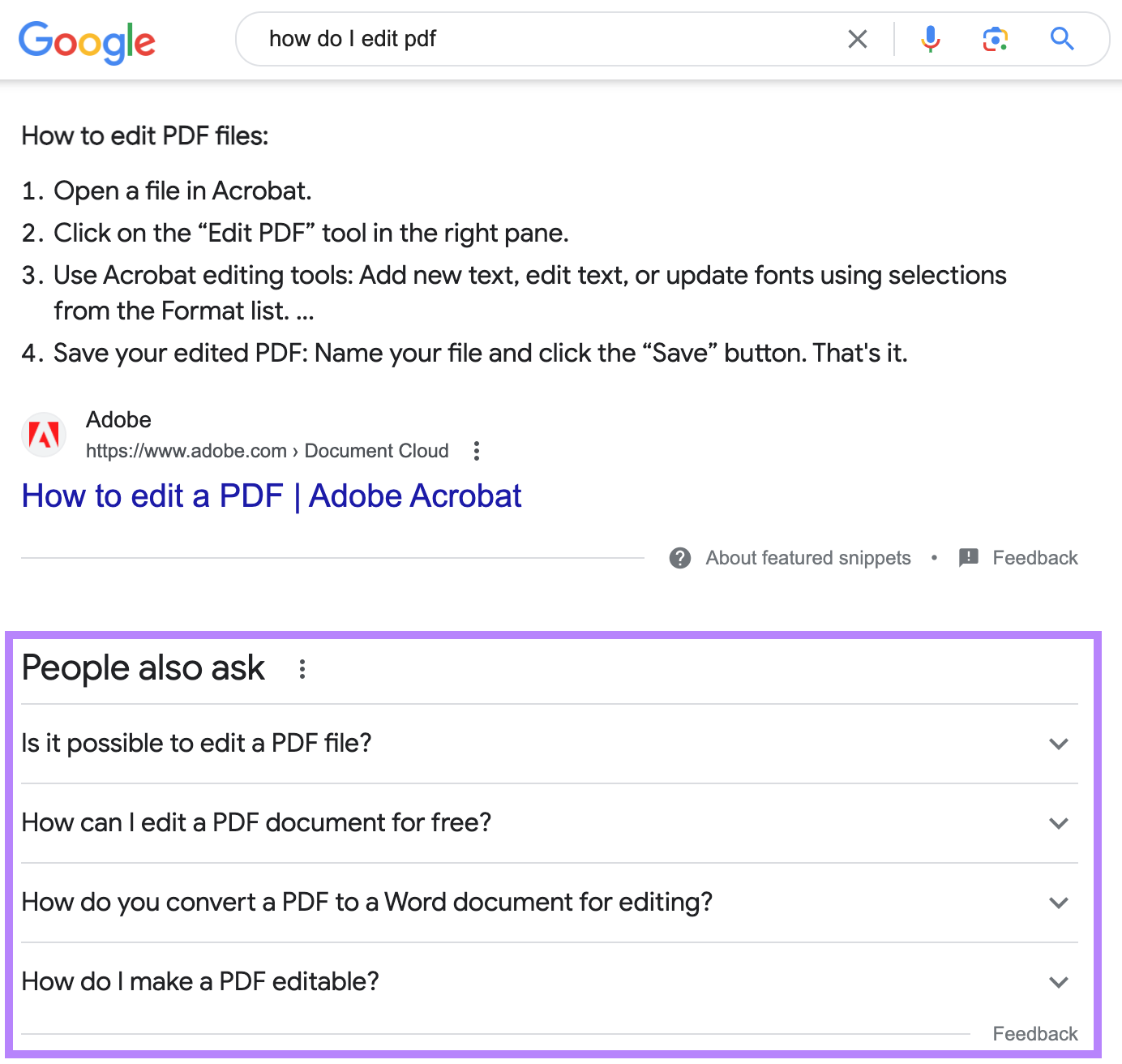
- People Also Ask (PAA): These interactive question boxes display related questions that users commonly search for, along with concise answers pulled from relevant webpages. They can provide valuable insights into the topics and questions your audience is interested in.
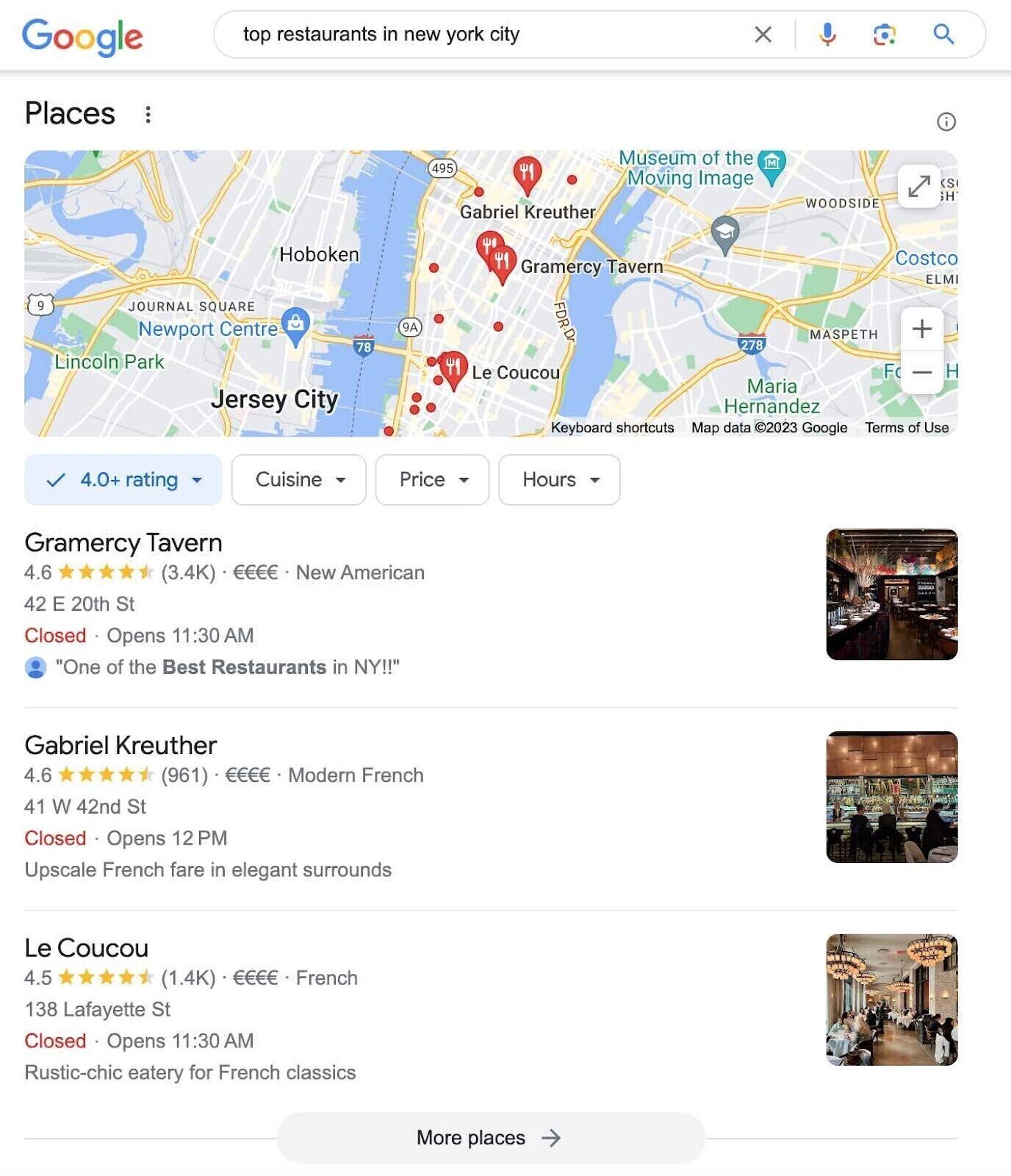
- Local Pack: A Local Pack highlights a selection of relevant local businesses alongside a map for location-based searches. It commonly appears for queries related to nearby products, services, or places, helping users quickly find businesses in their area.
- Rich Snippets: Rich snippets enhance standard search results by displaying additional information such as ratings, reviews, prices, FAQs, or other details that help users better understand the content before clicking.

Keep in mind that different voice assistants rely on different search engines to retrieve information. For example, Alexa primarily uses Bing, while Siri often draws results from Google. Because of this, reviewing search results across multiple search engines can provide a more complete understanding of voice search opportunities.
Analyzing SERP features can also reveal the types of content search engines prefer to display for a particular query. By understanding these patterns, you can create content that is more likely to earn visibility in featured search results.
Tools like Keyword Overview can help you examine SERP features for specific keywords across different locations, allowing you to identify opportunities and tailor your content strategy accordingly.
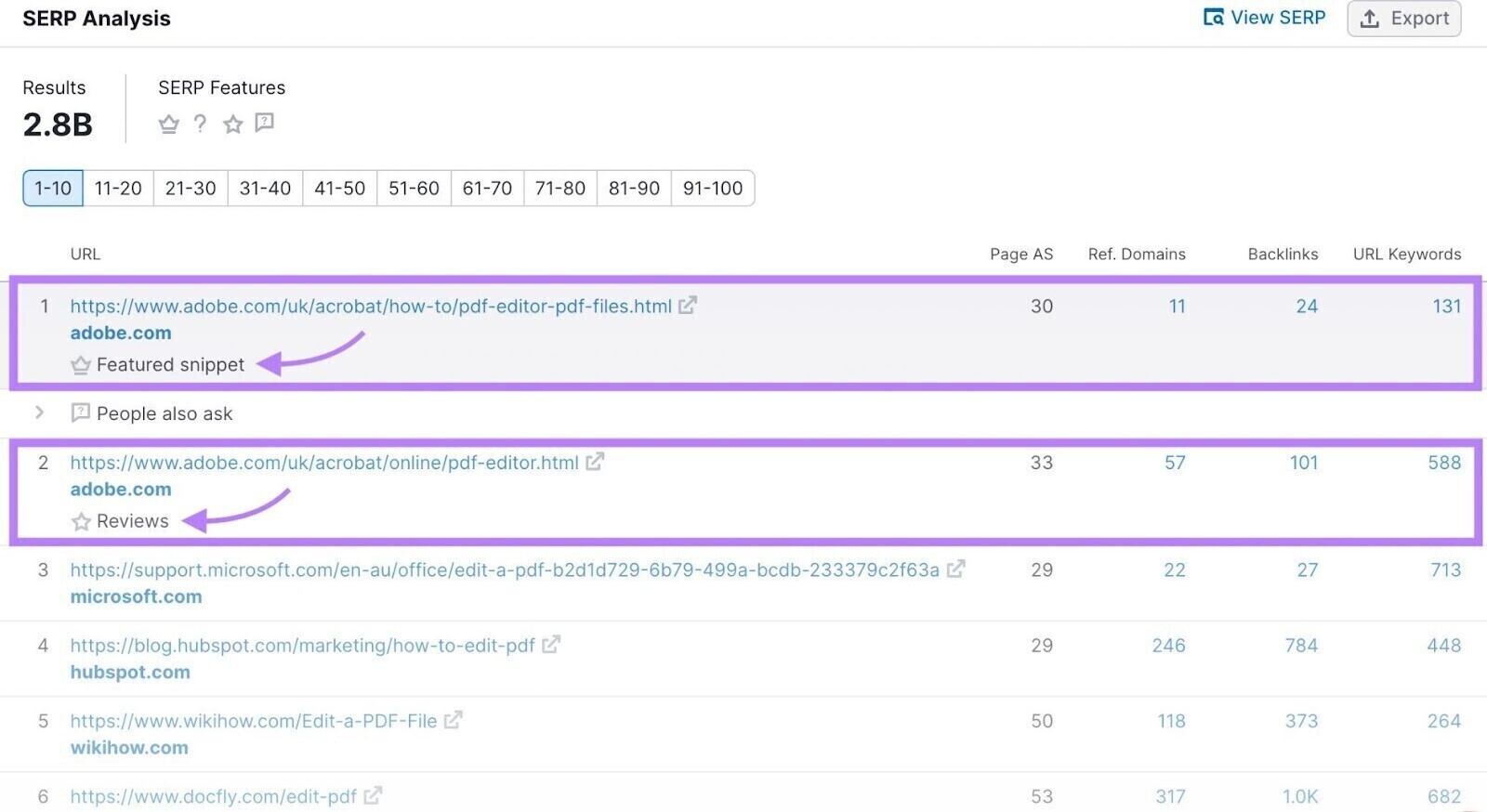
Next, navigate to the SERP analysis section to review the search results in more detail. Here, you can identify which pages are associated with specific SERP features by looking at the icons displayed beneath each search result.
Audit & Optimize Your Website Content
Before creating new content, it’s worth reviewing your existing pages to identify opportunities for voice search optimization. A content audit helps you evaluate the content already published on your website and determine whether it can be updated to target additional voice search keywords.
For example, if you already have an article titled “How to Edit a PDF,” there’s no need to create separate pages targeting similar queries such as “how do I edit a PDF” or “ways to edit a PDF.” Instead, you can expand and optimize the existing article to cover those related search terms and user questions.
Tools like ImpactHero can help streamline this process by analyzing your content, identifying high-performing pages, and highlighting opportunities for improvement based on different stages of the customer journey.
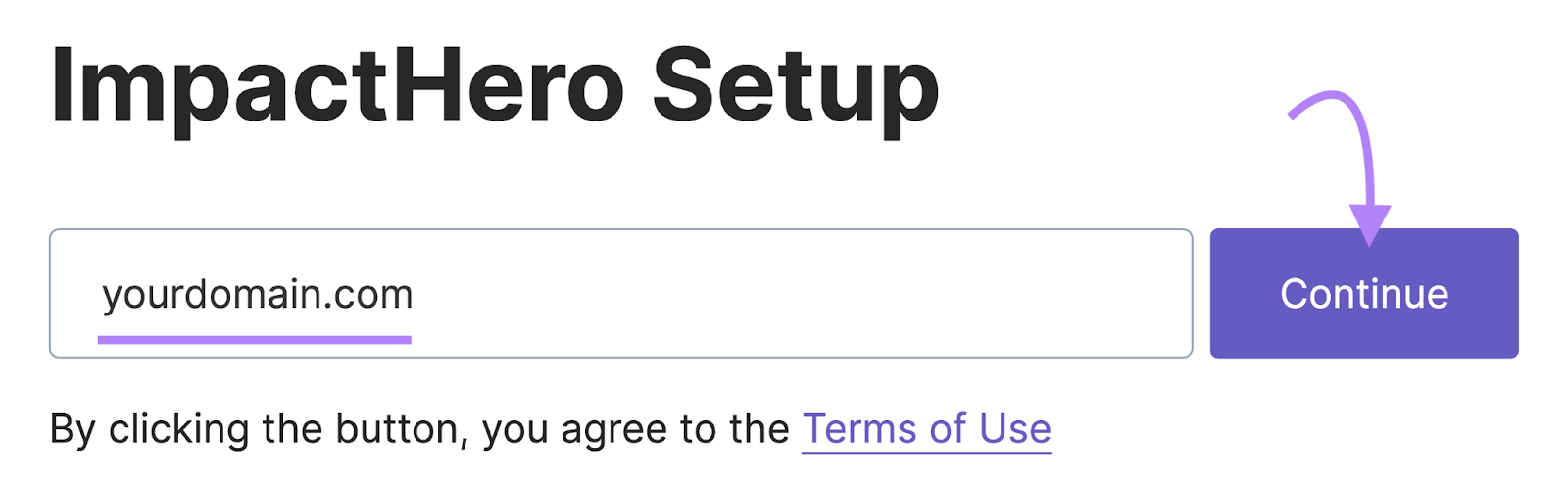
To begin gathering insights, you’ll need to install a tracking code on your website. After the tool starts collecting data, which may take around a day, you’ll be able to analyze your existing content and identify opportunities for optimization.
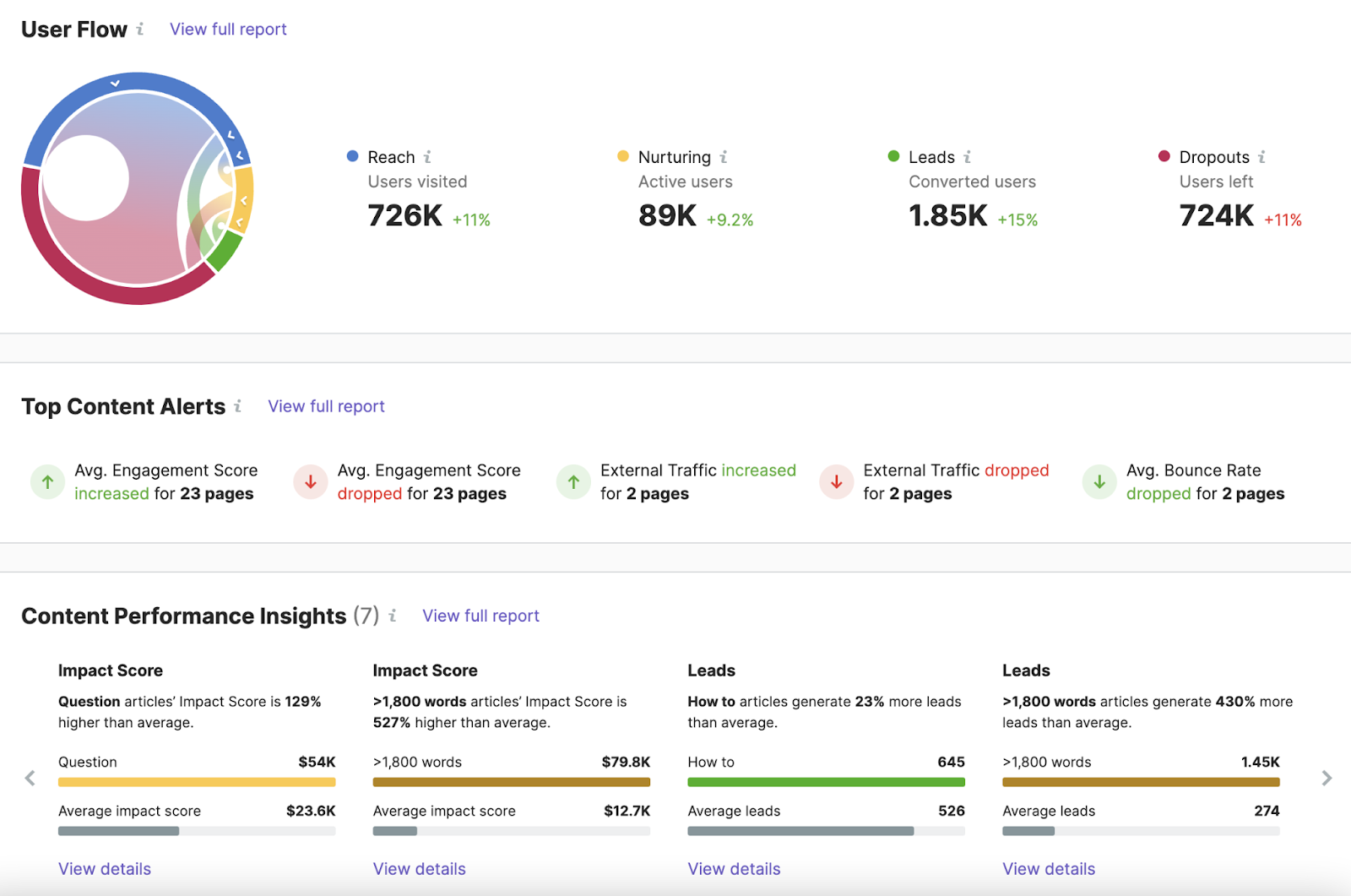
Under the “Explorer” tab, navigate to the “Content” section to view all of your website’s content in one place. Alongside each page or article, you’ll find performance data that can help you evaluate how well the content is performing.
You can also use filters to sort content by criteria such as URL, title, content length, content type, or tags, making it easier to identify pages that may benefit from voice search optimization.
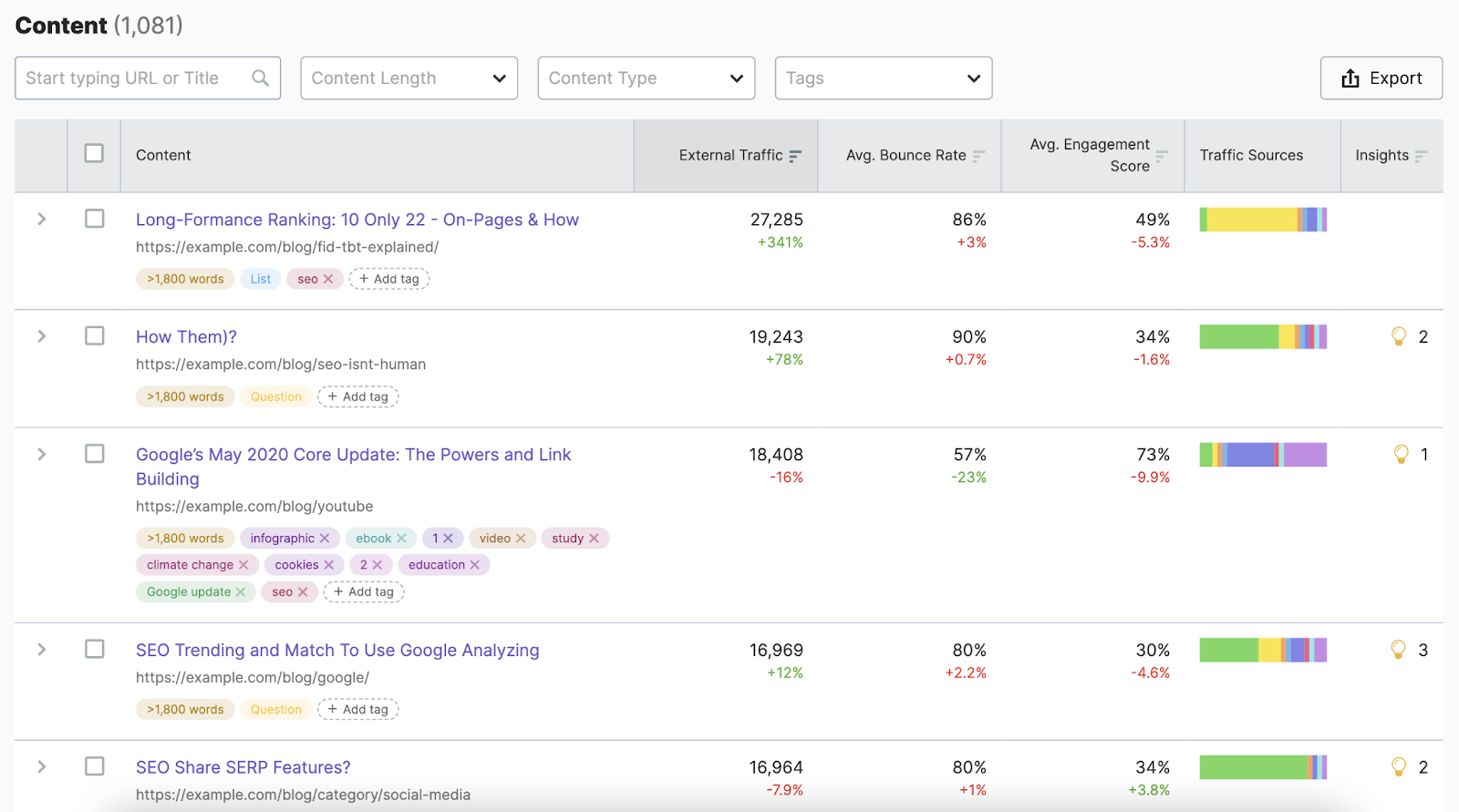
When reviewing your content, look for opportunities to better align it with the voice search keywords you’ve identified. The goal is to make your content easier for both users and search engines to understand and use as direct answers.
Some best practices include:
- Use natural language: Write in a conversational style that reflects how people speak when using voice search. This can help your content better match spoken queries.
- Incorporate keywords naturally: Include relevant voice search keywords in headings and throughout your content without disrupting readability or flow.
- Provide concise answers: Deliver clear and direct responses to common questions, which can improve your chances of appearing in SERP features and voice search results.
- Add FAQ sections: If relevant keywords don’t fit naturally into the main content, consider creating an FAQ section to address common questions and related search queries.
- Implement schema markup: Use structured data to help search engines better understand your content, increasing the likelihood of earning rich results, SERP features, and voice search visibility.
Improve Your Site’s Technical SEO
Technical SEO focuses on improving a website’s accessibility, crawlability, and overall performance to help search engines better understand and index its content. While technical SEO does not directly target voice search, it can improve user experience and increase the likelihood of earning visibility in SERP features that voice assistants often rely on.
When optimizing your website for voice search, pay particular attention to the following technical SEO factors:
- Page speed: Fast-loading pages provide a better user experience and are generally favored by search engines. Improving load times can help visitors access information more quickly.
- Mobile SEO: Since many voice searches are performed on smartphones and other mobile devices, ensuring your website is mobile-friendly is essential.
- Responsive design: A responsive website automatically adapts to different screen sizes and devices, helping deliver a consistent user experience across desktop, tablet, and mobile platforms.
- HTTPS: Using HTTPS helps secure data exchanged between your website and visitors. It also serves as a trust signal and has been considered a ranking factor by Google for many years.
To evaluate and improve your site’s technical performance, you can use SEO auditing tools that identify issues and provide recommendations for optimization.
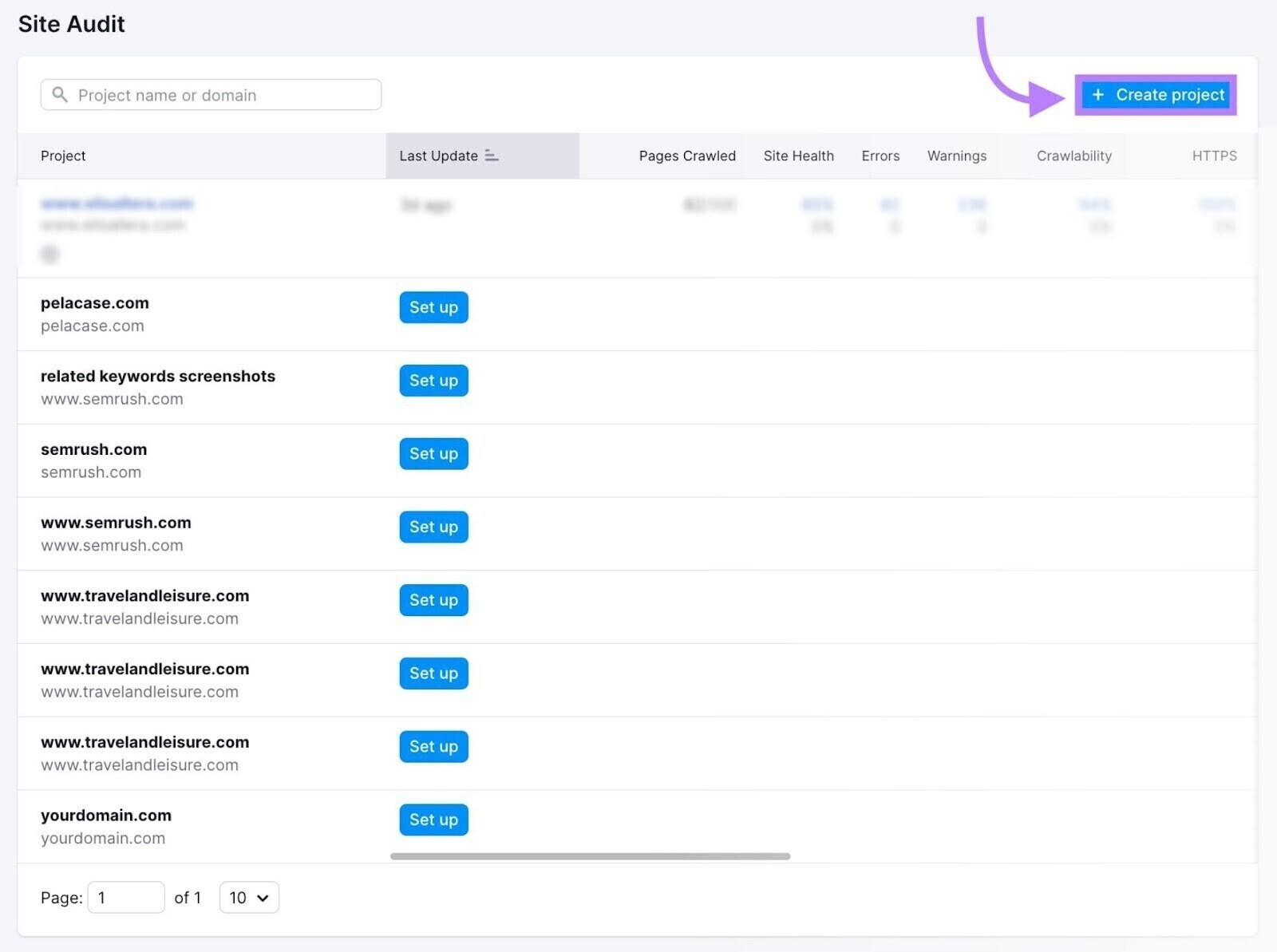
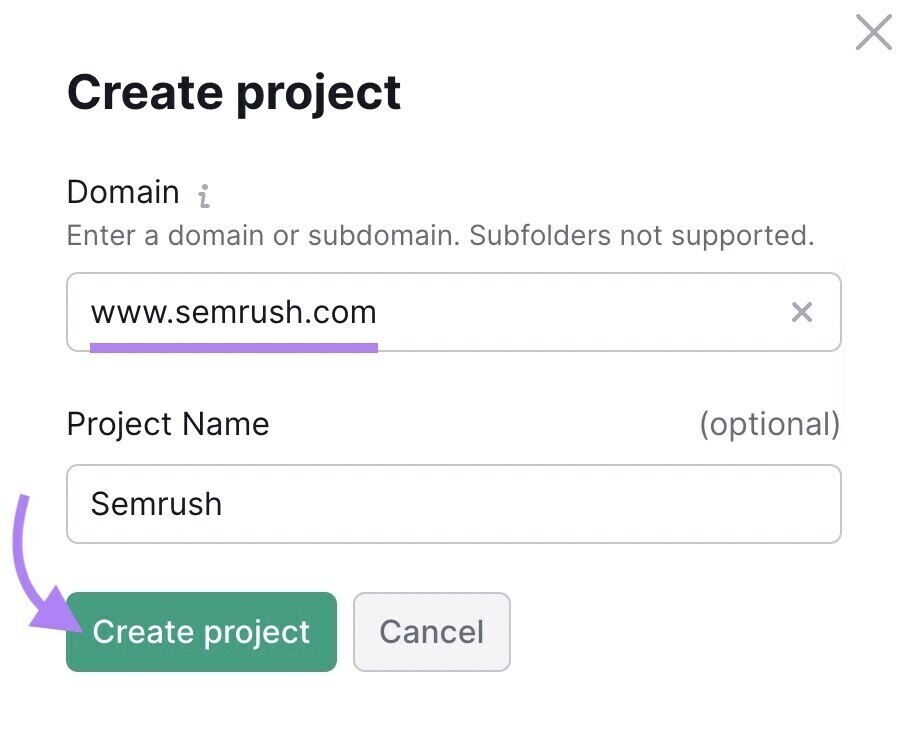
To begin the audit process, enter your website’s domain and, if desired, assign a project name. Then, create the project to start analyzing your site’s technical performance.
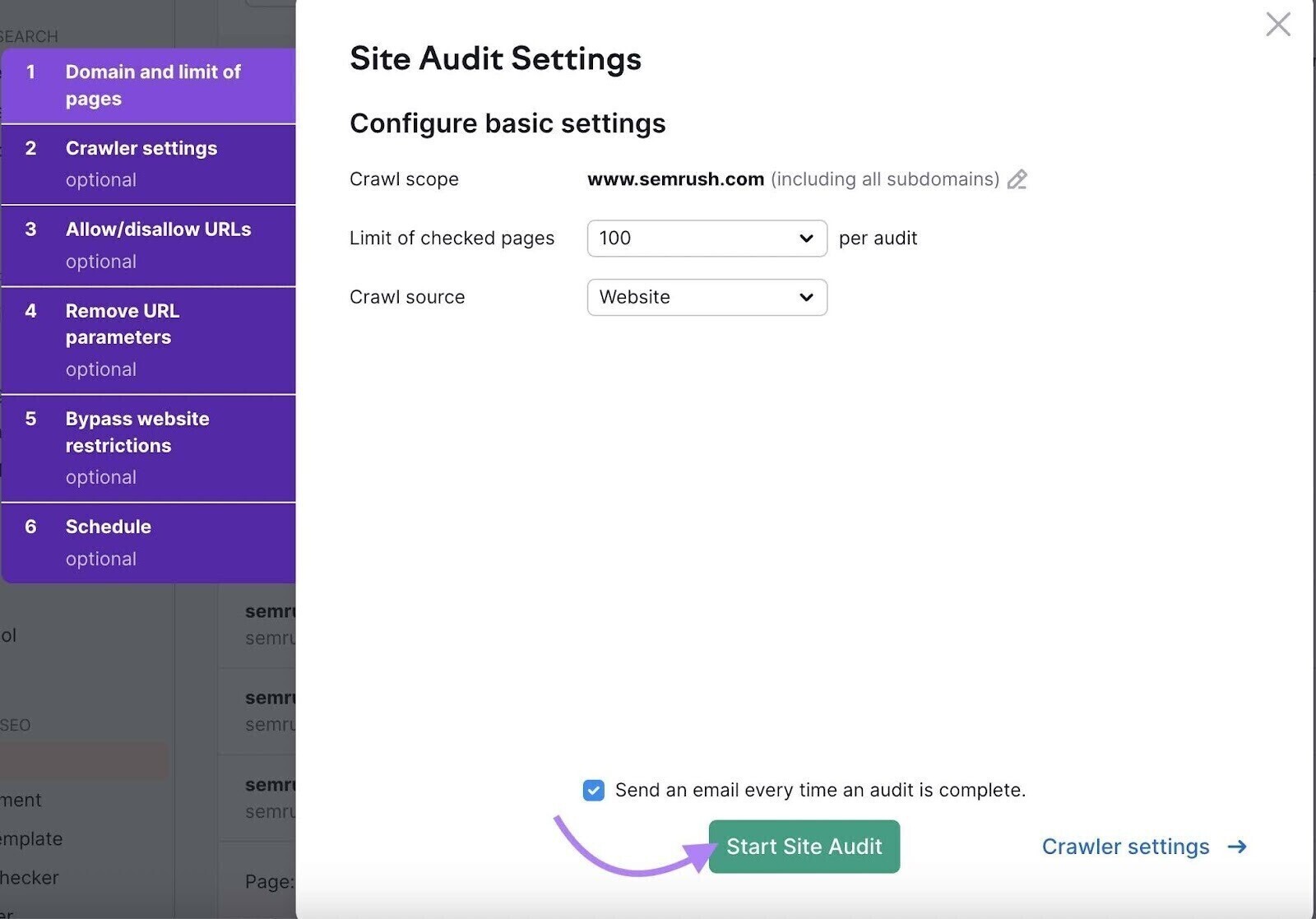
Next, configure the project settings based on your website and auditing requirements. Once everything is set up, start the site audit to begin scanning your website for technical SEO issues and optimization opportunities.
Once the audit is complete, you’ll receive a detailed overview of your website’s technical health along with recommendations for improvement. Review the “Issues” section to identify areas that need attention, and prioritize resolving critical errors first, as these can have the greatest impact on your site’s performance and search visibility.
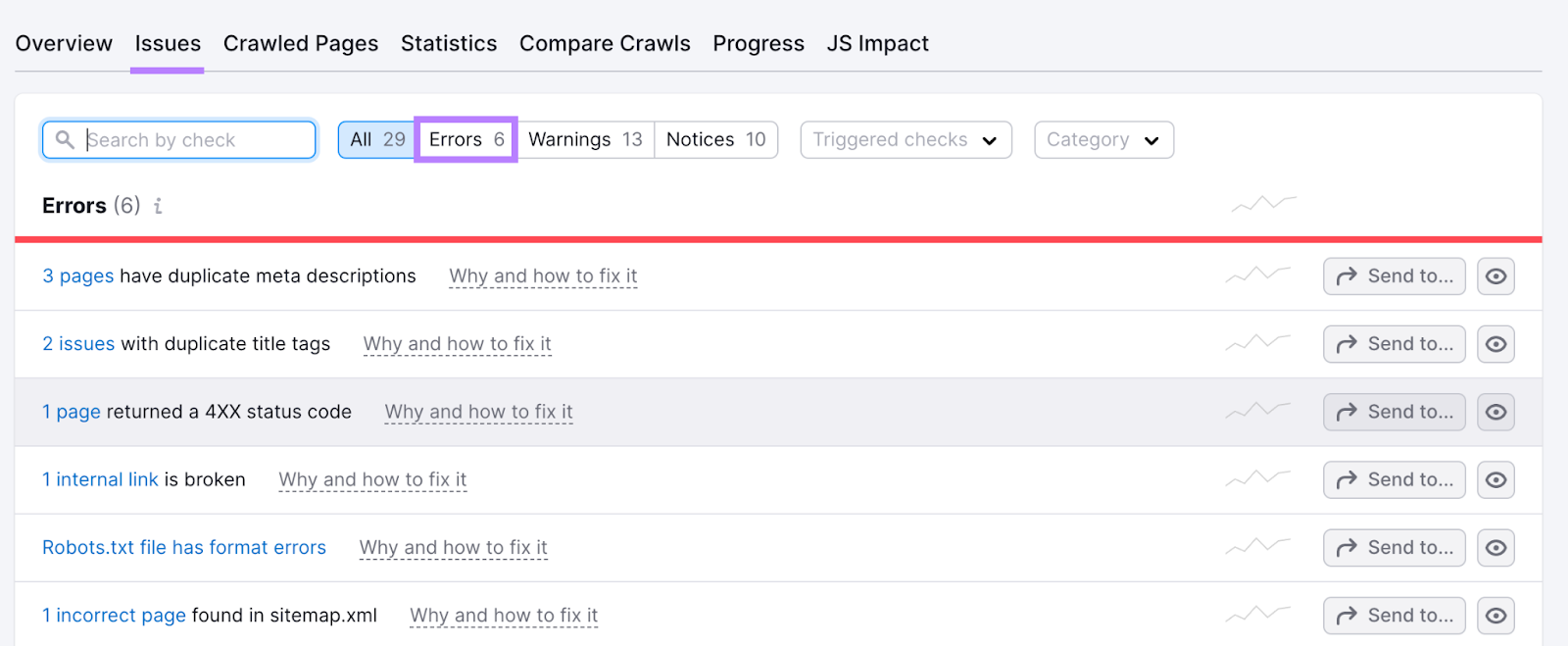
For any issue, you can click “Why and how to fix” to learn more about the problem and discover recommended steps to resolve it.
Practice Local SEO
Local SEO focuses on improving your business’s visibility in location-based searches, helping attract more local traffic and potential customers.
This is particularly important for voice search because many voice queries have local intent, such as finding nearby businesses, restaurants, or services. To answer these queries, voice assistants often rely on information from business directories and local listings.
Some local SEO best practices include:
- Optimize your Google Business Profile: A complete and accurate Google Business Profile can improve your visibility in Google Search and Google Maps. Since Google Assistant frequently uses this data for local voice search results, maintaining an optimized profile can increase your chances of being recommended.
- Leverage additional local directories: Different voice assistants may use different sources of business information. Listing your business on platforms beyond Google Business Profile can help improve visibility across multiple voice search ecosystems.
- Target local keywords: Incorporate location-specific keywords that potential customers use when searching for nearby products or services. This can improve your chances of appearing in local search results and voice search responses.
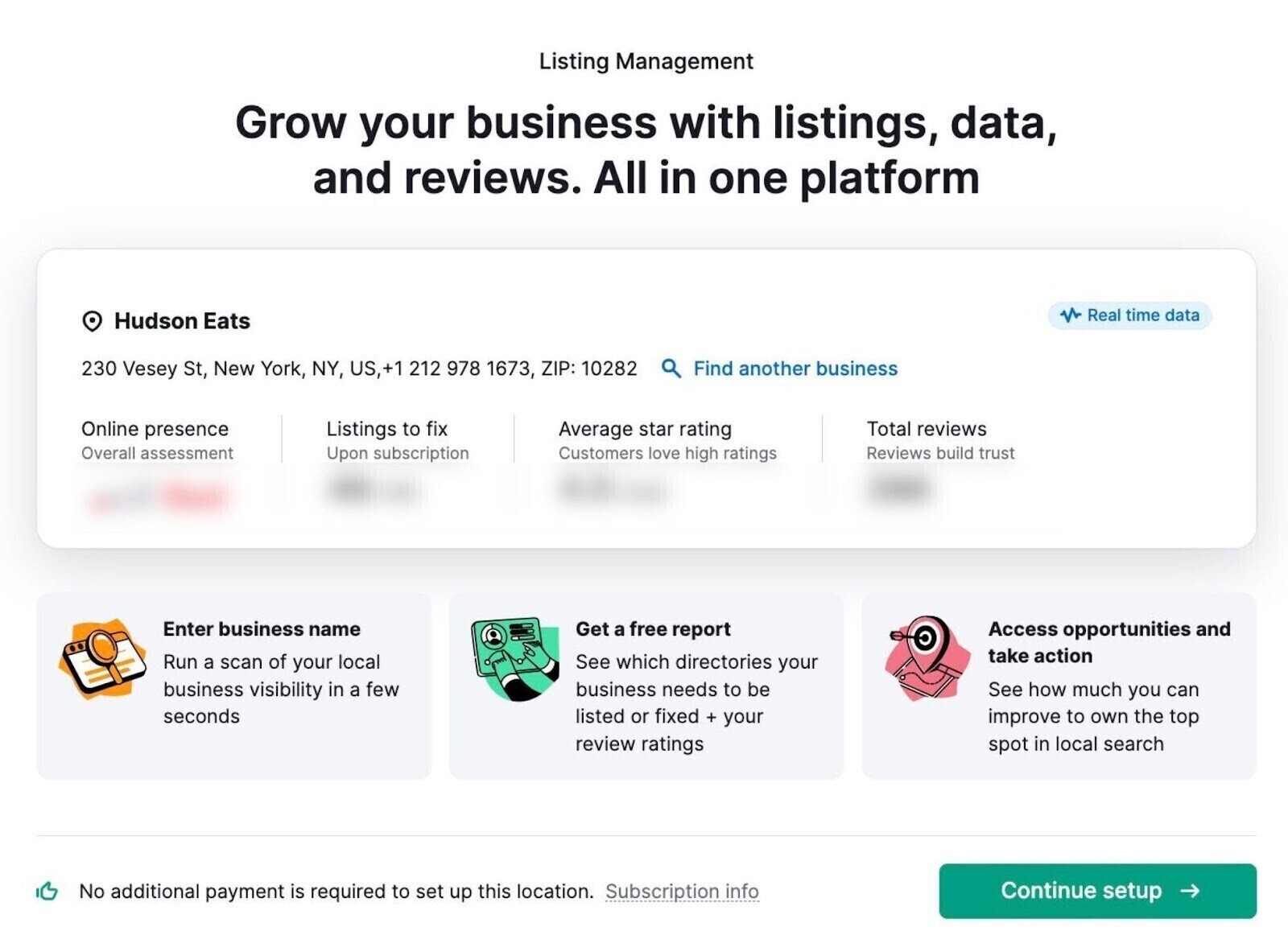
Tools like Listing Management can help you monitor and manage your business listings across multiple directories. To get started, enter your business name, phone number, or website into the tool to review your current local presence.
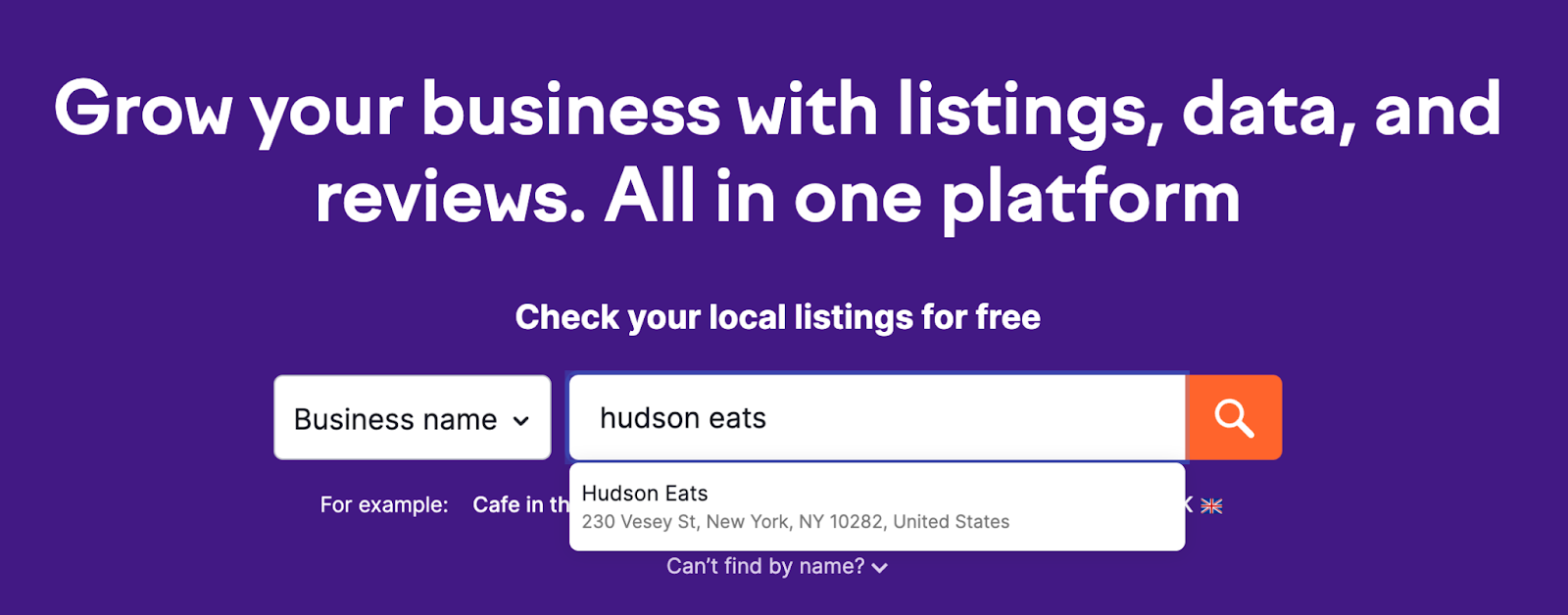
This tool will scan the internet for your business presence and provide valuable insights along with actionable recommendations to improve your local visibility.
Scroll to the “Fix These To Improve And Expand Your Coverage” section to identify which listings contain errors and need to be corrected to improve your overall local visibility.
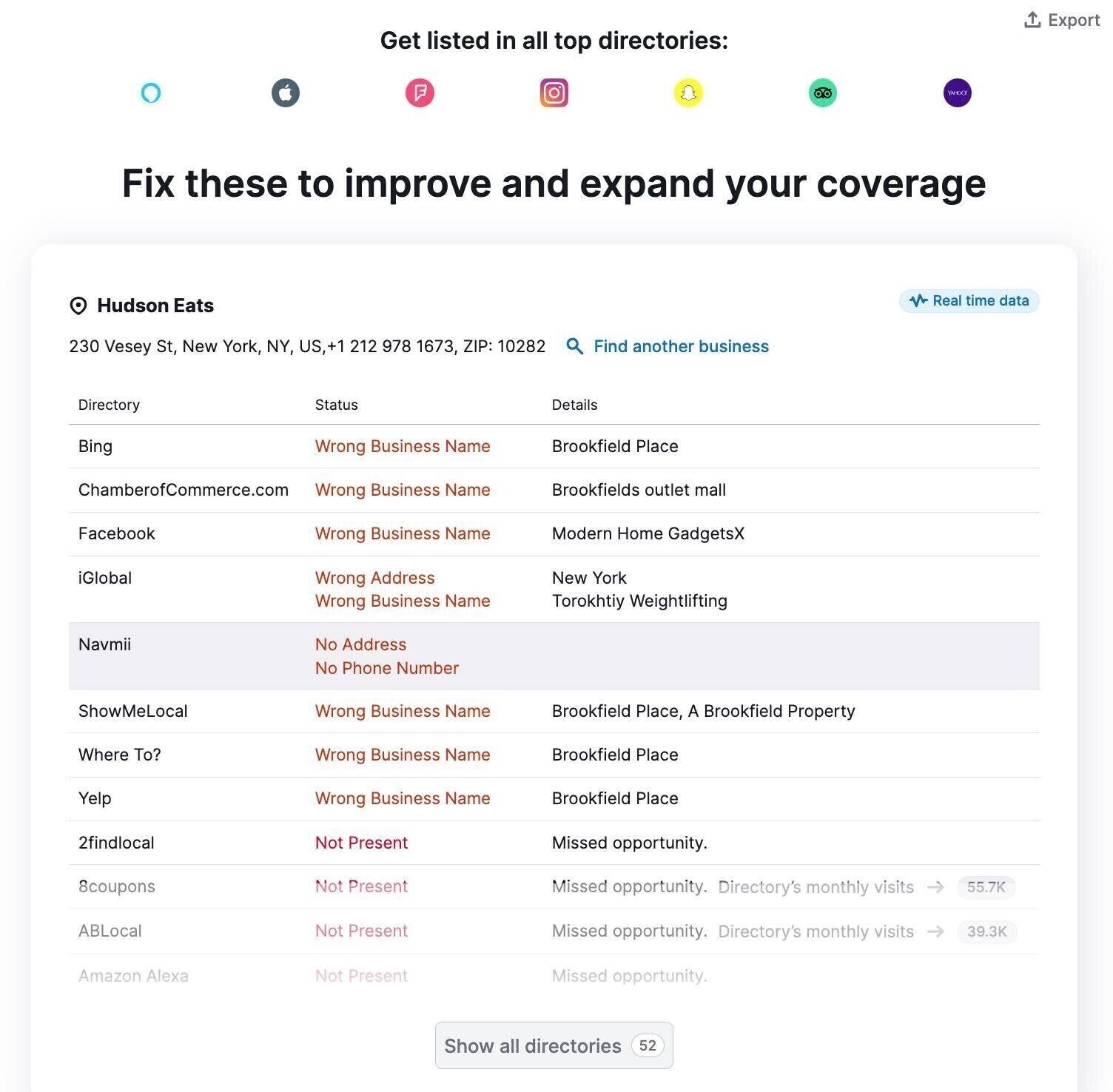
You can then export this list and update the listings manually. If you’re on a paid plan, you can also use the tool to automatically distribute your business information across multiple directories.
Continuously Monitor Your Performance
Keep track of your search engine rankings and SERP features for the keywords you’re targeting to stay competitive, improve your chances of appearing in voice search results, and identify new optimization opportunities.
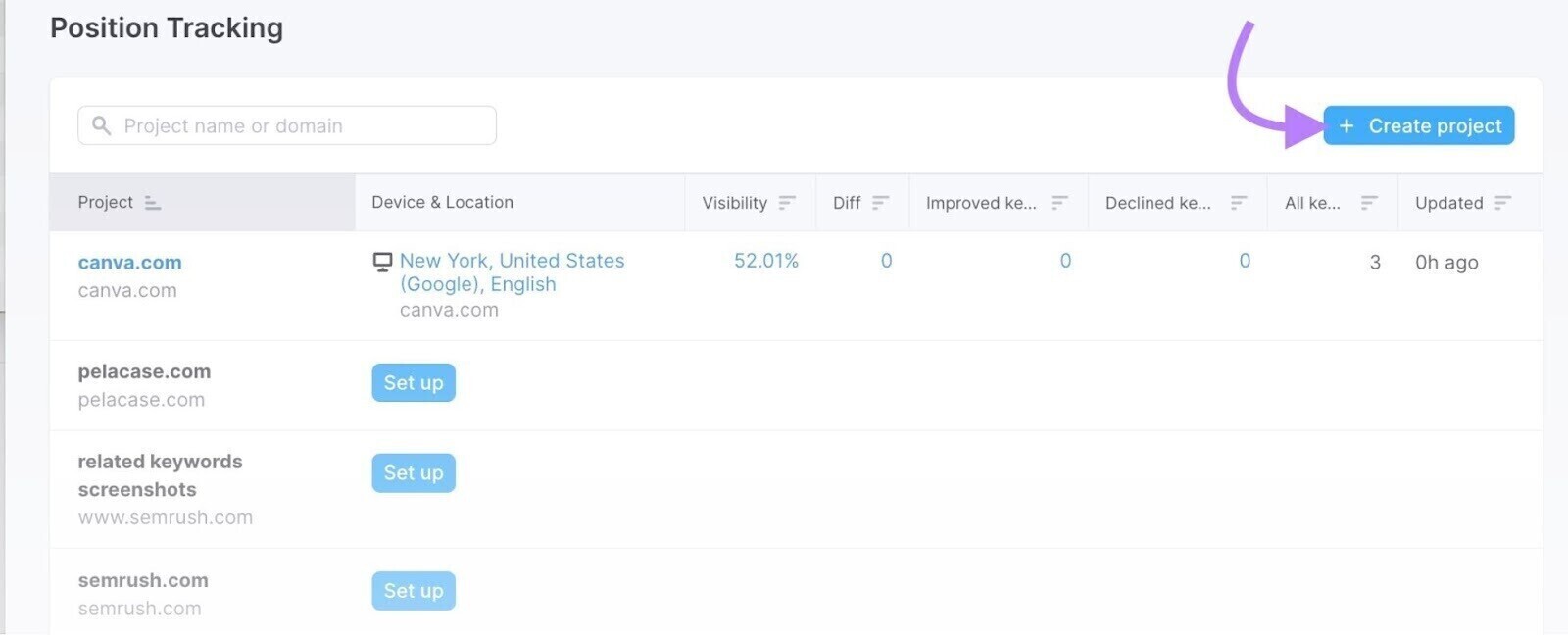
You can use Position Tracking to monitor daily rankings and SERP features for a custom set of target keywords. The tool also allows you to analyze performance across different geographic locations and device types.
To get started, open the tool and click “+ Create Project”.
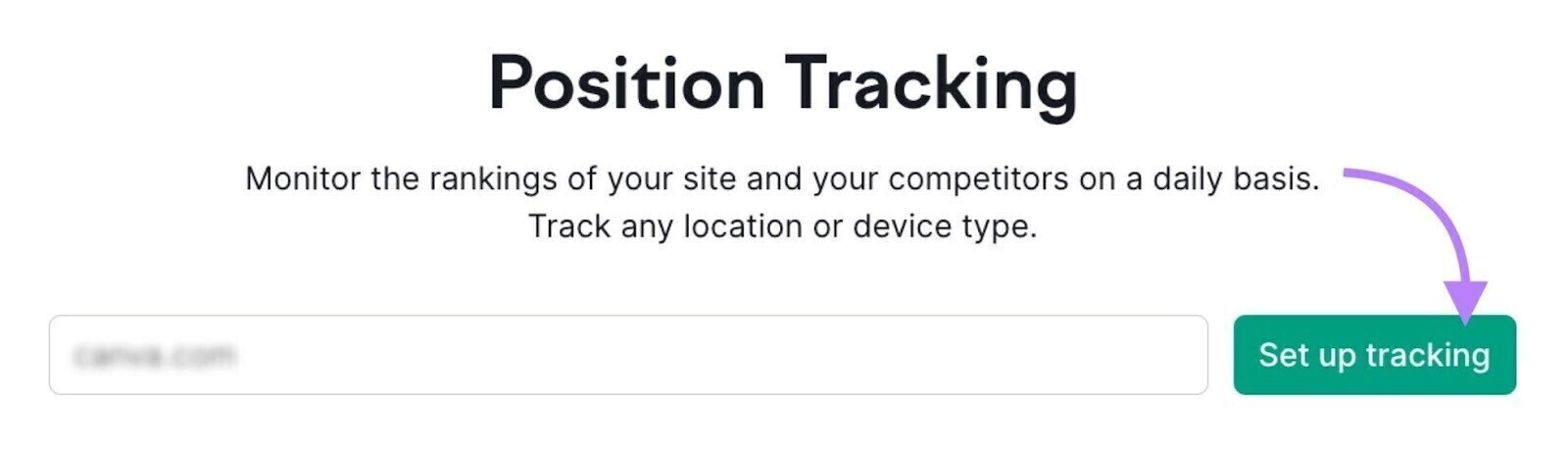
Then, enter your domain and click “Create project” to set up your tracking campaign and start monitoring your keyword performance.
Configure your targeting settings based on your preferred location, device, and search engine, then click “Continue To Keywords” to proceed with selecting the keywords you want to track.
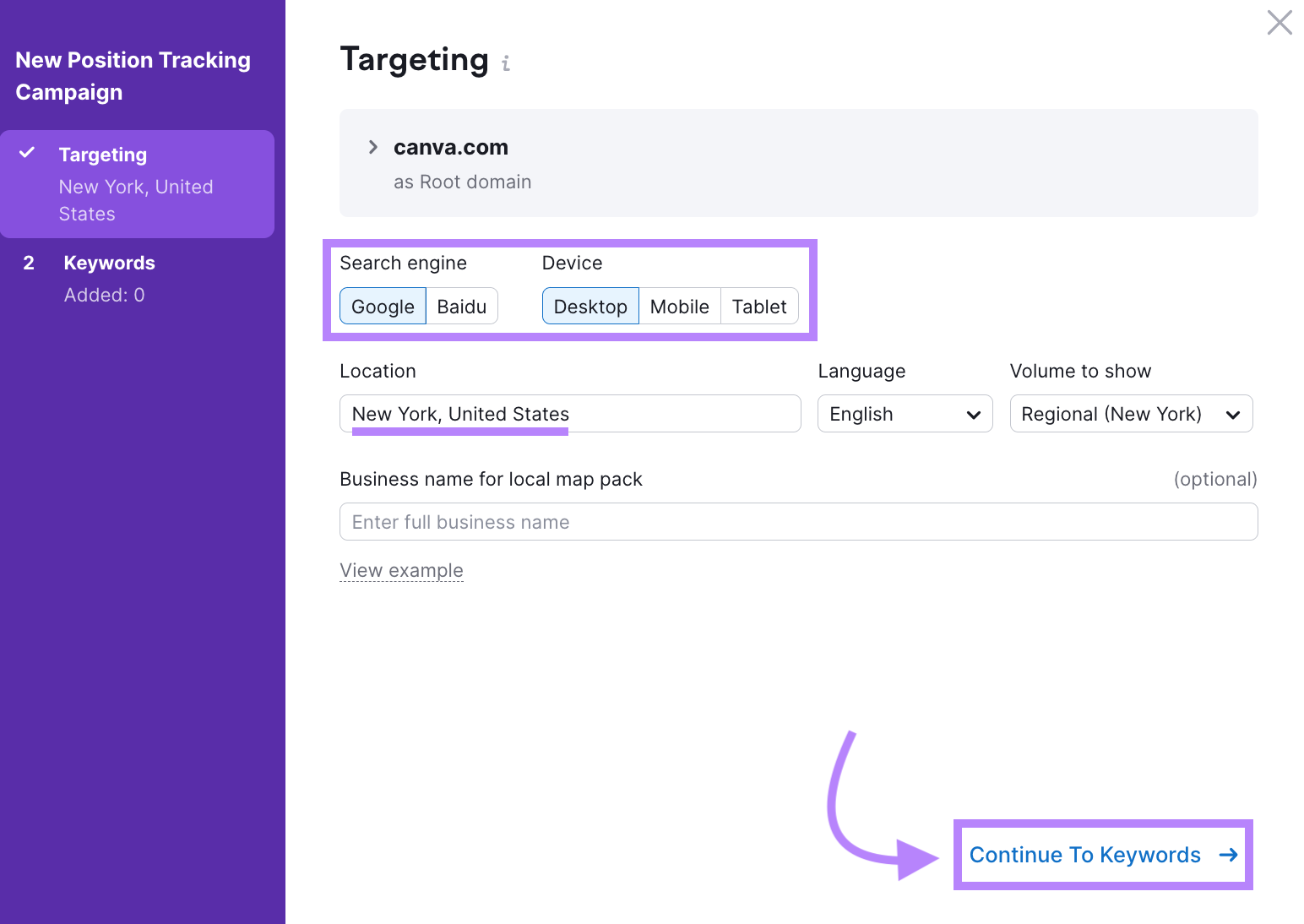
Configure your position tracking campaign by selecting your preferred search engine, device type, location, and the keywords you want to track. Once everything is set, click “Start Tracking” to begin monitoring your rankings.
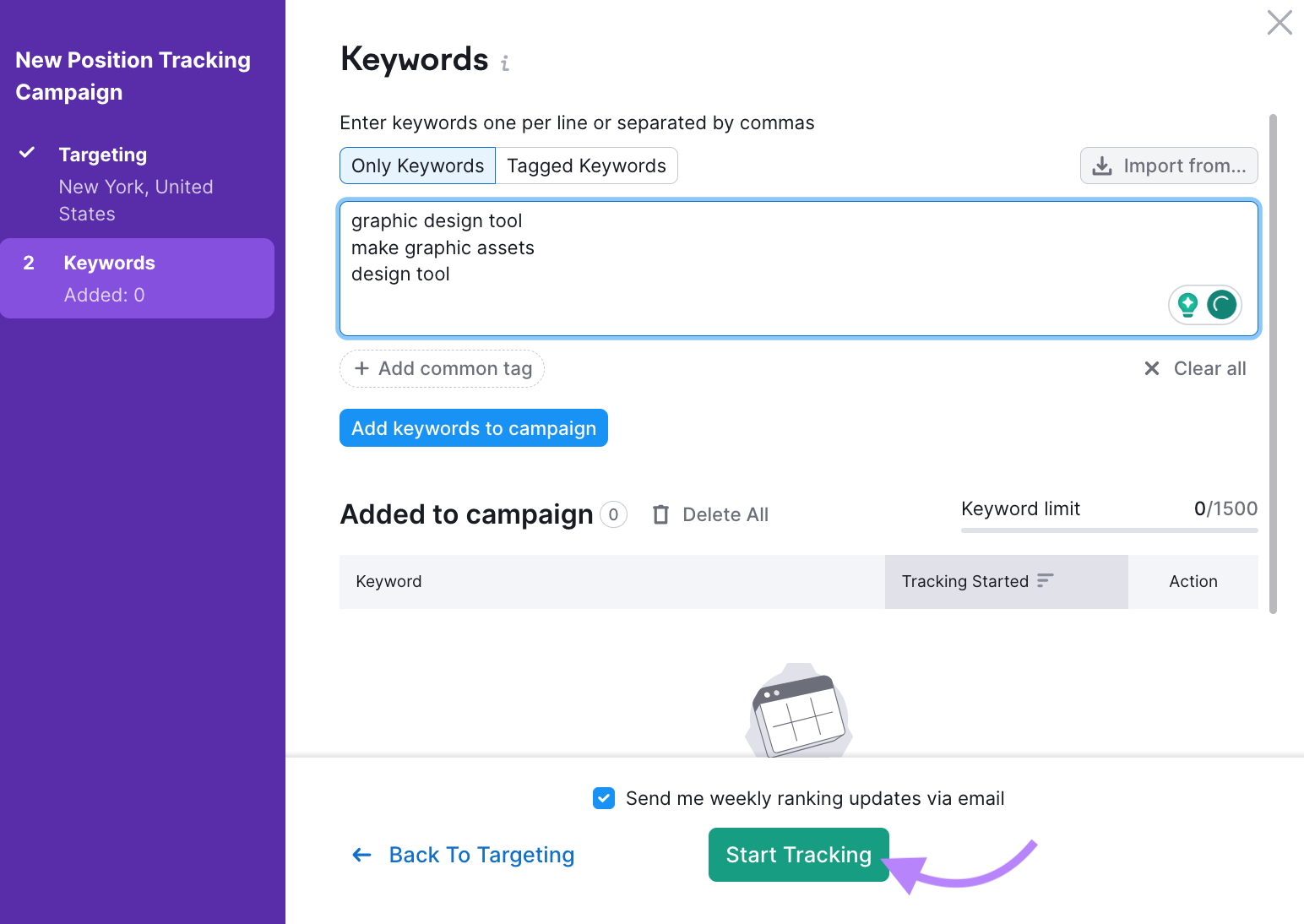
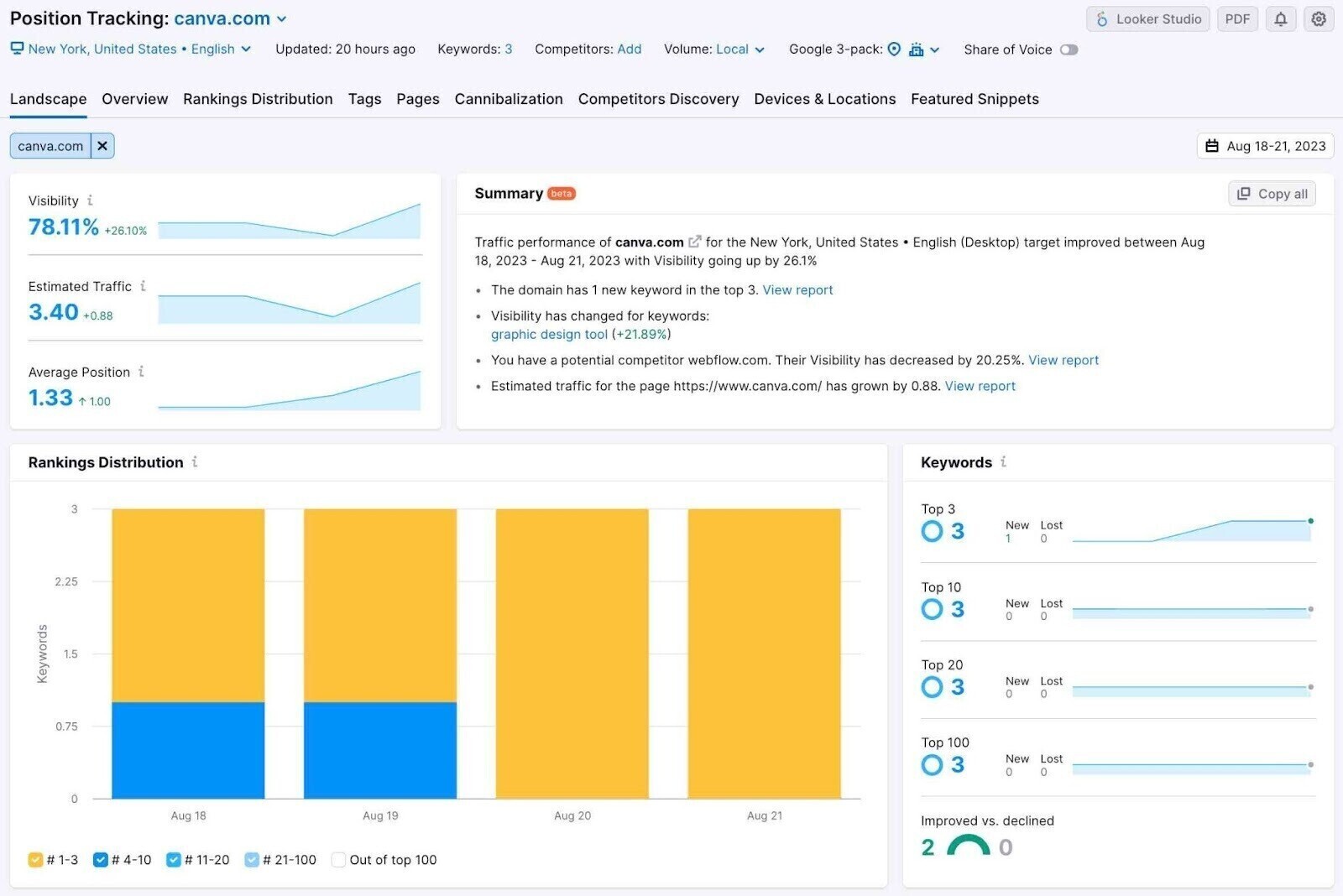
You’ll then have access to valuable insights and reports to help you monitor and optimize your website’s rankings as well as its visibility in SERP features.
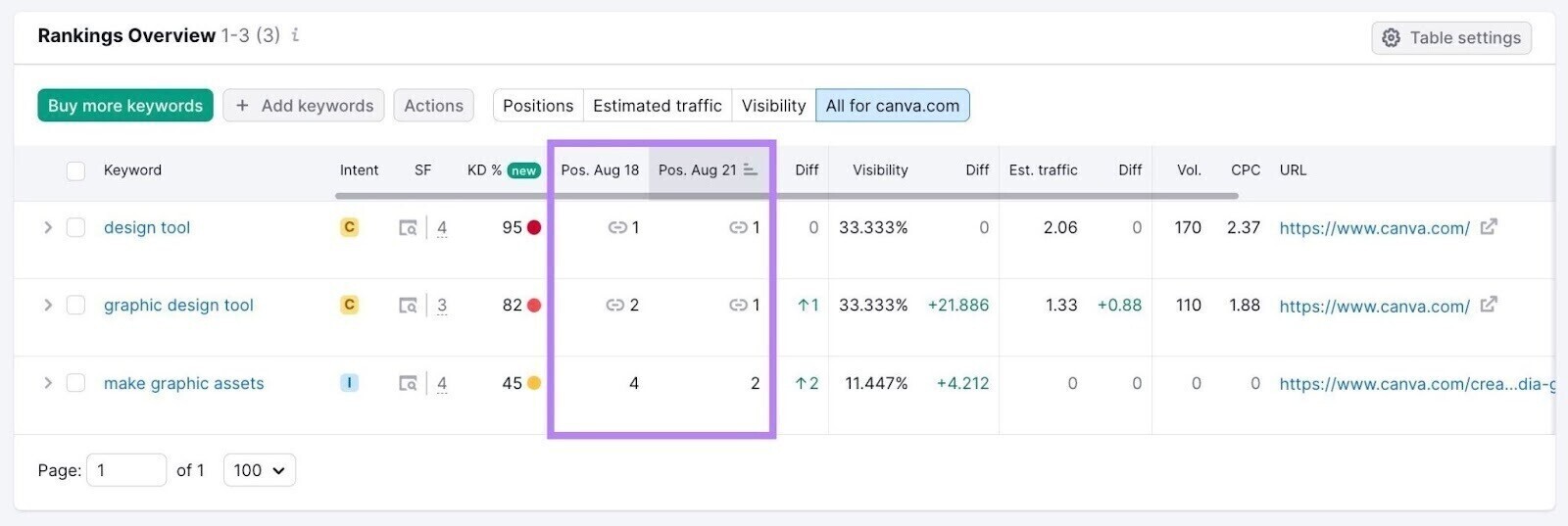
Go to the “Overview” tab to get a detailed view of your keyword rankings. You can also identify which keywords have SERP features by checking the icons displayed in the two “Position” columns.
Optimizing content for voice search is closely related to broader AI search strategies, as explained in How to Optimize Content for AI Search.
Frequently Asked Questions
1. What is voice search optimization?
Voice search optimization is the process of improving your website so it can show up as a spoken answer when users ask questions through voice assistants like Google Assistant, Siri, or Alexa.
2. How does voice search work?
Voice search works by turning spoken questions into text, then using search engines to find the most relevant answer, often from featured snippets or other SERP features.
3. Why should I care about voice search optimization?
You should care because more people are using voice assistants to search, especially on mobile, and it increases your chances of getting traffic from quick, direct answers.
4. What keywords should I use for voice search?
You should use natural, conversational keywords, especially question-based phrases like “how,” “what,” “where,” and “why,” as well as long-tail keywords.
5. How do I optimize my website for voice search?
You can optimize by writing in a natural tone, answering questions clearly, using FAQ sections, targeting long-tail keywords, and adding structured data (schema markup).
6. Does voice search affect SEO rankings?
Yes, indirectly. Voice search often relies on high-ranking pages and SERP features, so improving SEO increases your chances of being selected as a voice answer.
Conclusion
Voice search optimization is becoming an essential part of modern SEO as more users rely on voice assistants to find quick, conversational answers. By focusing on natural language, question-based keywords, SERP features, and technical SEO, businesses can significantly improve their chances of appearing in voice search results and AI-driven responses.
At Arestós, we help businesses grow visibility through a full-stack approach that combines SEO, AEO, and GEO strategies. Our team focuses on creating content that not only ranks on search engines but is also optimized to be understood and cited by AI systems and voice assistants.
If you want to improve your visibility in voice search and future-proof your content strategy, contact us today and start optimizing for the next generation of search.
Subscribe to our newsletter!
Get updated to
the lastest IT trends
Related Posts
Update the latest technology trends for your business